Period Closing Voucher
Period Closing Voucher
After the profit or loss for an accounting period is balanced and the period closing voucher is presented, the books are ready to be opened again.
You can shut your books of accounts at the end of each year, (quarterly, or possibly even monthly), following the completion of the audit. This implies that you make each of your unique entries as follows:
Depreciation
Change in value of Assets
Defer taxes and liabilities
Update bad debts
Book your profit or loss after that.
Your Income and Spending Accounts' balance will be 0 as a result. With a balanced Balance Sheet and new Profit and Loss account, you begin a new Fiscal Year (or period). After creating all of the special entries for the current fiscal year via Journal Entry in ERPNext, you should use a Period Closing Voucher to set all of your Income and Expenditure accounts to zero.
Visit the following to view the Period Closing Voucher list:
Home > Accounting > Opening and Closing > Period Closing Voucher
1. How to create a Period Closing Voucher
1.Go to the Period Closing Voucher list and click on New.
2.Set a posting date.
3.Select the account, usually this is the 'Reserves and Surplus' account.
4.Enter any remarks.
5.Save and Submit.
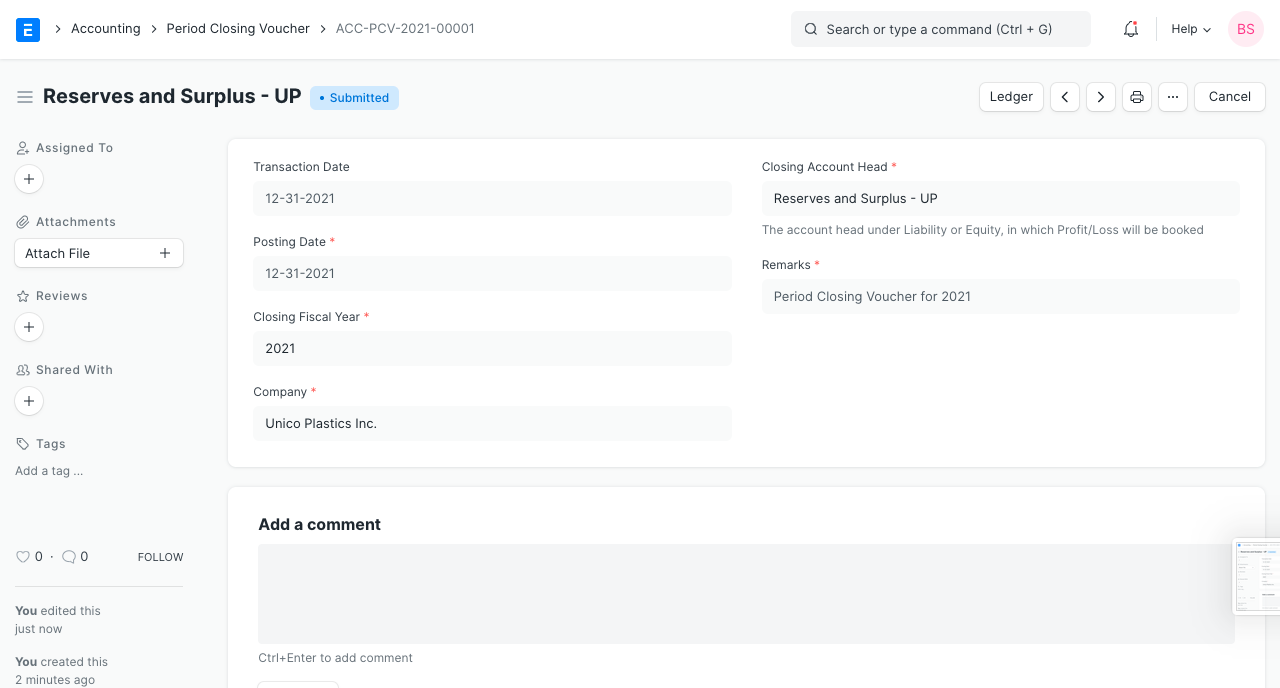
1.2 The fields explained
Transaction Date shall be the date of creation of Period Closing Voucher.
Posting Date When this entry should be executed will be. If the last day of your fiscal year is December 31st, that day should be chosen as the posting date on the period closing voucher.
Closing Fiscal Year will be the year that your financial statement is being closed.
Book Cost Center Wise Profit/Loss will record closure entries according to the cost center for accounting entries for income & expenses.
1.3 What happens on submitting?
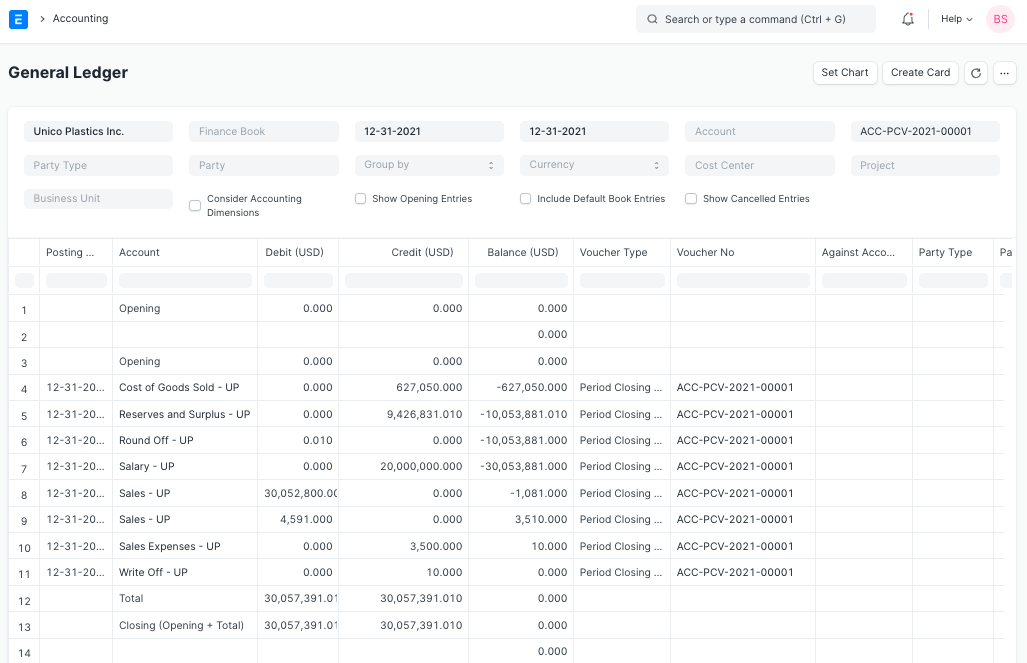
There will be accounting entries made in the Period Closing Voucher (GL Entry). This will move the balance of your profit or loss to the closing account and make all of your income and expense accounts zero.
As the closing account, you should choose a liability account like Reserves and Surplus, Any Revenue Reserve account, or Owners Capital account.
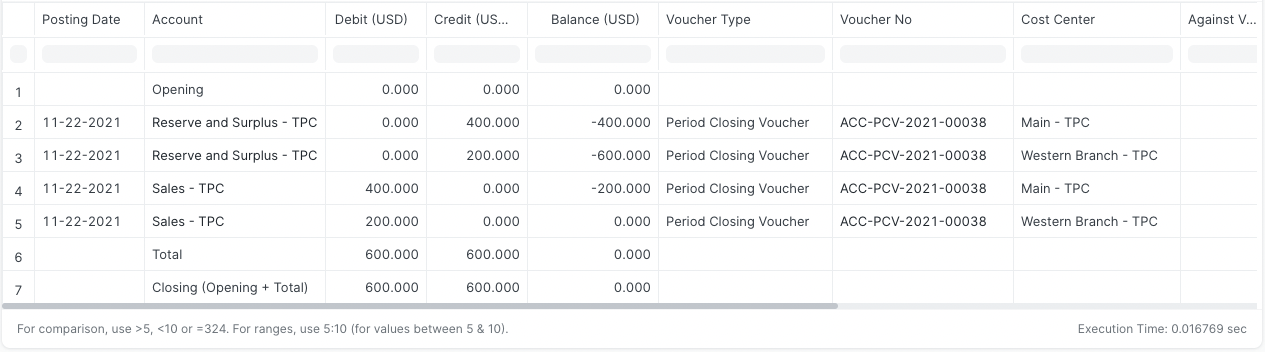
If Cost Center Book When Smart Profit/Loss is enabled, the net profit & loss will be booked in accordance with the cost center of each individual transaction. The closing entry for two sales transactions with different cost centers is shown below.
Note: You should produce another Period Closing Voucher if accounting entries are made in a closing Fiscal Year even after one has been created for that Fiscal Year. Just the pending P&L amount will be transferred via a later voucher to the closing account head.