Assignment
Assign To is a feature in Geer ERP that allows you to assign a particular document to a specific user, who needs to further work on that document.
The first draft user can assign a Sales Order to the Sales Manager, for instance, if it needs to be authorized or filed by the Sales Manager.
When this document is given to the Sales Manager, it will be put on their list of things to do.
A Material User and an Account User may be assigned, respectively, to a Delivery Note and a Sales Invoice against this sales Order.
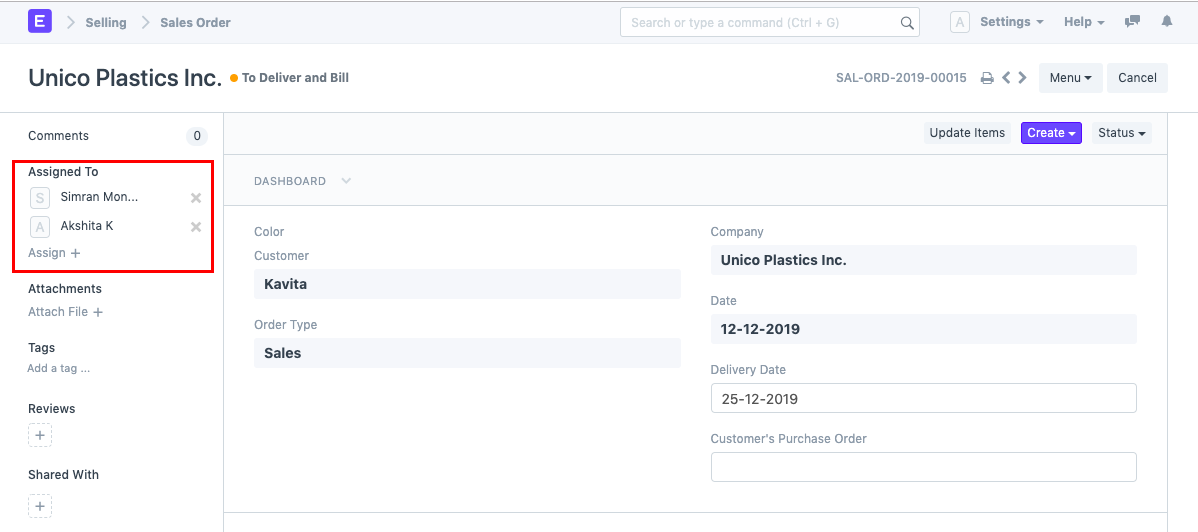
Note: Assignment can be done irrespective of Permission Restrictions.
New Assignment
To create a new assignment, open the document you want to assign it to, then click the "Assigned to" button in the left sidebar. Choose the user's name whose account you want to assign this to.
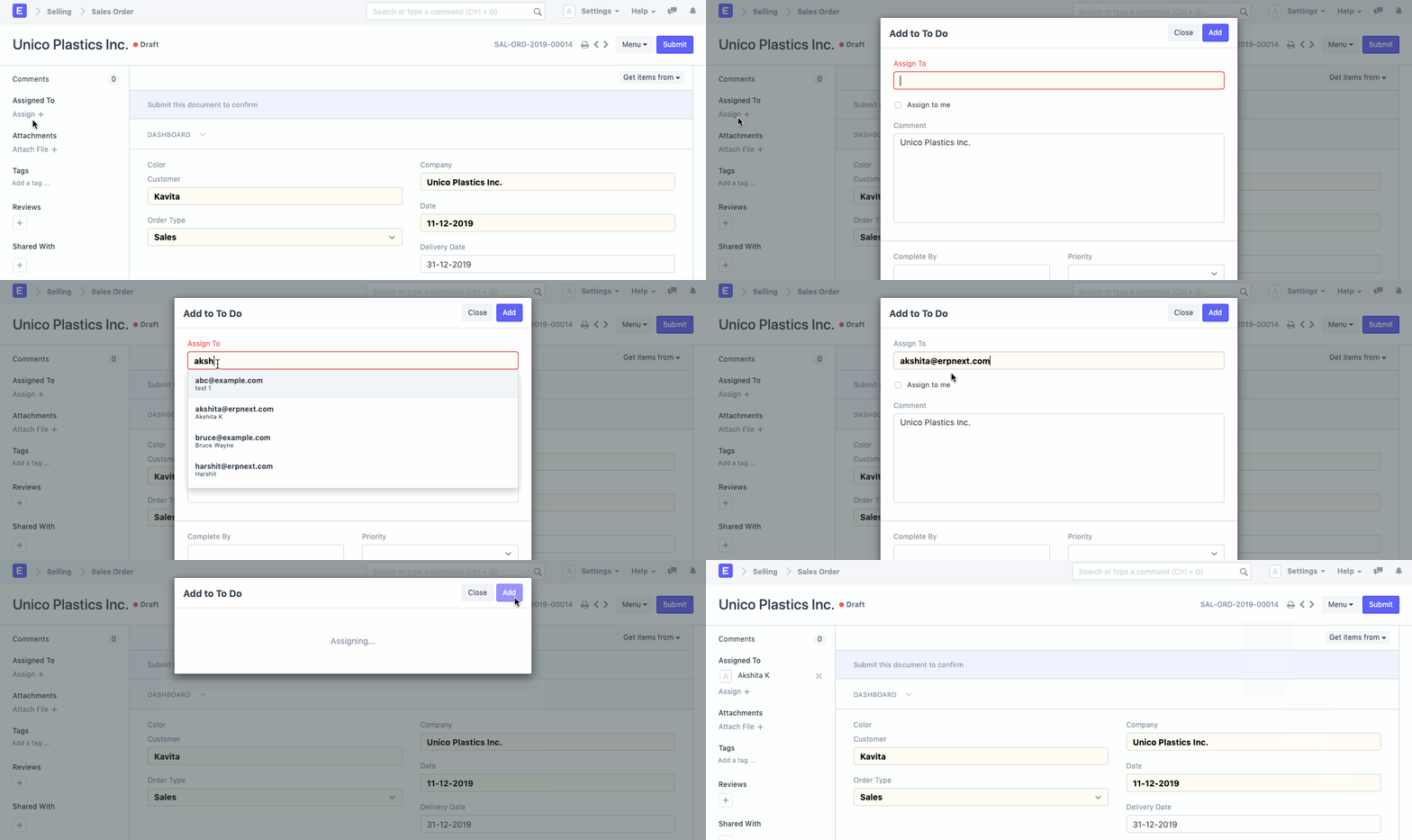
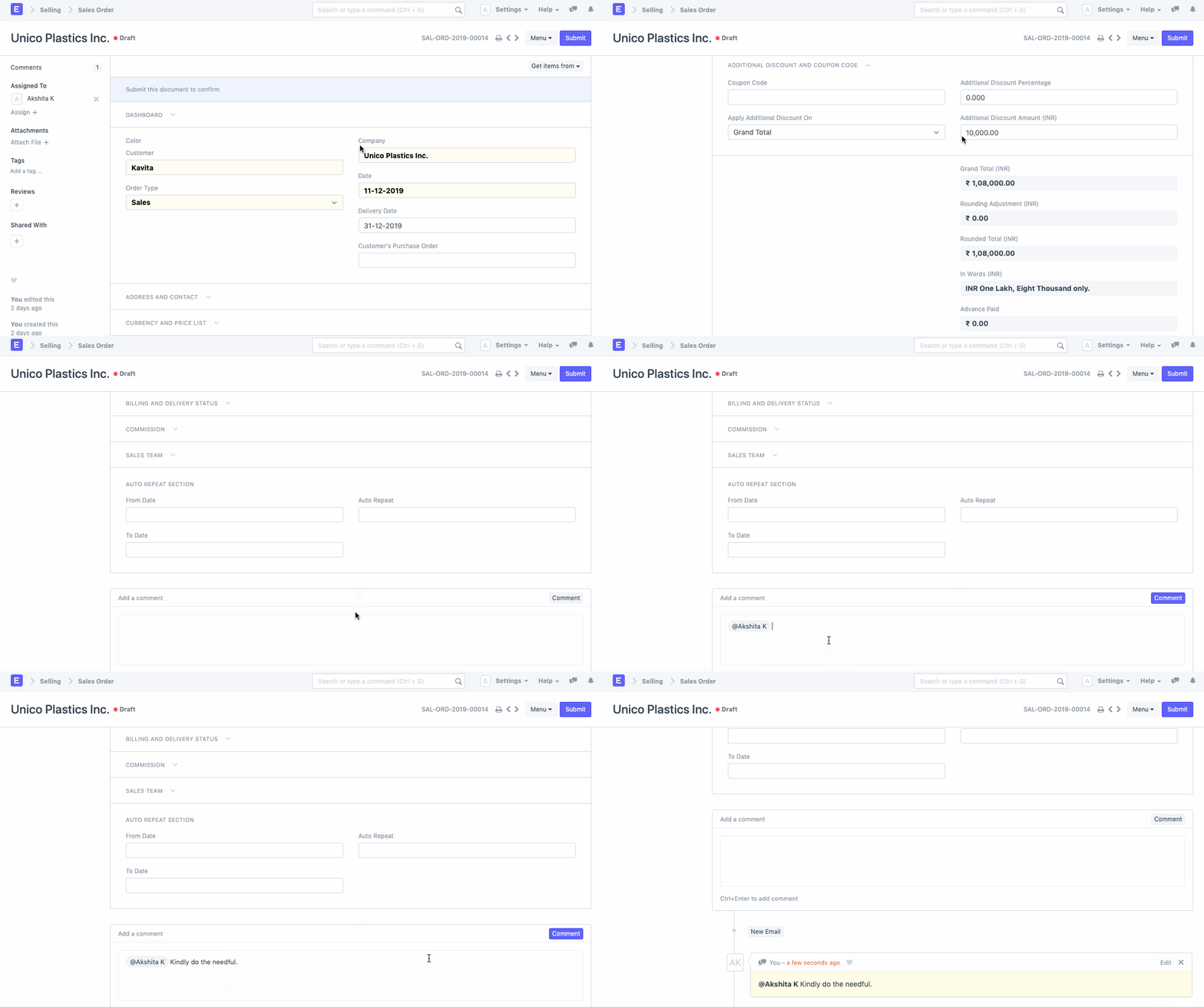
You may also write a comment for the assignee's review in addition to the assignment.
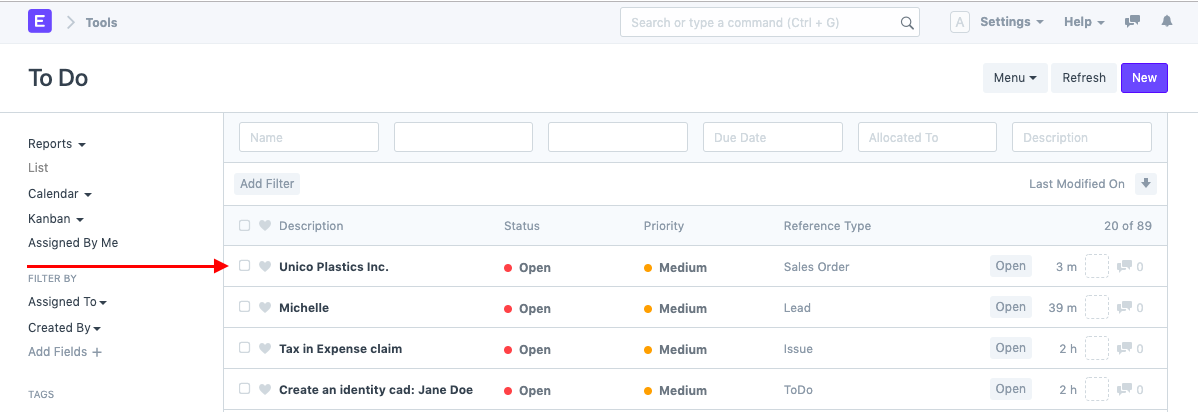
To Do List of Assignee
Every task given to a certain User will appear in their To Do area.
Removing Assignment
The "Closed" button in the document will allow users to delete assignments.
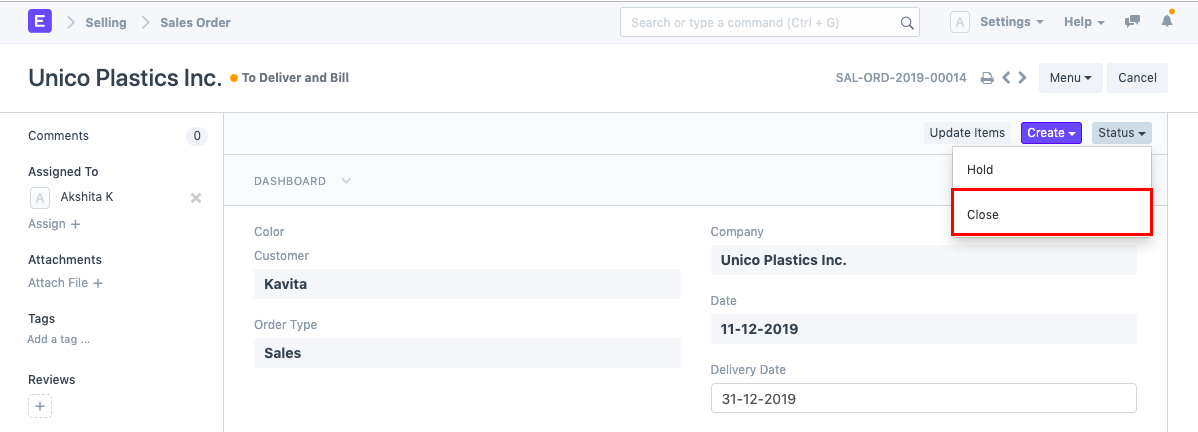
When the assignment is marked as finished, the accompanying To Do is also marked as "Closed."