Coupon Code
Coupon Code
A customer may receive discounts on items in their shopping basket by using a coupon code.
Everyone enjoys a good deal! Likewise, the coupons that provide such discounts. The interesting discount code function attracts customers to the e-commerce website.
There are websites that create leads for your ERPNext e-commerce website's products, services, and resellers.
When a potential customer visits your ERPNext website to make a purchase after receiving promotional emails from other websites, you should be able to:
Go here: to see the list of coupon codes.
Home > Accounting > Coupon Code
1. Prerequisites
- You must turn on Display Apply Coupon Code in E Commerce Settings in order to use the Coupon Code feature.
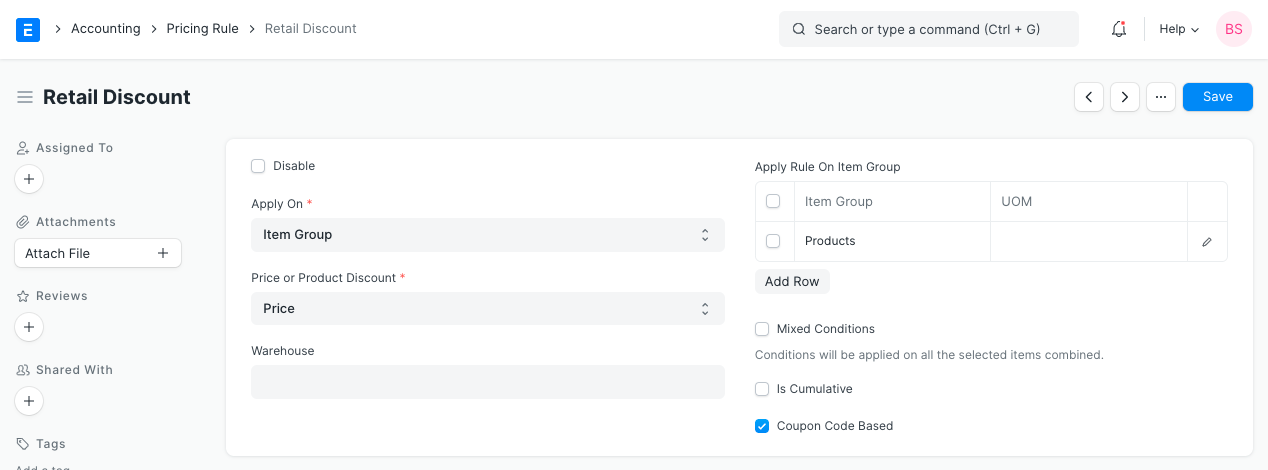
- Add a pricing rule with the flag enabled for coupon code based pricing.
2. How to create Coupon Code
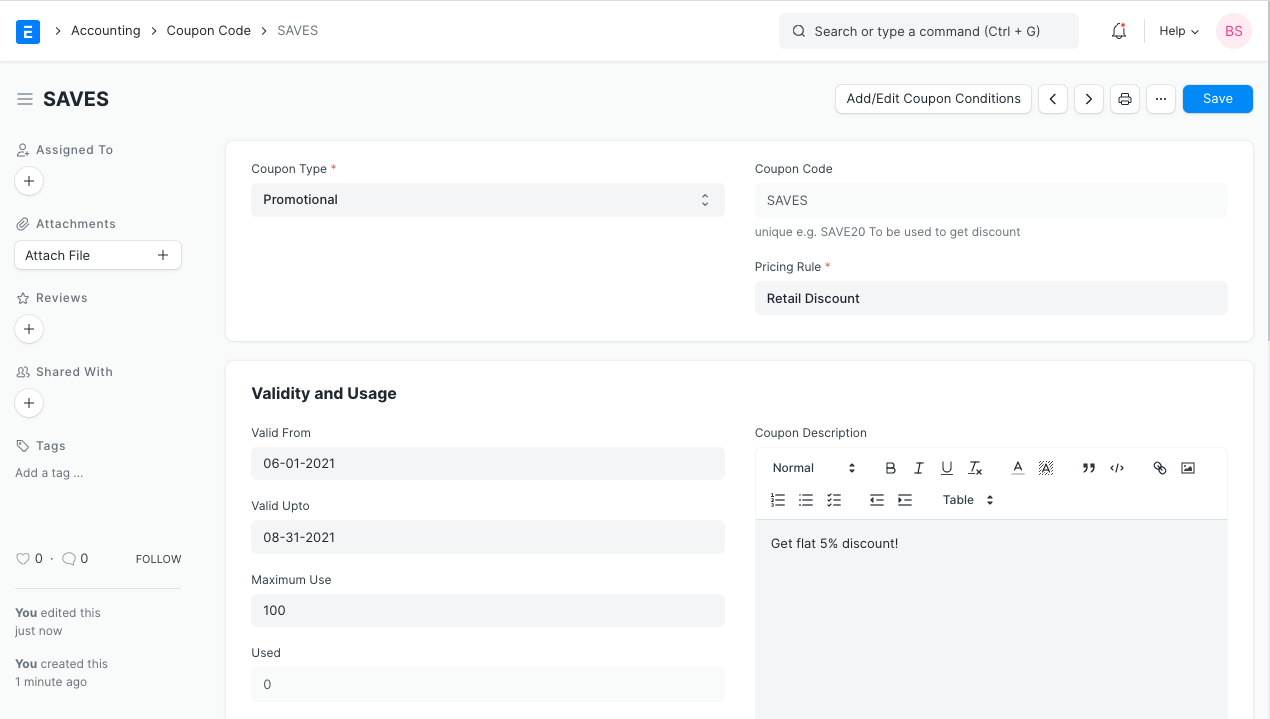
Click on New under Coupon Code List to start.
Give the coupon a name, like "SAVE 20."
Choose either promotional or gift card under "Coupon Type."
To be promotional is to forward a general plan.
Gift Cards are used to generate promo codes at random and give them to certain users or customers.
- Coupon Code is a distinct, capitalized read-only code that is created based on the coupon's name and kind.
For Coupon Type,
a) Promotional, which takes the first 8 characters and eliminates all spaces. like SAVE20
b) GiftCard, which creates an 11-digit random code. such like AP48K7CT9LP
Before placing your order, you can use it on the shopping cart page to receive a discount.
Choose a pricing rule with the flag for coupon codes enabled.
Choose "Save"
3. Features
3.1 Validity and Usage
1.Valid From - To - Persistence of the coupon
2.Maximum Use - Limit limits how often a promo code can be used.
3.Used - The used count increases by 1 for each Sales Order that uses a promo code.
4.Coupon Code Description - can be used to tell potential customers about the promo code and scheme details when developing an email template.
3.2 Coupon Code can be applied in two ways
- For the convenience of the user, the URL will automatically fetch the coupon code from the URL parameter ("cc") and fill in the Apply Coupon Code textbox.
http://xyz.erpnext.com/products/golden-ring?cc=SAVE5
- Using the code directly, as shown below, in the shopping cart page, by entering the code and pressing the "Apply Discount Code" button.
Upon successful application of the promo code, the price will be changed.