Supplier Scoreboard
A Supplier Scorecard is an evaluation tool used to assess the performance of suppliers.
Scorecards for suppliers can be used to monitor their responsiveness, delivery, and product quality over an extended period of time. Usually, this information is utilized to support purchase decisions. Each supplier has a Supplier Scorecard that is manually developed.
Go to: to view Supplier Scorecard.
Home > Buying > Supplier Scorecard > Supplier Scorecard
1. Prerequisites
t is suggested that you first produce the following before developing and utilizing a supplier scorecard:
- Supplier
1. How to create Supplier Scorecard
- Click New in the Supplier Scorecard list.
- To score, pick a Supplier.
- Choose whether to evaluate over a weekly, monthly, or yearly timeframe.
- Configure the scoring system (details in next section).
- Each supplier has their own scorecard, which is created. For each supplier, a single supplier scorecard can be established.
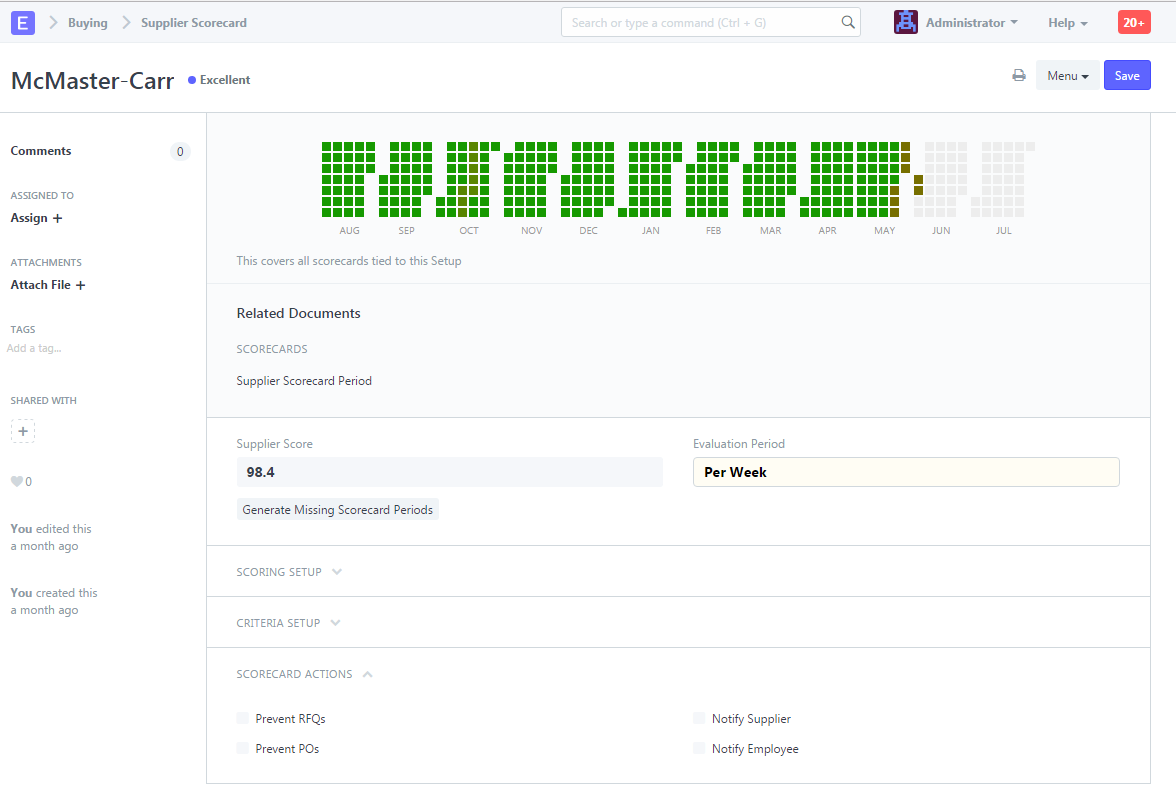
2. Features
2.1 Scoring Setup
The supplier scorecard has predetermined evaluation intervals during which a supplier's performance is assessed. The time frame for this can be weekly, monthly, or yearly. The weighting function is used to generate the current score from the results of each evaluation period. The past 12 scoring periods are linearly weighted when using the default algorithm.
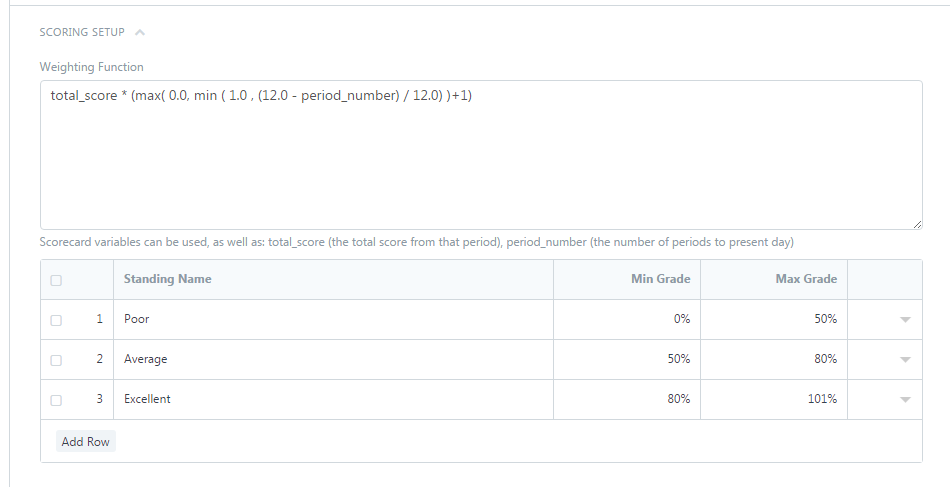 This formula is customizable.
Supplier Standings
Suppliers are swiftly sorted based on their performance using the supplier standing. Each supplier can customize these.
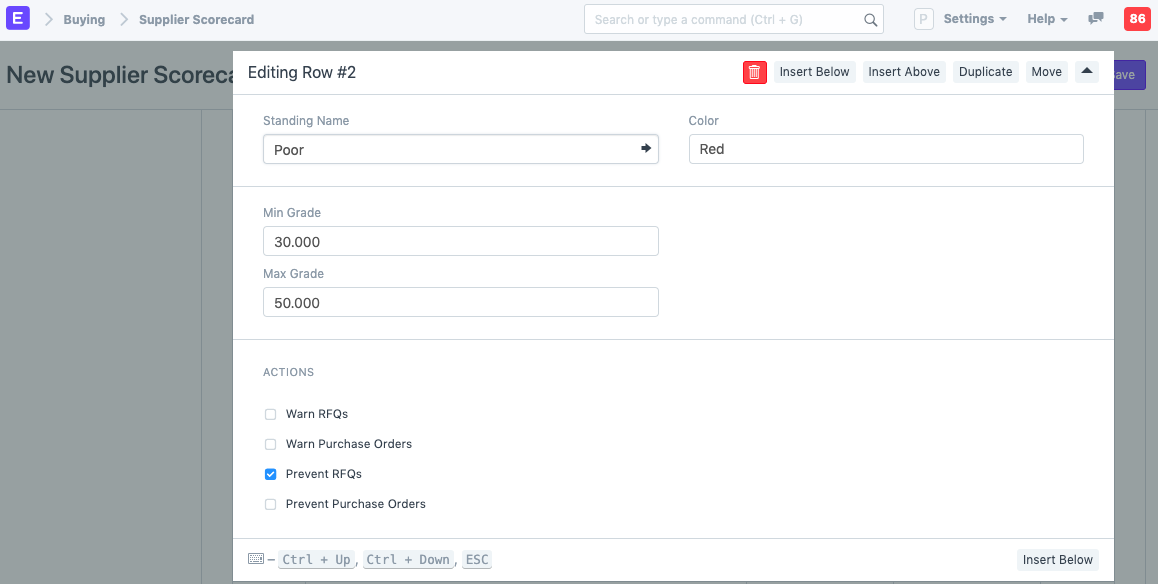
A supplier's scorecard standing can also be used to prevent them from being included in requests for quotes or from receiving purchase orders. By clicking the downward-pointing arrow after expanding a row in the "Scoring Standings" table, the next screen can be seen.
2.2 Criteria Setup
Numerous specific evaluation factors, such as the speed with which a supplier responds to requests for quotes, the caliber of the given goods, and the timeliness of deliveries, can be used to assess a provider. The final period score is calculated by weighing these factors.
Go to Buying > Supplier Scorecard > Supplier Scorecard Criteria to create a new criterion:
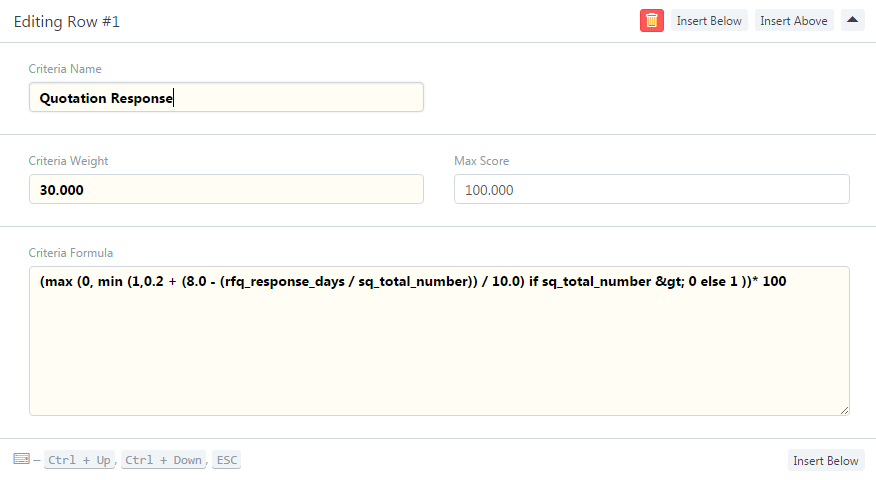
Note: Criteria weights for a scorecard should add up to 100.
2.3 Supplier Scorecard Variables
The Criteria Formula field, which has a number of pre-defined variables at its disposal, determines the formula to be used to calculate each criteria. The screenshot that comes before demonstrates this.
Over the course of the scoring period, the value of each of these factors is determined for each supplier. Such variables include, for instance:
- The overall quantity of goods acquired from the provider
- The total number of products the supplier has accepted
- The total number of supplier-rejected goods
- Number of deliveries made by the supplier overall
- the entire amount paid to a supplier in dollars
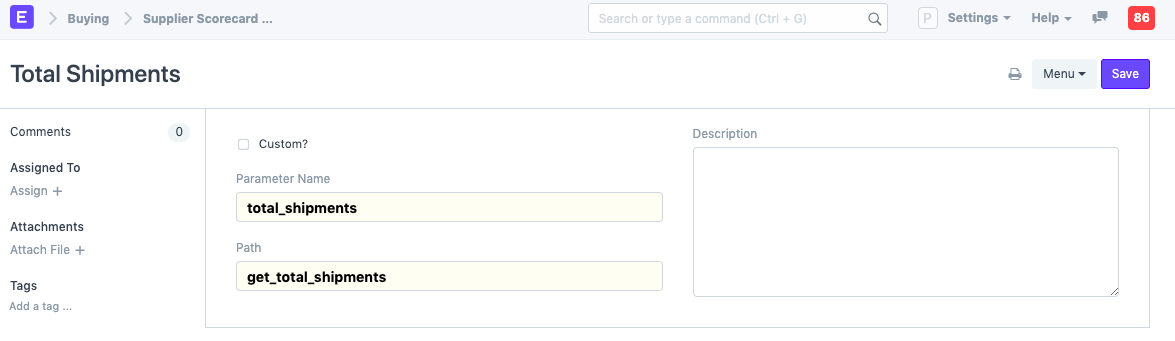
Pre-set variables can be added to further ones by server-side changes. If the variable you're generating is for a custom field, tick the Custom checkbox.
To evaluate the providers in each criteria in a way that best satisfies the needs of the business, the criteria formula should be modified.
2.4 Evaluation Formulas
The assessment algorithm assesses a component of supplier performance during the scoring period using pre-established or bespoke variables. The following mathematical operations are usable in formulas:
- addition: +
- subtraction: -
- multiplication: *
- division: /
- min: min(x,y)
- max: max(x,y)
- if/else: (x) if (formula) else (y)
- less than: <
- greater than: >
- variables: {variable_name}
The formula must be solvable for all possible values of the variables. If the value resolves to 0, then this usually presents a problem. For instance:
In periods without receiving items, this example would resolve to 0 / 0, hence it should have a check to protect in this situation:
2.5 Evaluating the Supplier
By selecting "Generate Missing Scorecard Periods," an evaluation is produced for each Supplier Scorecard Period. Along with the supplier's current score, a visual representation of the supplier's performance through time is also displayed. This page also lists any measures taken against the supplier, such as warnings when generating RFQs and POs or disabling these tools entirely for this provider.