Appointment
Appointment
A scheduled meeting between a Lead and an Employee of your Organization is known as an appointment.
You can arrange and control interactions with a Lead or an Opportunity using the appointment document type.
Go to: to access the appointment list.
Home > CRM > Sales Pipeline > Appointment
1. Prerequisites
1.Appointment Booking Settings
2.Holiday List
3.Employee
4.Lead
5.Email
2. How to create an Appointment
1.Go to the appointment list and select New.
2.Choose the appointment's time slot.
3.in the client's information
4.If you have previously generated a Lead for the Client, you can set it here in the linked documents. If not, the system will automatically generate a new lead and fill it with the client information from the previous stage.
5.Save.
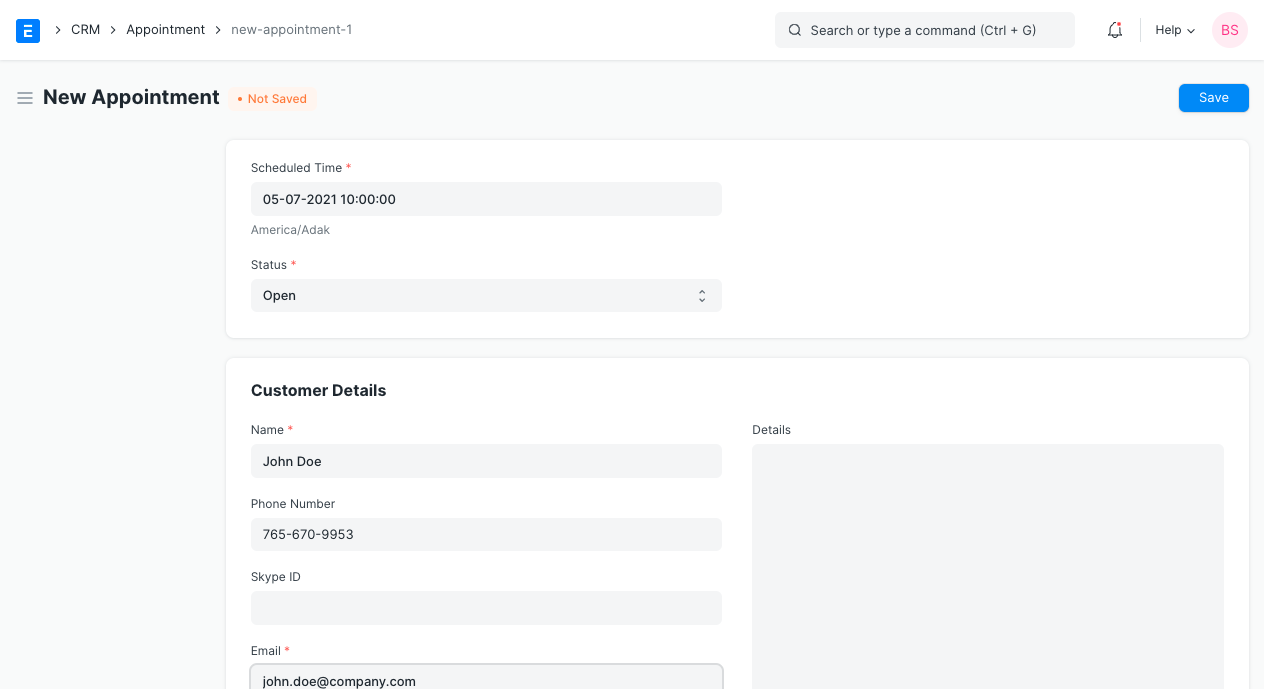
2.1 Creating appointments via website
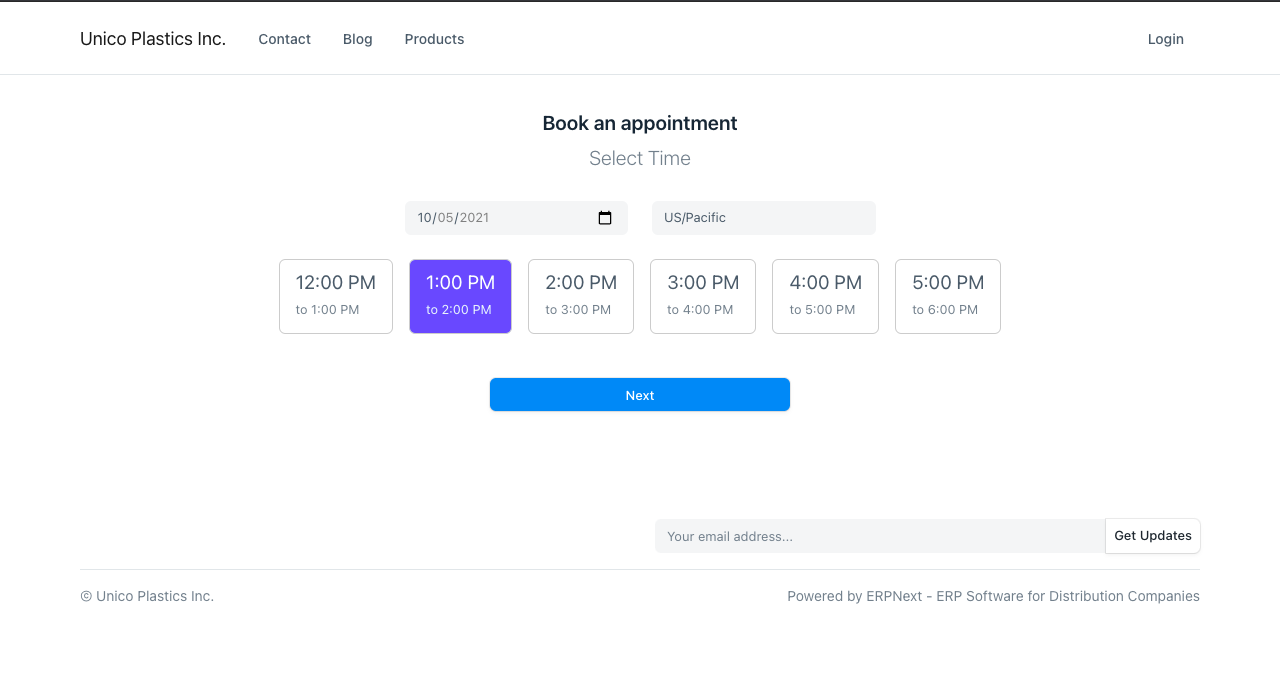
The website yoursitename.com/book appointment allows your customers and leads to schedule appointments.
They must first choose a time and date.
Then, include more information:
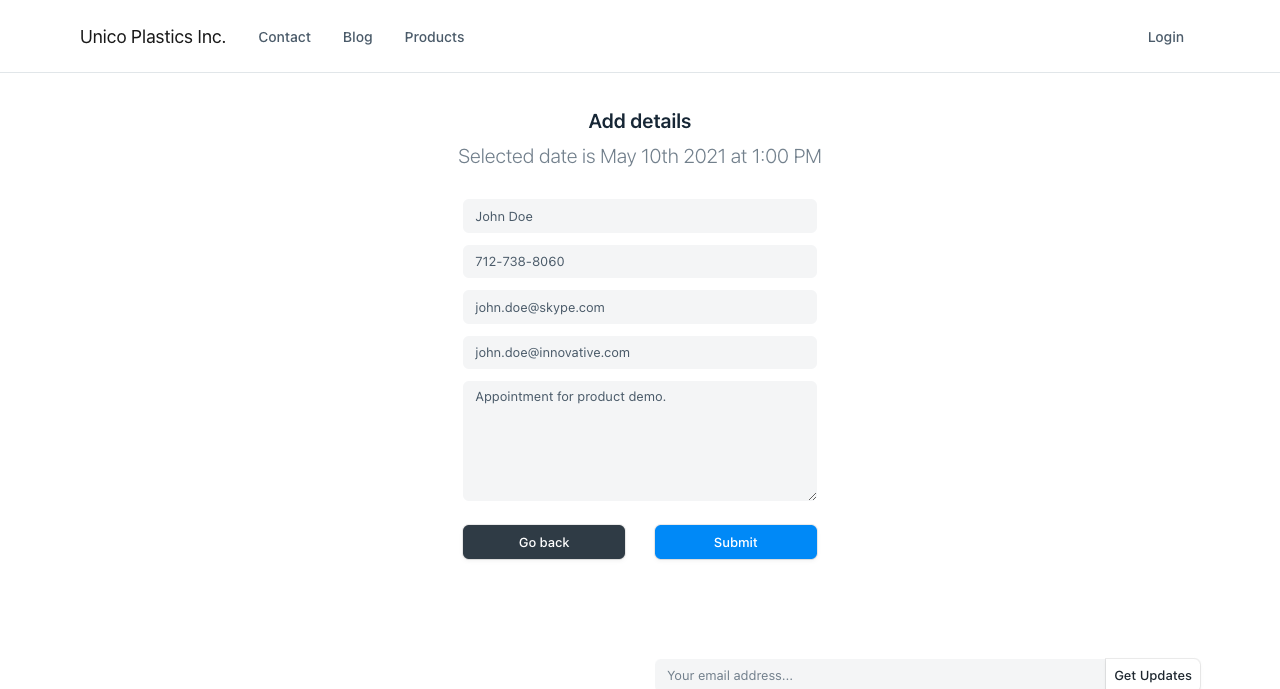
If a match is made between the client email and a lead in the system, the document is connected. If no leads are discovered, the appointment is labeled as "Unverified," and the client receives an email asking them to confirm their email.
3. Features
3.1 Autoassign
According to the Agents list in the appointment booking settings, appointments are automatically assigned to staff members. The appointment is given to the agent who has the fewest commitments on the day of the appointment and is available at the appointed hour.
3.2 Email confirmation
An email will be sent to the email address in the appointment to verify its validity if there are no matching leads in your system. Following confirmation, the system will also generate a new Lead and an Appointment.