Employee Tax Exemption Declaration
Employee Tax Exemption Declaration
The financial exclusion of income, assets, or transactions from taxes that would otherwise be imposed on an Employee is known as tax exemption.
Employees can indicate the amount of exemption they will be claiming from their taxable wage at the start of a Payroll Period. The Employee Tax Exemption Declaration form in ERPNext enables you to select the tax exemption category or subcategory, the tax exemption amount, and other pertinent details.
Go to: to view the Employee Tax Exemption Declaration.
Home > Human resources > Employee Tax and Benefits > Employee Tax Exemption Declaration
1. Prerequisites
It is advised that you draft the following documents before drafting an employee tax exemption declaration:
- Employee
- Employee Tax Exemption Category
- Employee Tax Exemption Sub Category
2. How to create Employee Tax Exemption Declaration
New Employee Tax Exemption Declaration creation instructions:
Choose Employee Tax Exemption Declaration > Create from the menu.
The Exemption Sub Category and Exemption Category should be chosen.
Enter the Declared Amount and the Maximum Exemption Amount.
Publish and save.

When determining tax deductions in payroll, the Total Exemption Amount will be subtracted from the employee's annual taxable income.
For each Payroll Period, an employee may submit a maximum of one Employee Tax Exemption Declaration.
3. Features
3.1 Employee Tax Exemption Category
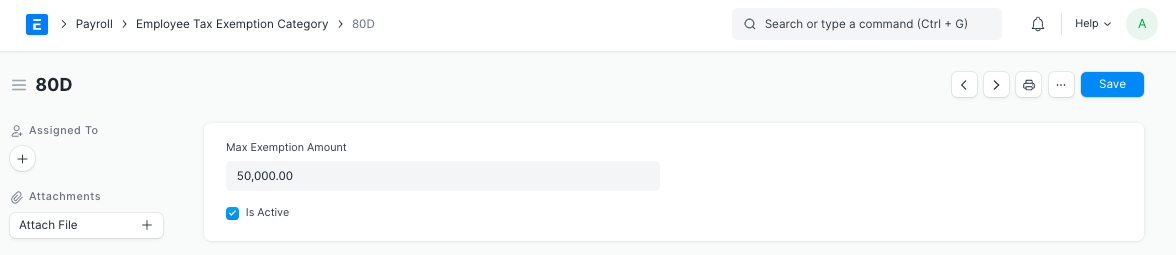
Exemptions from taxable income are often only available for certain types of expenses determined by the government or regulatory bodies. You can set up different categories that can be exempted with ERPNext. They might include, for Instance, 80G, 80C, B0CC, etc.
By selecting Employee Tax and Benefits > Employee Tax Exemption Category, you may customize the Employee Tax Exemption Category.
3.2 Employee Tax Exemption Sub-Category
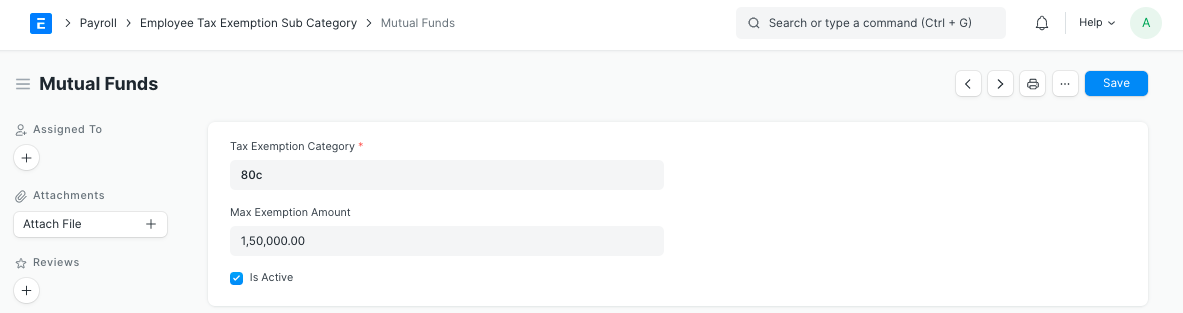
There may be several heads under each category for which exclusions are permitted. The term "life insurance premium" refers to the cost of a life insurance policy.
By selecting Employee Tax and Benefits > Employee Tax Exemption Sub-Category, you may customize the Employee Tax Exemption Category.
3.3 HRA Exemption (Regional - India)
In India, the Home Rent Allowance (HRA) is exempt from taxation for the current fiscal year to a minimum of:
the real HRA amount provided by the employer.
Real rent payments are less than 10% of the base pay.
If the employee is staying in a metropolis, they will receive 50% of their basic wage (or 40% in a non-metropolis).
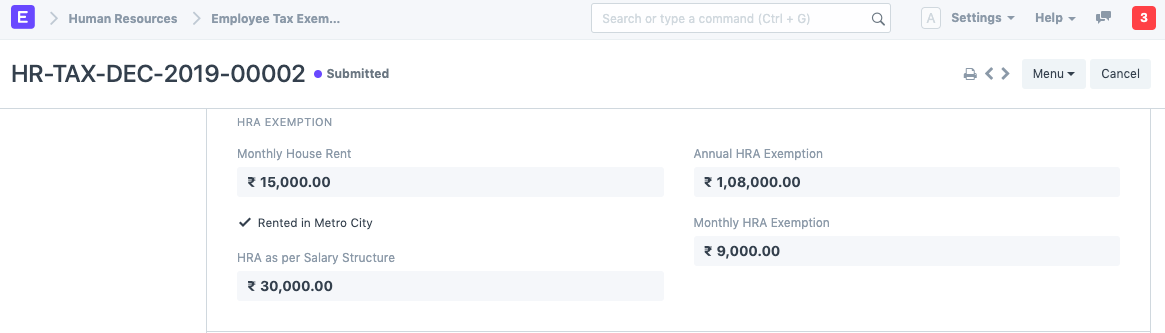
Employees may also complete the HRA Exemption as part of the Employee Tax Exemption Declaration. ERPNext determines the exemption that qualifies for HRA and excludes it while determining taxable income.
If applicable, choose the "Rented in Metro City" checkbox and enter the Monthly Home Rent before submitting the form. The yearly and monthly HRA exemptions will be computed automatically.
After submitting the statement, you can submit the documentation proving your tax exemption by selecting the Submit Evidence button.
Note: For the HRA exemption to function, the HRA component must be defined in the Company master under the HRA Configuration sections.