Exchange Rate Revaluation
Exchange Rate Revaluation
Accounting entries can be made in several currencies in ERPNext. For instance, if you have a bank account in a foreign currency, the system will display your bank balance in that currency when you make transactions.
To modify the balance in General Ledger accounts in accordance with any changes in currency exchange rates, the Exchange Rate Revaluation master was created. This is helpful if you wish to update your company's GL accounts by transferring funds from other currency accounts as you close your accounting books.
Go here: to access the list of exchange rate revaluations.
Home > Accounting > Multi Currency > Exchange Rate Revaluation
1. How to set up currency in an account
1.To get started with multi currency accounting, you need to assign the accounting currency in an Account record.
2.You can define Currency from the Chart of Accounts while creating an account.

3.You can also assign/modify the currency for existing accounts by opening the specific Account record.
4.Click on the Account and Click on Edit.

2. How to enable Exchange Rate Revaluation
The Exchange Rate Revaluation tool helps you when a company's chart of accounts contains accounts in various currencies.
1.Go to: Setup > Company > select the company.
2.Set the 'Unrealized Exchange Gain/Loss Account' field in Company DocType. This account is to balance the difference of total credit and total debit.
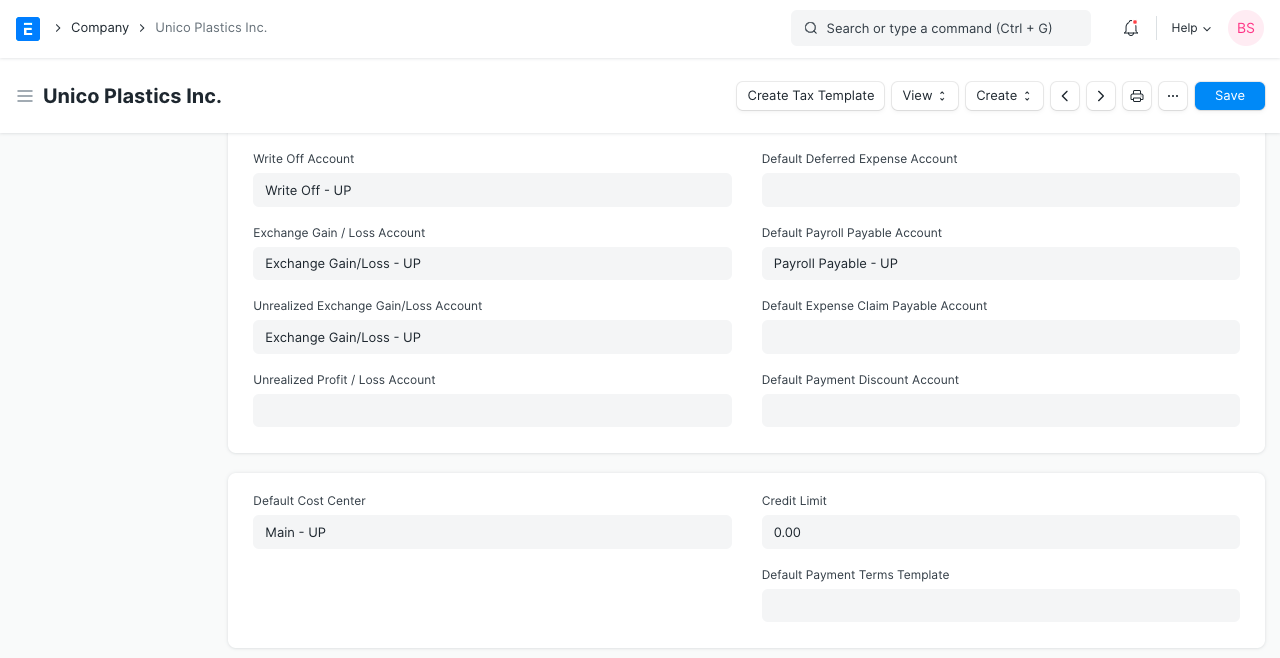
3.Go to Accounting > Setup > Exchange Rate Revaluation > New.
4.Select the Company.
5.Click the 'Get Entries' button. It'll fetch the accounts which have currency different from the 'Default Currency' set in the Company.
6.This will fetch the new exchange rate automatically if not set in Currency Exchange DocType for that currency else it will fetch the 'Exchange Rate' set in the Currency Exchange DocType.

7.On Submitting, Create Journal Entry button will appear.
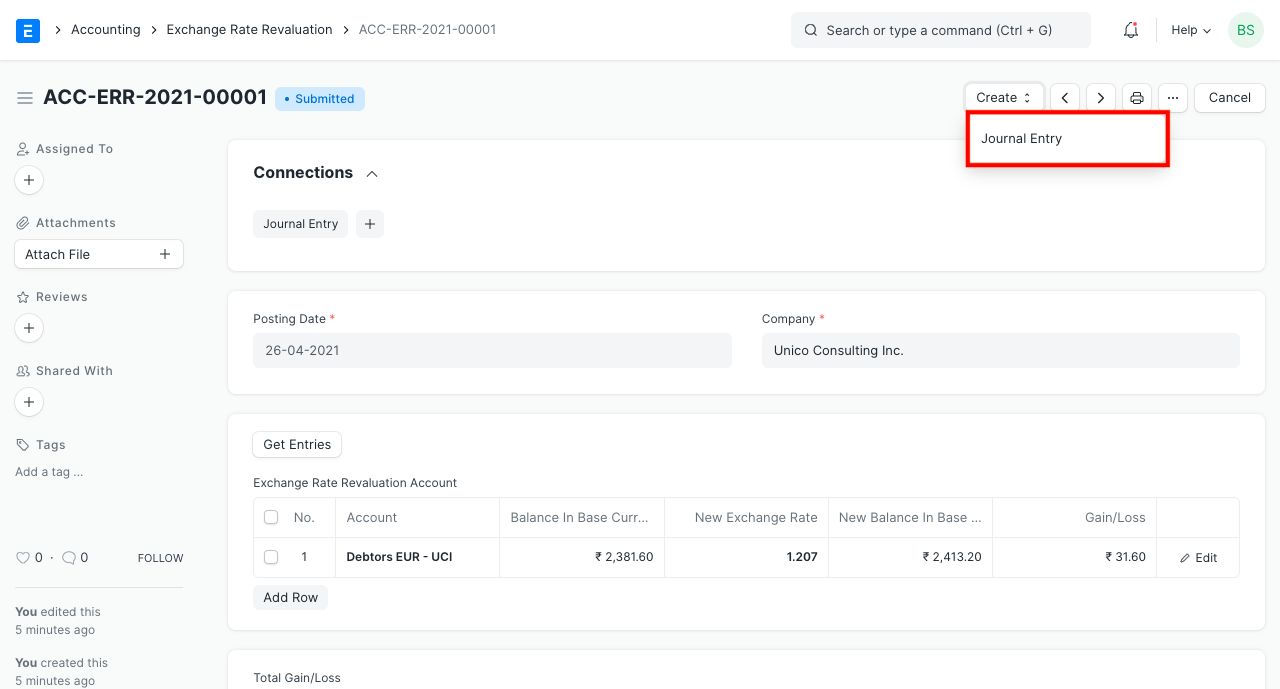
8.Clicking on this button will create a Journal Entry for the Exchange Rate Revaluation.
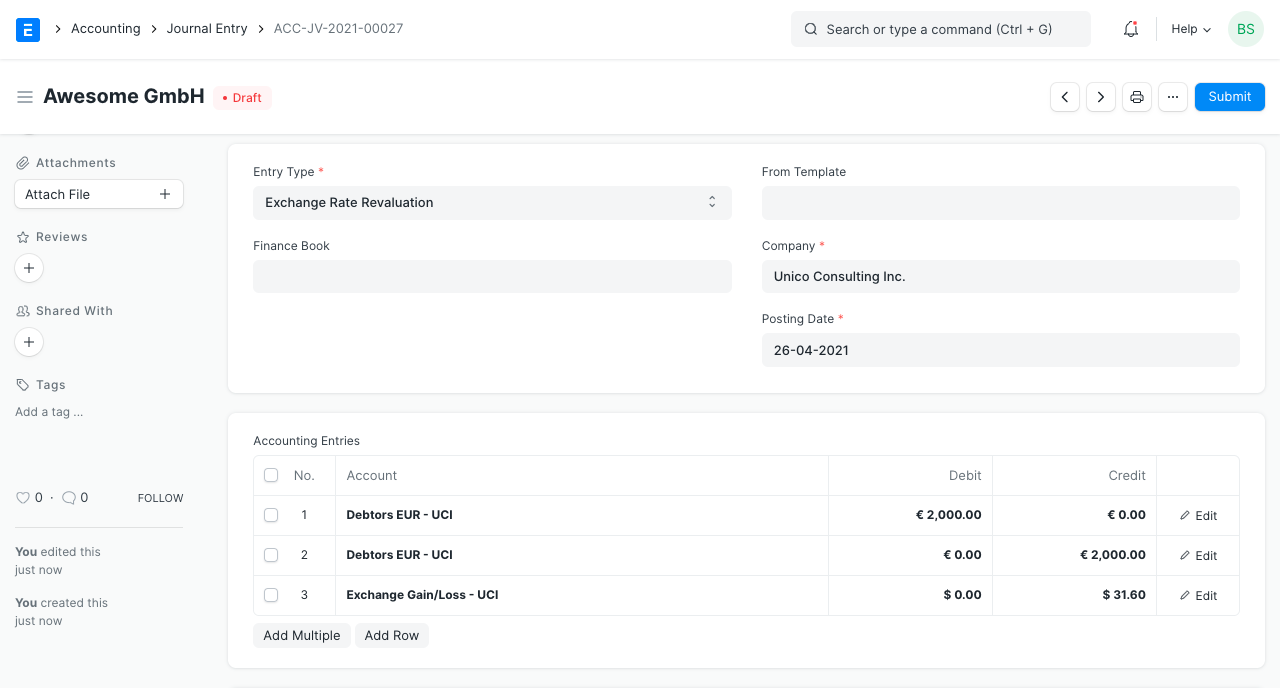
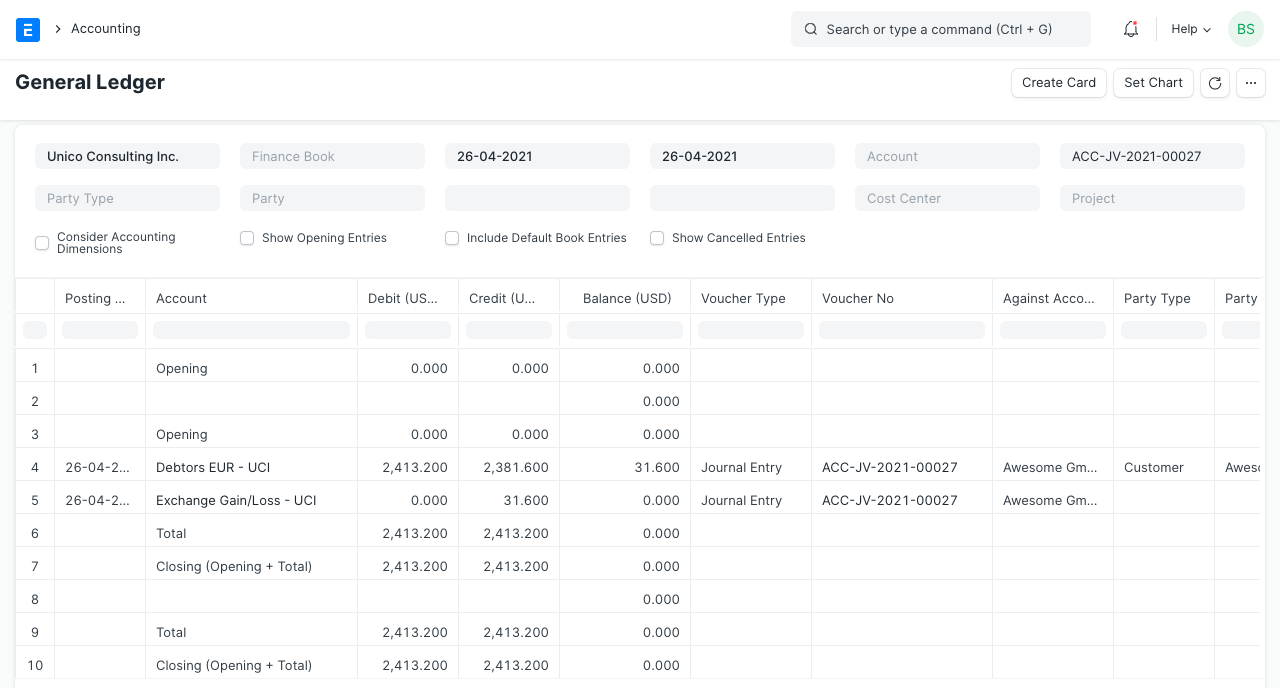
9.On submitting the Journal Entry, the general ledger is affected as follows: