Department-wise Leave Approval in Geer ERP
Department-wise Leave Approval in ERPNext
The only employees whose leave applications should be accessible to users with the role "Leave Approver" are those who are in their department. This is a typical use-case in the majority of businesses, and we can accomplish it with ERPNext with a few simple configurations.
Let's assume Chris is the leave approver for the "Research And Development" department at firm "SX4". Chris will only be able to see Leave Applications submitted by his department under this arrangement.

- Create the user in ERPNext with the Employee role of "Leave Approver." This is Chris in our example.
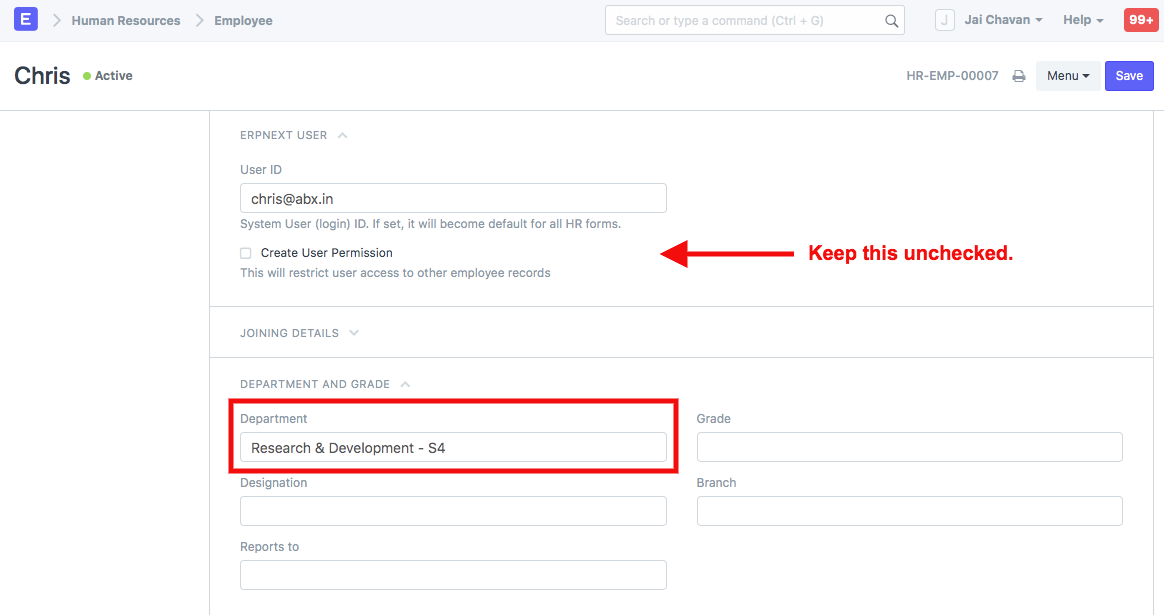
- Next, create the required employee, department, and company permissions.
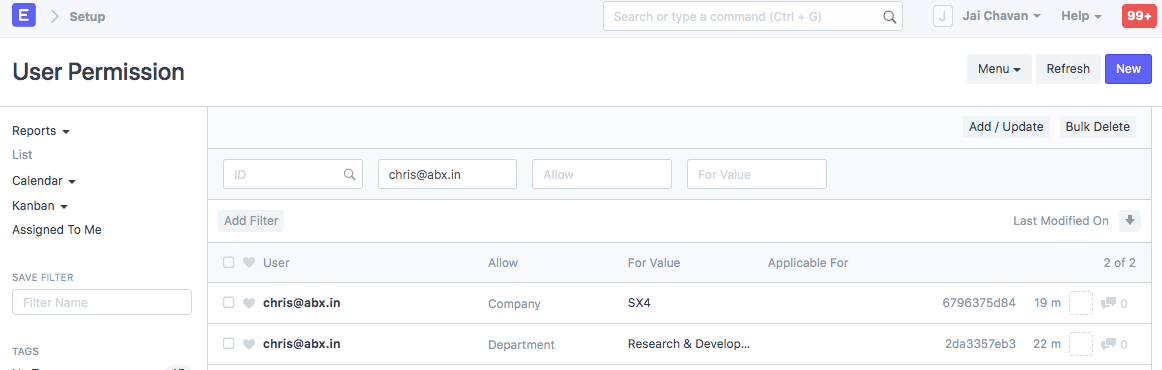
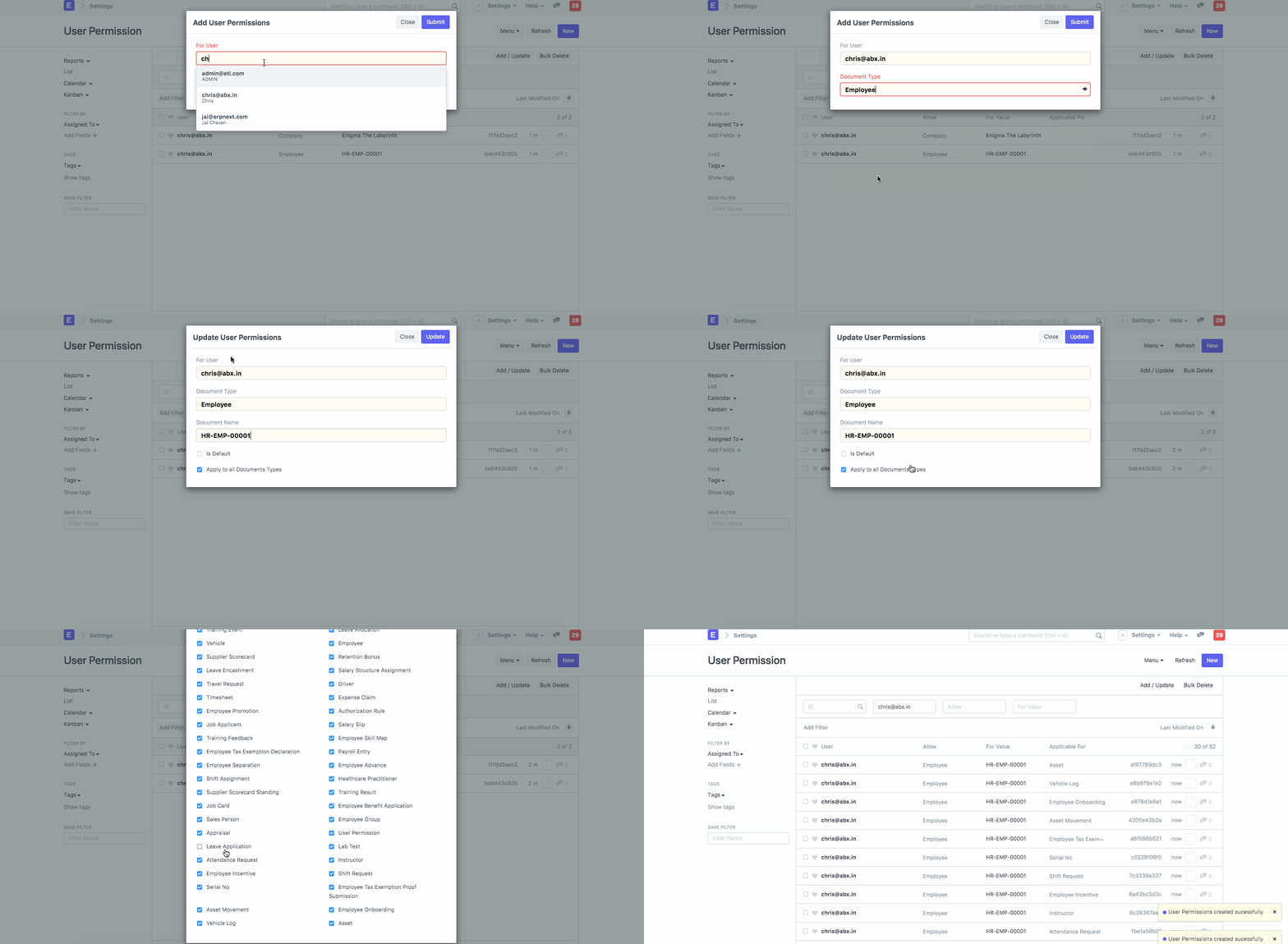
Keep Leave Application unchecked while adding the "Employee" permission for Chris so that Chris can only see other employees.
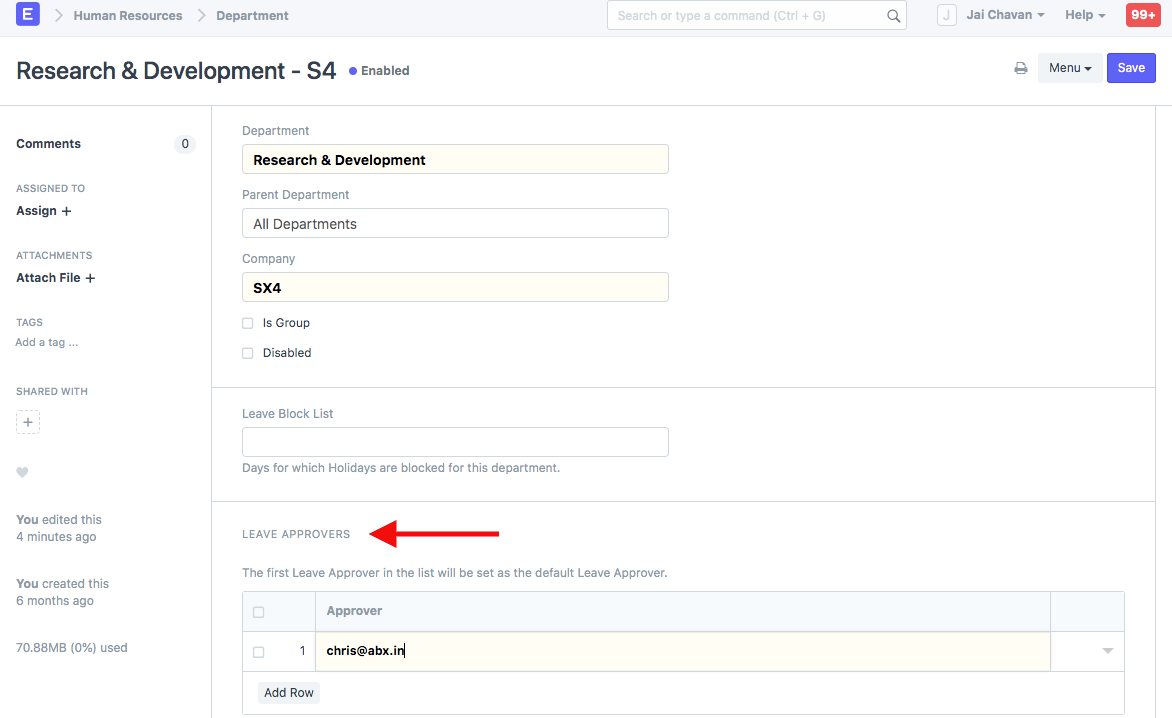
- In the Department master, create a "Leave Approver" entry.
Now, suppose we had a worker in the "Research and Development" Department by the name of Pepper.

- Pepper completes a request for leave.
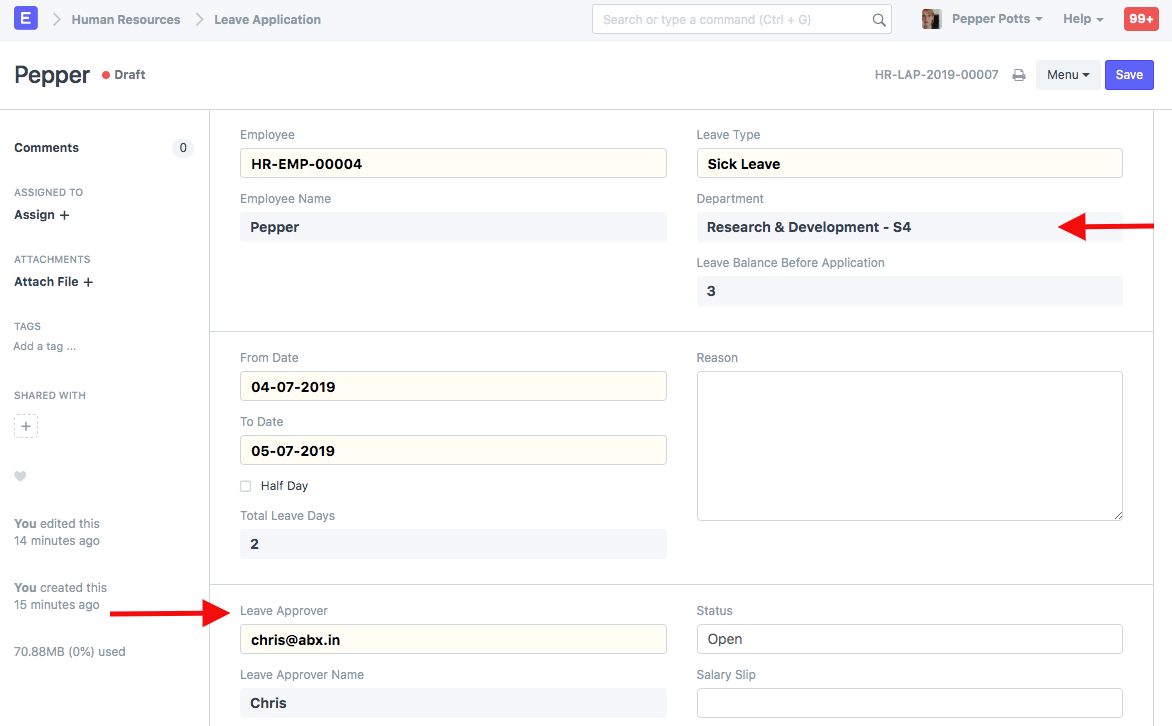
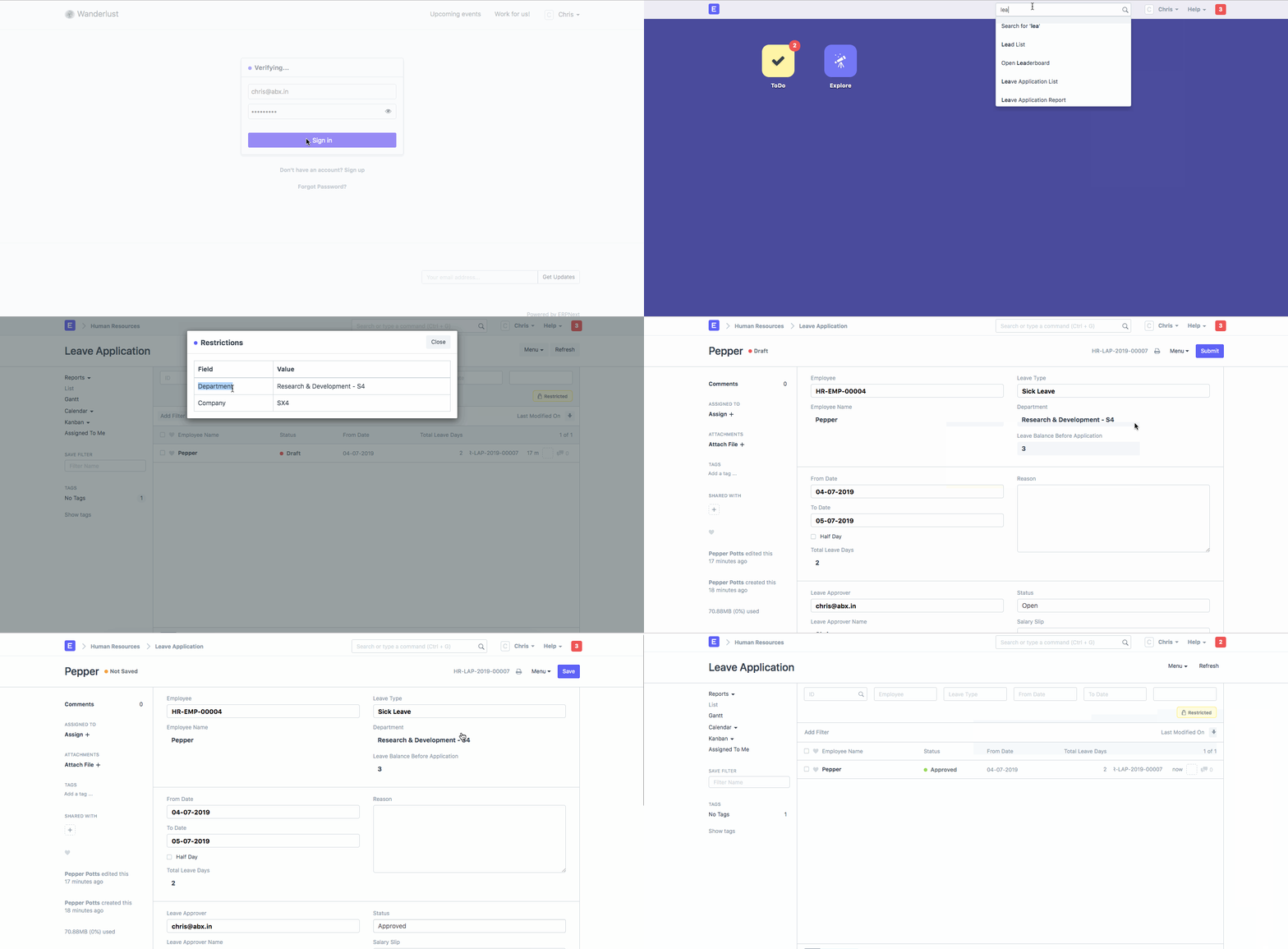
- Chris, the leave approver, can only access the leaves submitted by workers in his department when he logs in.
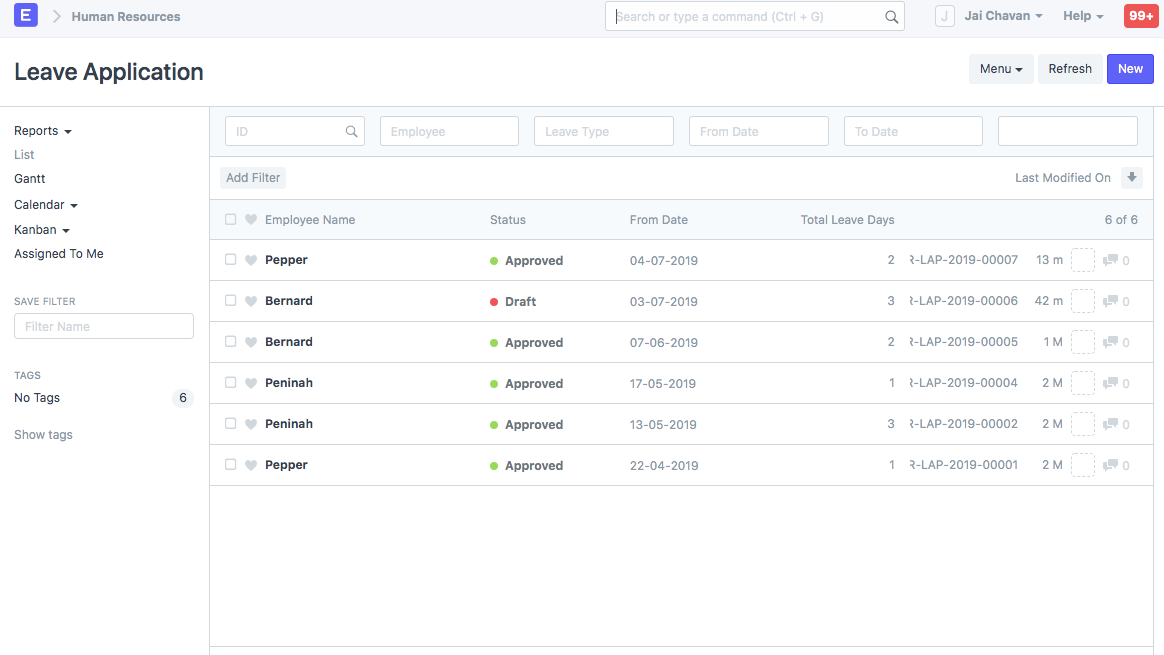
- When we log in using System Manager, a couple other Leave Apps are also listed.
PS. We have made the assumption that the reader is familiar with using ERPNext to handle various leaves and allocations. Click here to go back and look at that.