Journal Entry Template
A Journal Entry Template lets you set and select a predetermined list of accounts and options while making a Journal Entry.
To access the Journal Entry Template, go to:
Home > Accounting > General Ledger > Journal Entry Template
1. How to Create and use a Journal Entry Template:
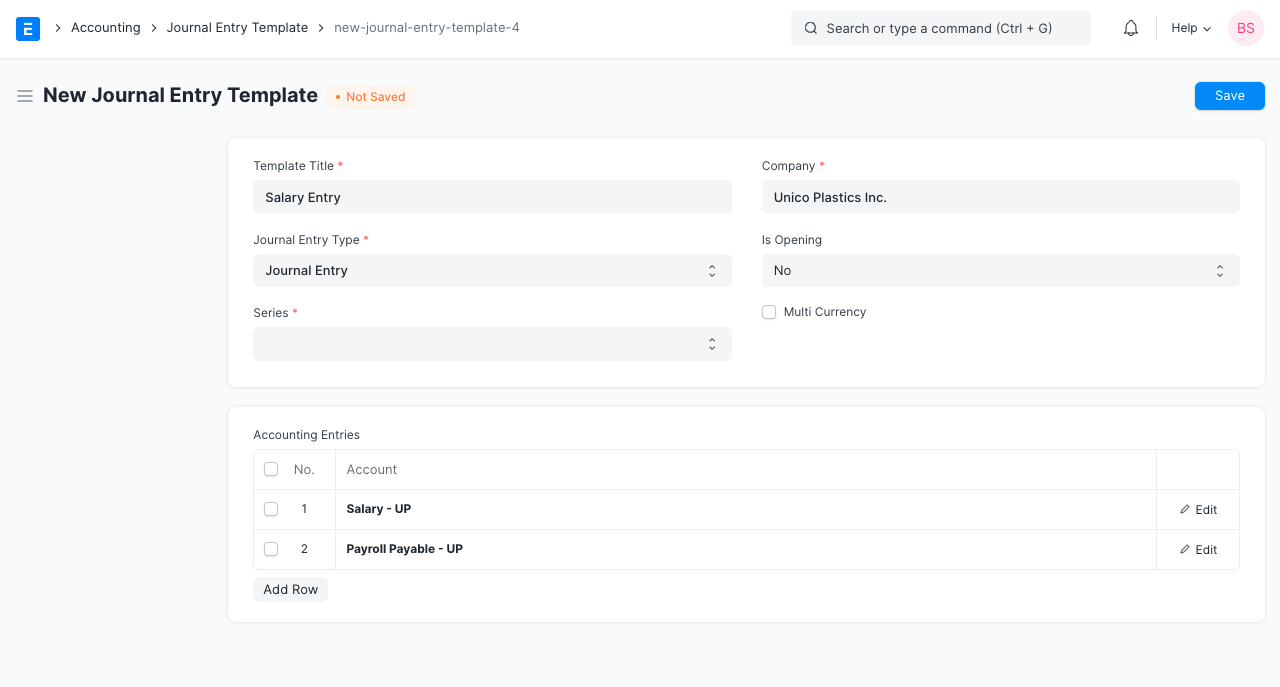
- Click New from the Journal Entry Template List.
- the following information:
- Template Title: The template from Journal Entry will be chosen using this.
- Company: The company listed under Global Defaults is chosen by default. You may also choose any other business.
- Entry Type: Here, you can choose among the entry kinds offered by Journal Entry. Journal Entry is the default value.
- In this, there are 3 unique "Entry Types":
- Opening Entry: The "Accounting Entries" table will be filled with all of the accounts after doing this. Visit the Opening Balance page to learn more.
- Bank Entry: When set, this will retrieve and load the default bank account.
- Cash Entry: If configured, this will get and load the default Cash Account.
- Is Opening: If the entry type is chosen as "Opening Entry," this will automatically be set to "Yes."
- Series: Choose from a selection of naming series that are offered by Journal Entry.
- Accounting Entries: To add accounts to the entry, choose from a list here.
- Save, then select new under Journal Entry.
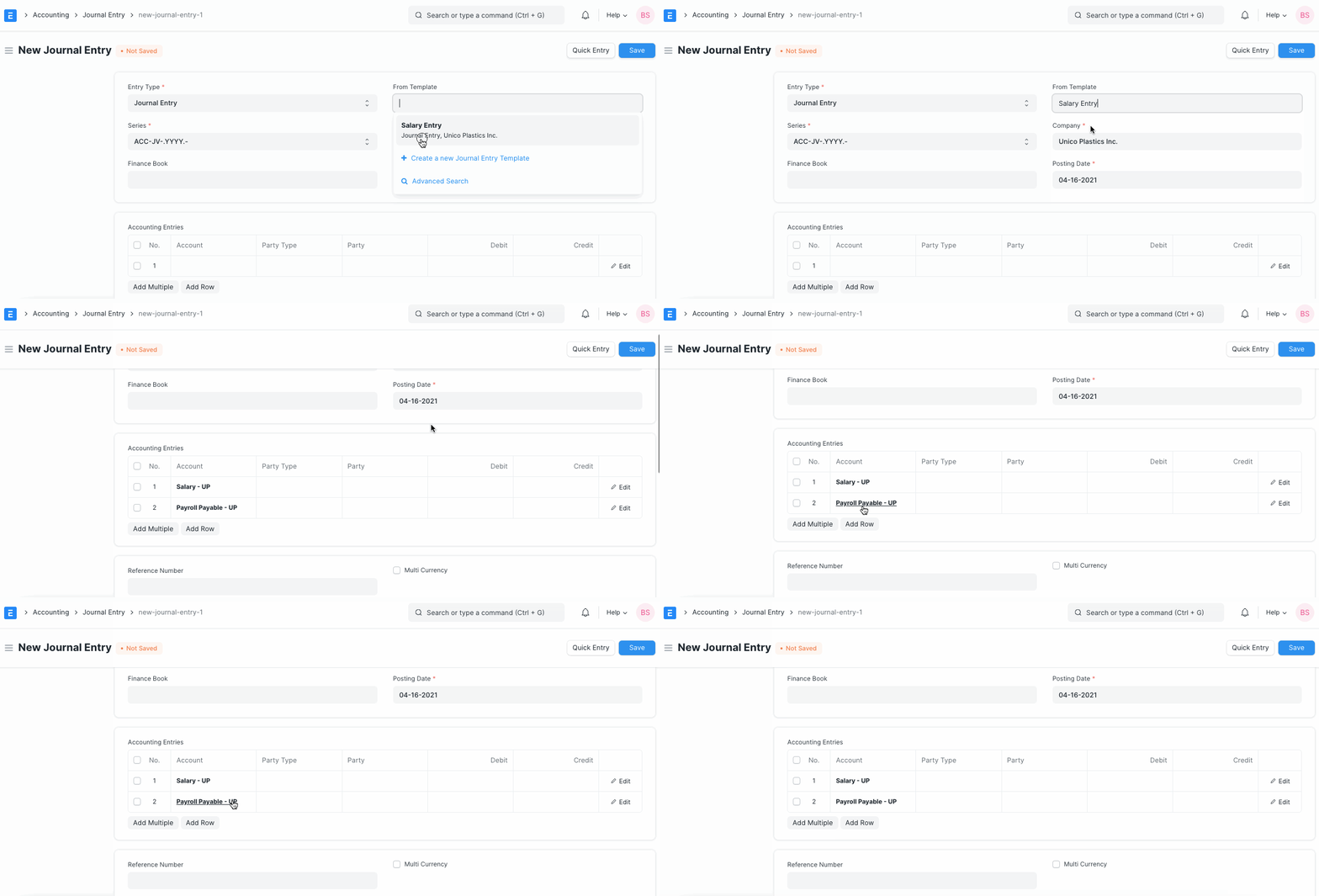
- When you choose the template, the accounts and other settings that are set in it will load in the "From Template" field. Please be aware that it will first clear the Accounting Entries table, but you can still add additional accounts to the database in addition to those that were pulled from the template.