Renaming Documents
Using Renaming feature, you can change the name of a master document.
You can combine two master documents into a single one by using this functionality.
For a list of all the documents in the system that can be renamed, visit List of Renamable Documents.
Steps to rename a Document
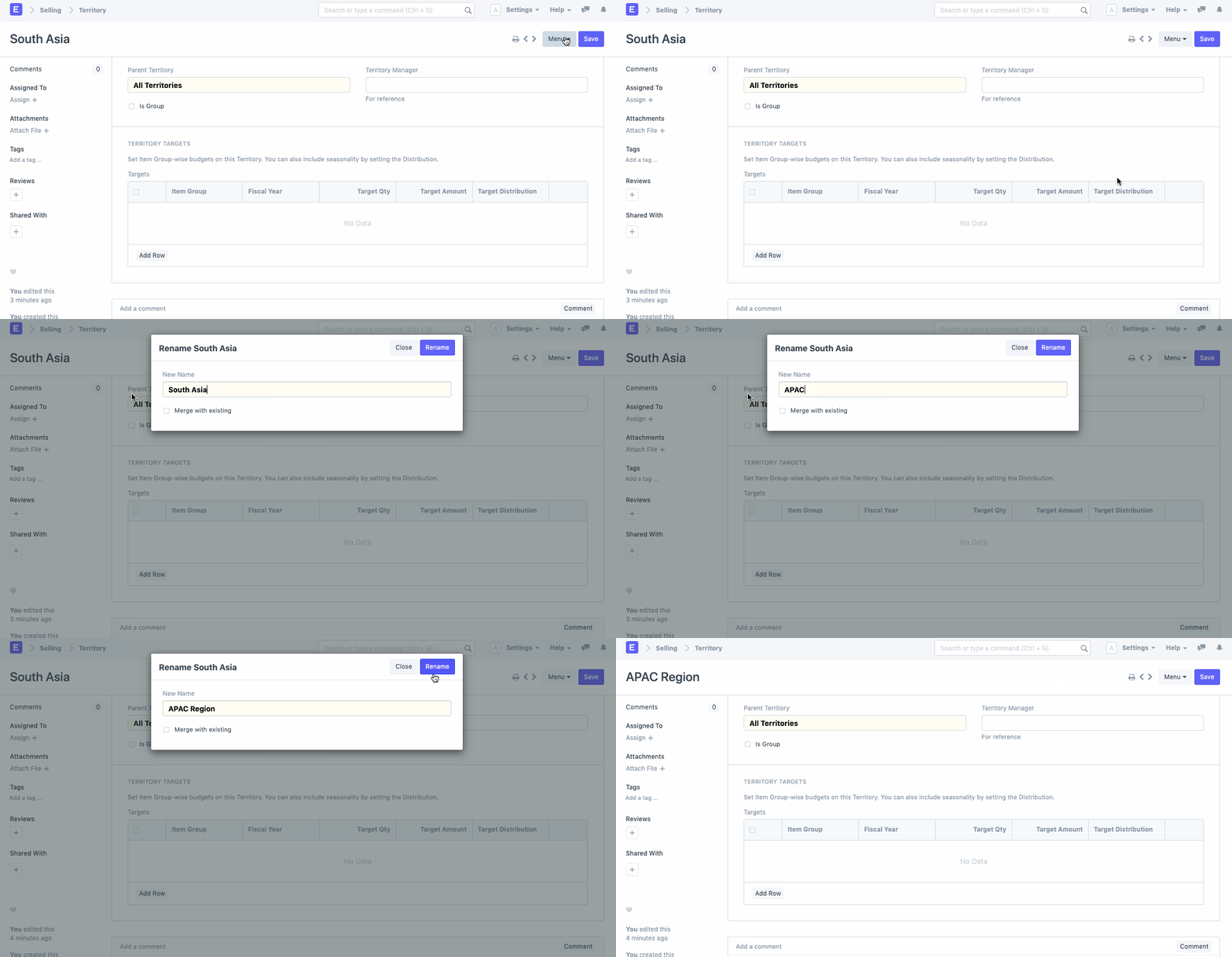
Step 1: Navigate to the file you want to rename.
Step 2: Choose the 'Rename' option from the drop-down menu.
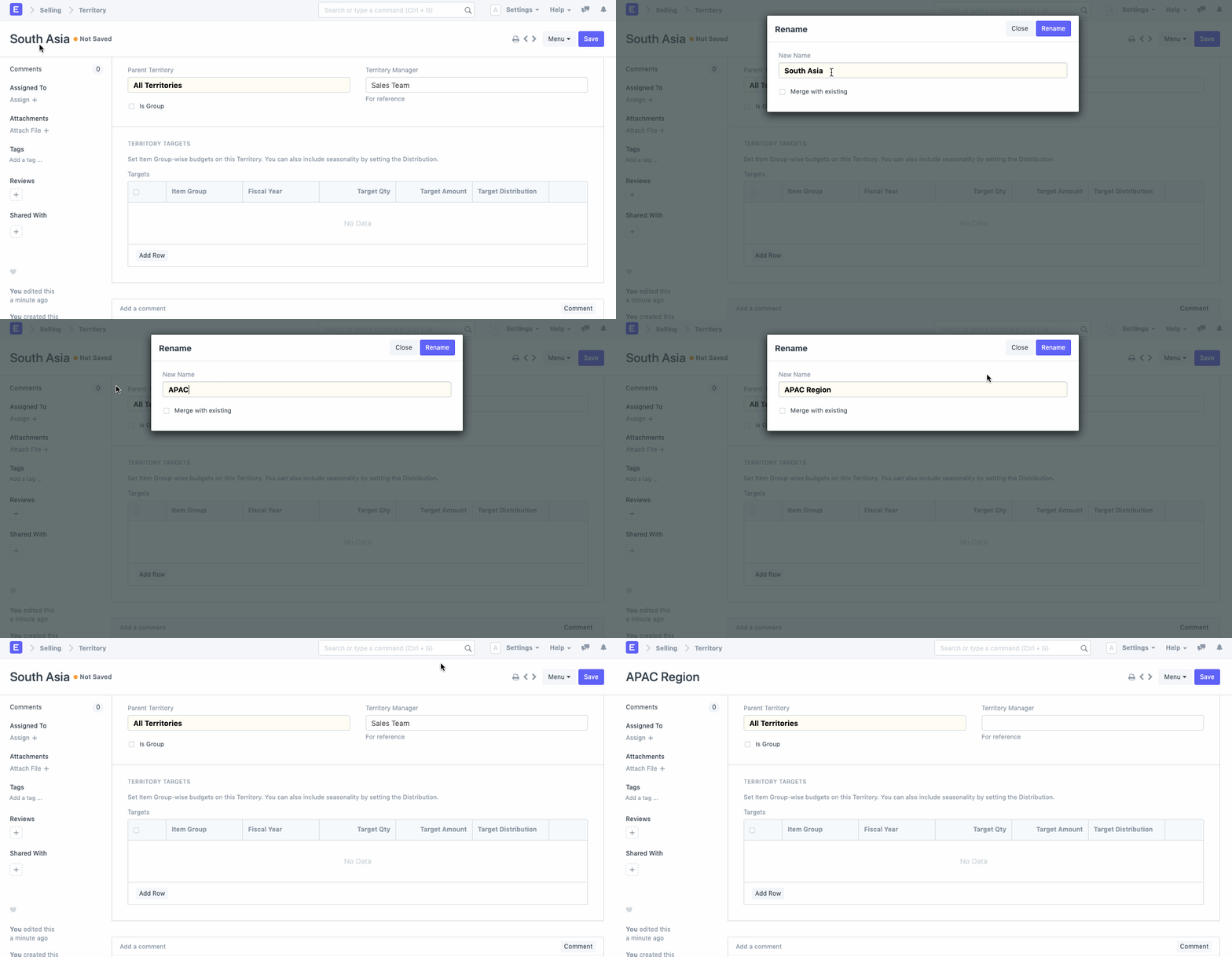
As an alternative, you can also click the document's title to bring up a pop-up where you can change the name of the document you want to rename.
Effect of Renaming
All current transactions linked to a document will be impacted by a renaming of that document. For instance, if you alter an item's item code, all of the current transactions to which this item is connected will be modified.
List of Renamable Documents
Following is the list of all the documents that can be renamed.
- Contact
- Address
- Warehouse
- Supplier
- Customer
- User
- Sales Partner
- Project
- Cost Center
- Item Group
- Item
- Company
- Role
- Earning Type
- Note
- Serial No
- Account
- Territory
- Terms and Conditions
- Supplier Group
- Workstation
- Employee
- Sales Taxes and Charges Master
- Purchase Taxes and Charges Master
- Price List
- Party Type
- Mode of Payment
- Designation
- Department
- Deduction Type
- Customer Group
- Brand
- Branch
- Sales Person