Disable Signup on ERPNext Website
Disable Signup on ERPNext Website
A portal function in ERPNext enables third parties, such as customers and suppliers, to sign, place new orders, and monitor updates on older orders.
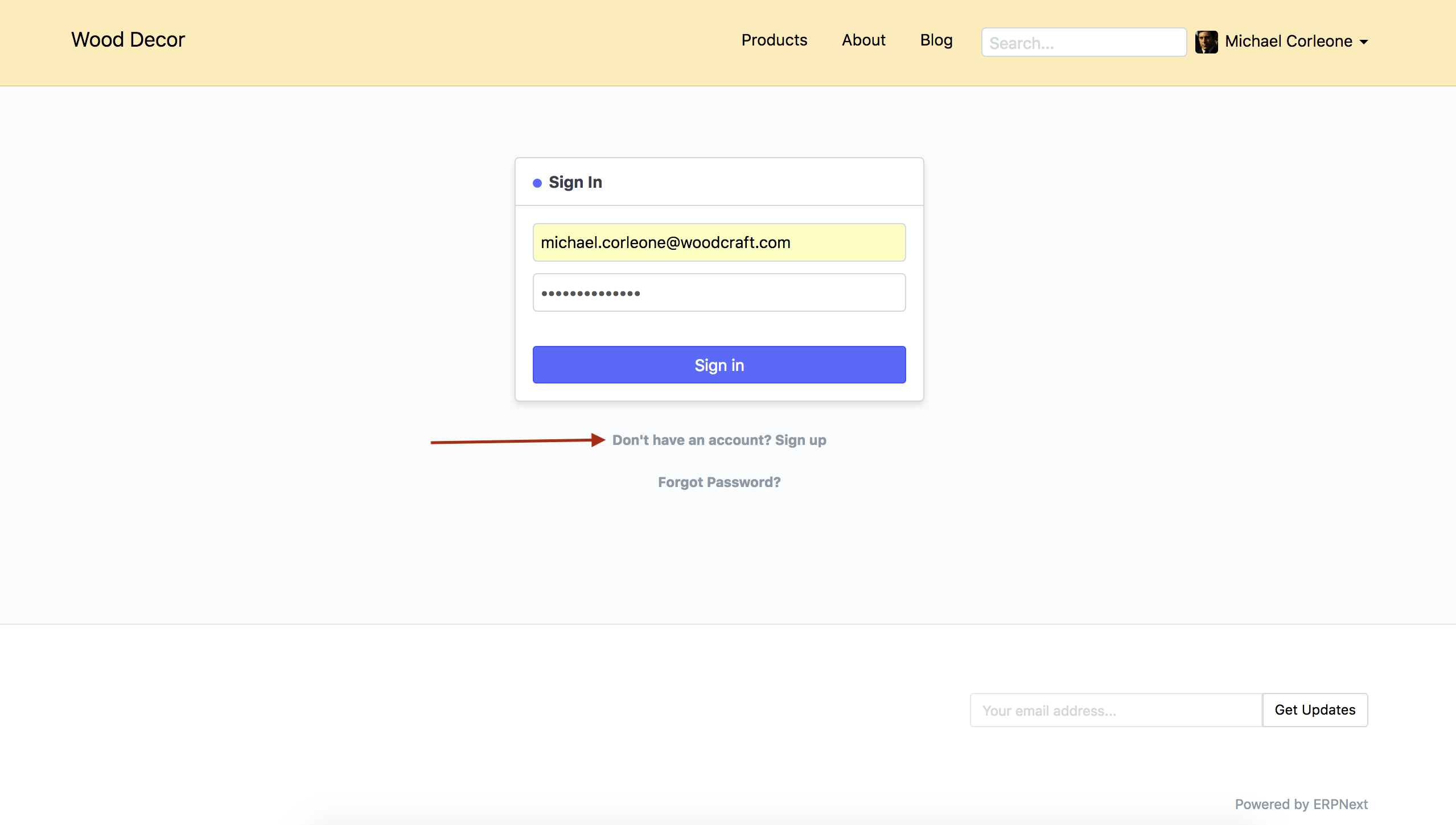
The login page of your ERPNext account has a Signup option available to enable new Customers and Suppliers to register. If you really want to disable this function, you can do so by following the instructions below.
Steps
- Go to
Website > Setup > Website Settings `
Go to the Additional Information section by scrolling down on the Website Settings page.
Disable Signup should be checked.
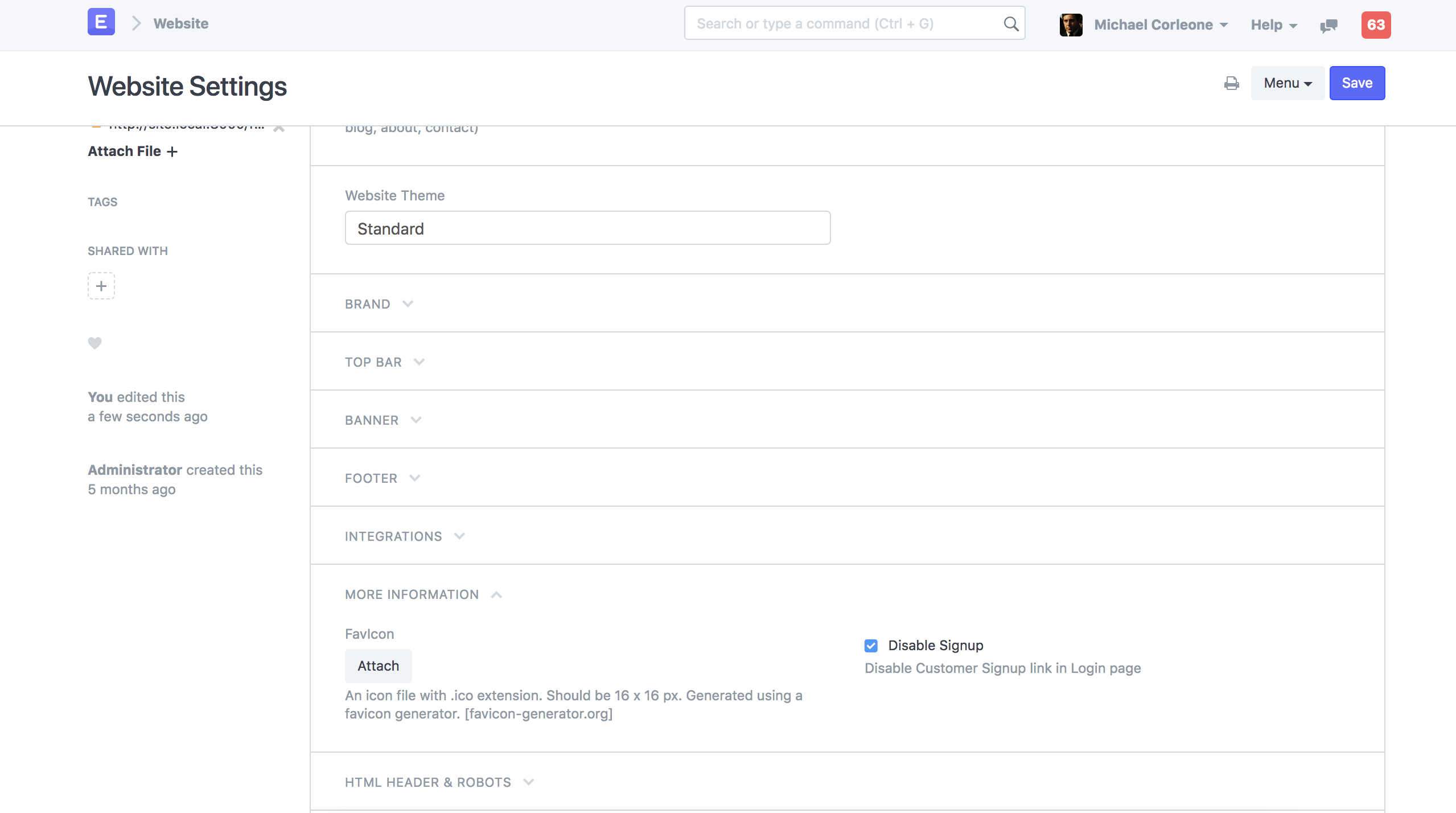
- Save Website Settings.