Loan Security Pledge
Loan Security Pledge
Introduced in Version 13
The amount pledged against a loan as well as the loan security are included in the loan security pledge.
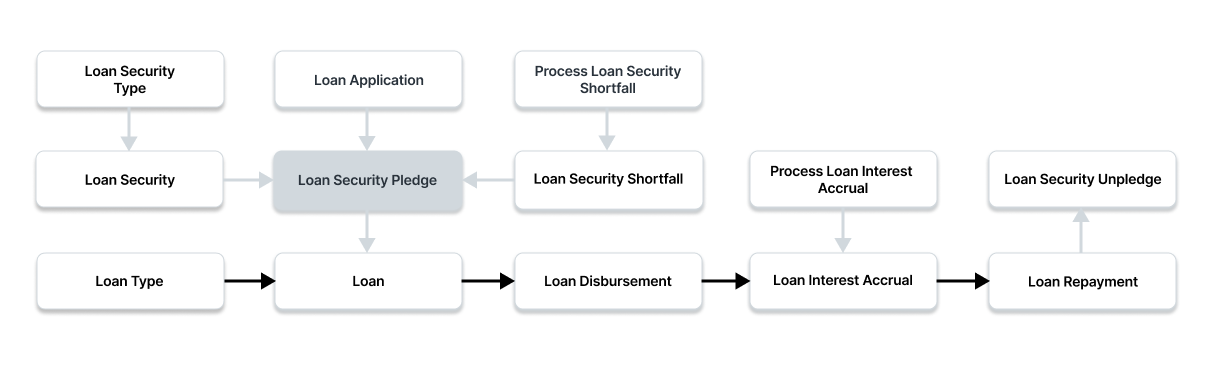
Go here: to access the list of Loan Security Pledges.
Home > Loan Management > Loan > Loan Security Pledge
1. Prerequisites
It is suggested that you first create the following before making and using a loan security:
- Loan Security Type
- Loan Security
- Loan Application
2. How to Create a Loan Security Pledge
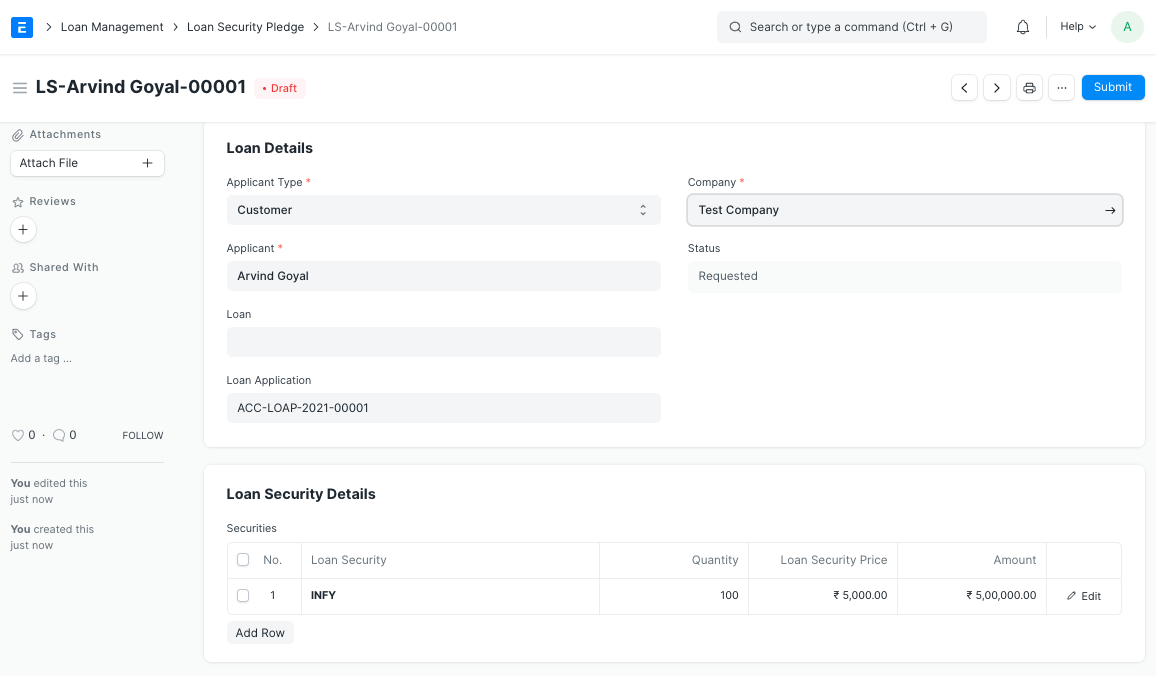
Click on New under Loan Security Pledge List.
Choose the applicant type.
Choose the candidate.
Choose Company.
On the Securities table, enter the Loan Securities and the delivery quantities for each. The amount will be automatically determined after retrieving the Loan Security Price from the Item master Valuation Rate.
To save the loan security pledge draft, click "Save."
To submit the Loan Security Pledge, click "Submit."
The Loan Security Pledge is ready to be pledged against a loan after it has been submitted.
2.1. Other ways to create a Loan Security Pledge
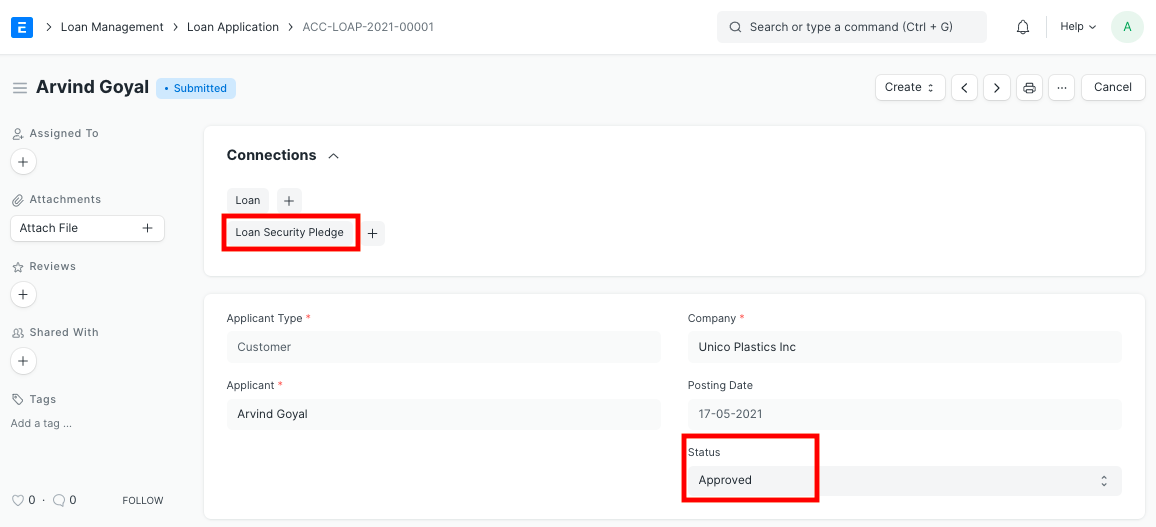
- Using the Create option in the top right, you may also make a Loan Security Pledge from a Loan Application that has been approved.
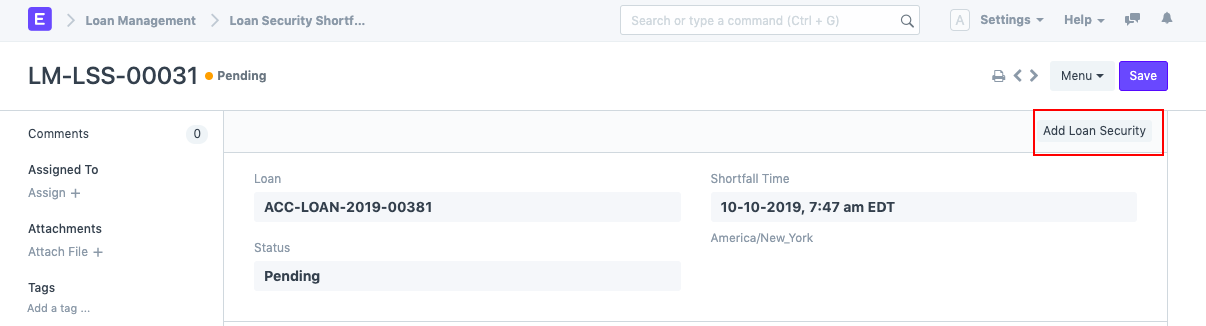
- By selecting the Add Loan Security button in the upper right, you may also make a Loan Security Pledge from the Loan Security Shortfall in the event that there is a loan security to value shortfall.