Accounting Dimensions Filters
Introduced in Version 13
You may manage how different accounting dimensions are tagged against a particular account in Geer ERP. Using the accounting dimension filters, you can allow or prohibit specific accounting dimensions for a particular account.
Visit the following to get the Accounting Dimension Filter list:
Home > Accounting > Accounting Dimension Filters
1. How to create an Accounting Dimension Filter in Geer ERP.
- Click on New in the Accounting Dimension Filter list.
- Decide which Accounting Dimension will get the restriction.
- Depending on the kind of limitation you want to impose, choose "Allow" or "Restrict" in the Allow Or Restrict field.
- In the Accounts table, add the accounts to which the restriction will be applied. If the accounting dimension needs to be declared mandatory for any particular account, you may also check the "Is Mandatory" checkbox.
- Include dimension values that will be permitted or prohibited for the aforementioned accounts in the Dimensions table.

2. Features
2.1 Filtering accounting dimensions in transactions
Only permitted dimensions will be screened and displayed in the transactions based on the limits placed on the account.
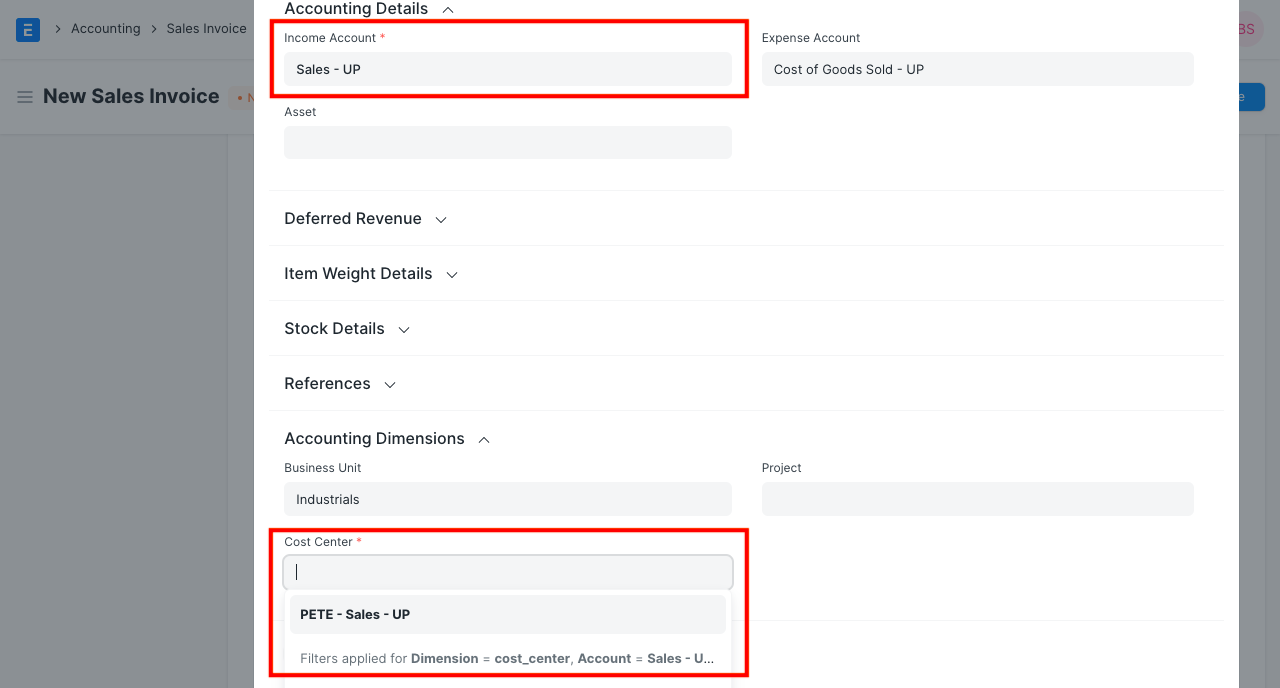
2.2 Validations for Invalid and Mandatory Dimensions
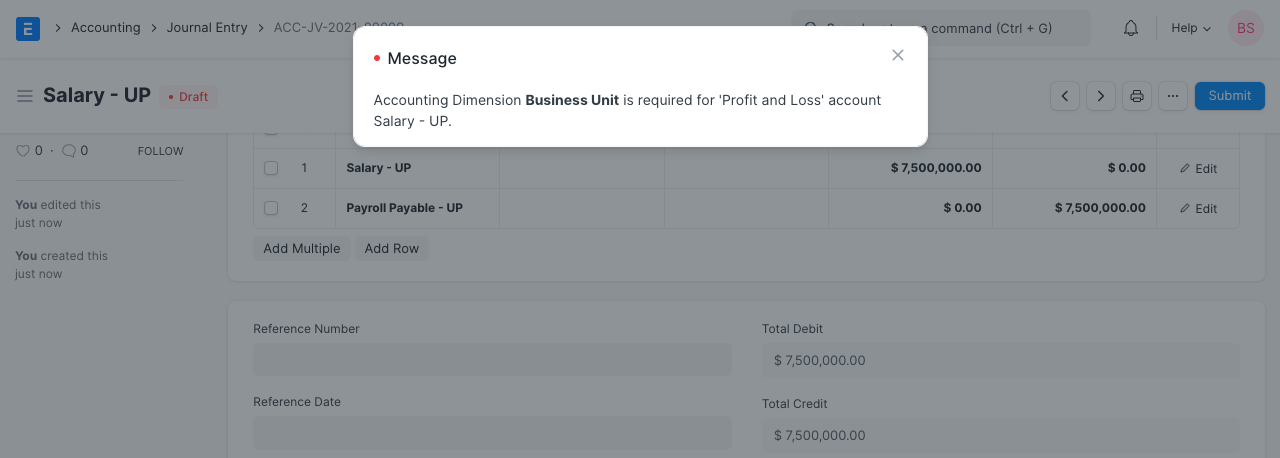
The system won't enable submitting that transaction until the proper accounting dimension is chosen if any mandatory dimensions are absent or a restricted dimension is associated with any pertinent account.