Bank
You can upload an excel spreadsheet and map the transactions to the ledger in Geer ERP by saving various banks. The exchanges are set up as bank exchanges. These can then be consulted and used in reports. Using bank reconciliation, this is accomplished.
Go to: to access Bank.
Home > Accounting > Bank Statement > Bank
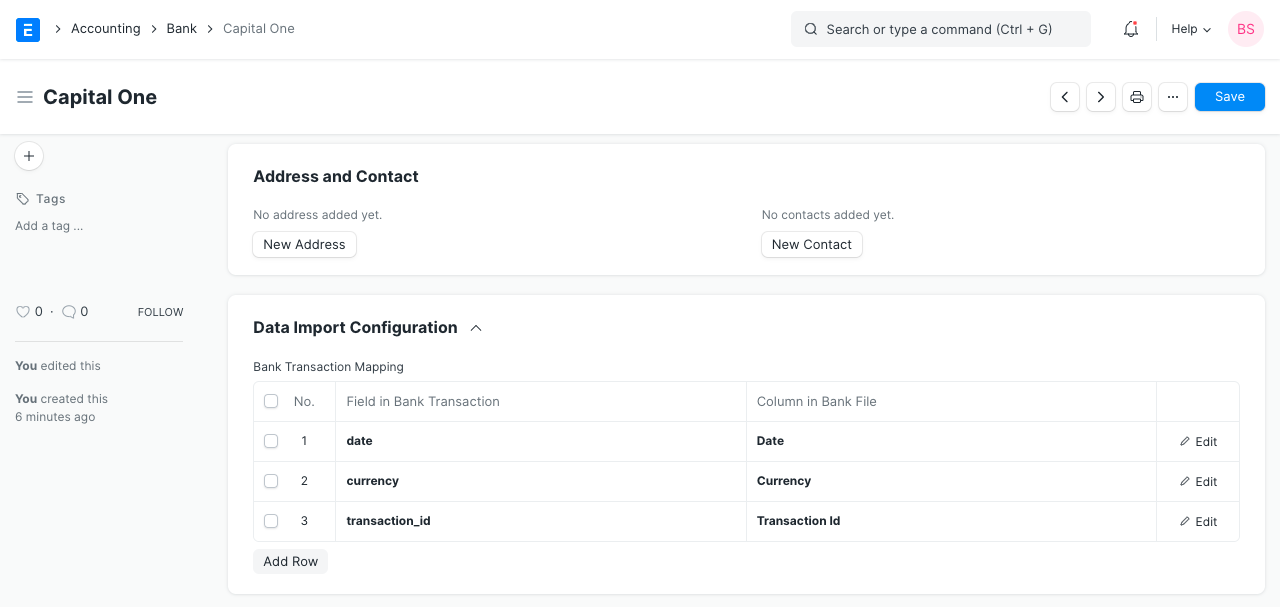
1. How to create a Bank
It's easy to create a bank; simply select New from the Bank list and input a name.
1.1 Configuring data import for a Bank
- Choose the field to be updated in the "Bank Statement Transaction Entry" form under "Field in Bank Transaction."
- Enter the column name from the excel file that was exported from the bank under "Column in Bank File."
This may be set up with ease using Bank.