Payment Entry for Capital Account
Payment Entry for Capital Account
Question:
How to create a Payment Entry for a shareholder's capital investment. The sum should be deposited into the business's bank account.
Answer: You can also create Payment Entries for Shareholders. Once a Shareholder has been added to ERPNext, they can be selected in the Payment Entry on these lines.
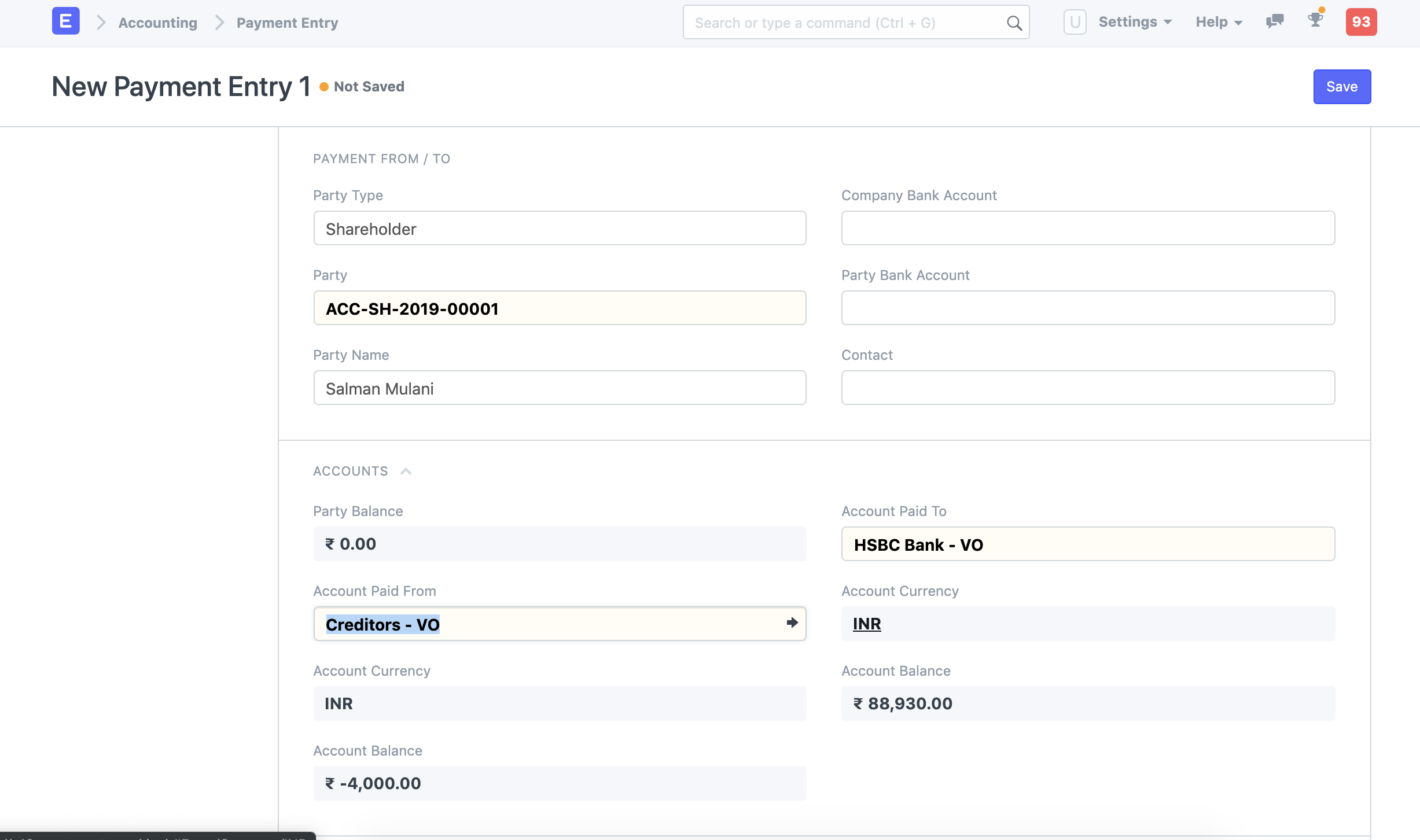
Account Paid From is the only factor that must be verified with your accountant. If you create this Entry from Payment Entry, which is designed to receive payment based on accruals, you must define a Debtor or Creditor account in the Account Paid From field.
Payment Entry via Journal Entry
If this does not work, you can create a Journal Entry to manage this situation. A straightforward Journal Entry would read: XXX Cr. Shareholders' account....... Dr. Bank account................... XXX
Also in the Journal Entry, you use fields like Reference No. and Date to track customer cheque information.