Staffing Plan
Staffing Plan
Planning your company's personnel needs with the aid of a staffing plan.
At the corporate level, ERPNext enables you to achieve this, assisting you in effectively planning and budgeting new hires for a while. Only according to the number of openings and the budget set forth in the current Staffing Plan may job openings be established.
Go to: to access Staffing.
Home > Human Resources > Recruitment > Staffing Plan
1. Prerequisites
The following must be created prior to generating a staffing plan:
- Department
- Designation
2. How to create a Staffing Plan
1.Click New in the Staffing Plan list.
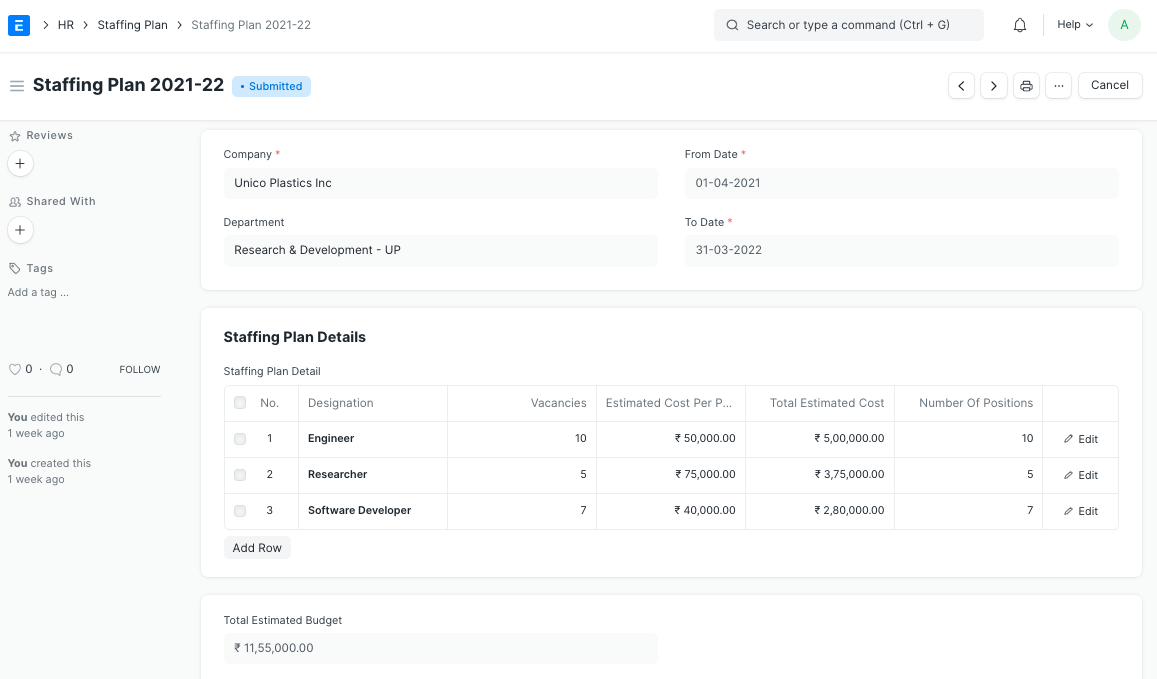
2.Choose the Department for which you wish to construct a staffing plan, then enter the Name, From, and To dates.
3.Input the staffing plan's specifics, including the designation, open positions, average salary per position, overall average salary, and number of positions.
4.Publish and save.
3. Features
The following details a few of the extra features of the Staffing Plan doctype:
Designation:The titles that the staffing plan is made for.
The number of positions you intend to fill between the Staffing Plan's From and To Dates is referred to as the number of positions.
Current Count: This is the total number of Workers who have been hired under a specific Designation.
Vacancies: The number of openings determined by the number of positions you want to fill and the number of employees you currently have.
Estimated Cost Per Position: To help hiring managers stay within budgetary constraints, you can specify the estimated cost to the organization per position.
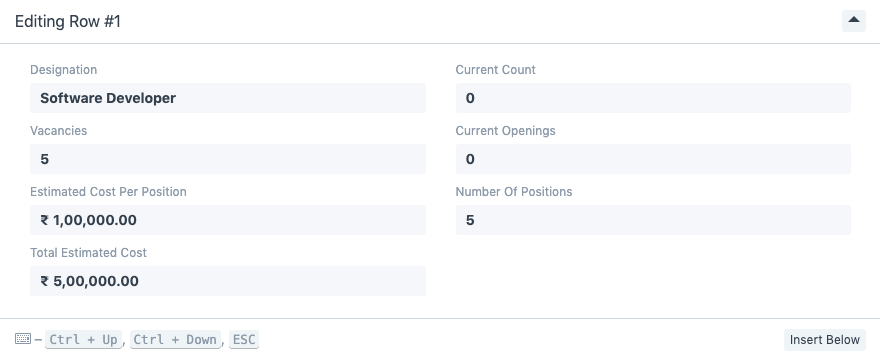
- Total Estimated Budget: Staffing Plan will calculate the total estimated budget in accordance with the plan once you enter the recruitment plan for each designation.