Landed Cost Vouchers
Landed Cost Voucher
The final total cost for a product to be delivered to the customer's door is known as the "landed cost."
The item's initial price, the whole cost of shipment, customs duties, taxes, insurance, currency conversion fees, etc. are all included in the "landed charges." Even though not every cargo will require all of these components, the appropriate components must be taken into account when calculating the landing cost.
What is Landed Cost?
Let's use an everyday scenario as an example to better grasp landing cost. For your home, you must get a new washing machine. You undoubtedly perform some research to find the best price before making a purchase. During this process, you frequently discovered a better offer at a store that is far from your home. But while purchasing from such store, you need also take shipping costs into account. It's possible that the whole amount, including shipping, will exceed what you would pay in your local store. In that instance, you will decide to purchase the item from your local retailer since the landed cost is lower there.
In business, determining the landed cost of a product or item is equally important because doing so influences the company's profitability and aids in determining its selling price. So, the item's valuation rate should take into account all applicable landed cost fees.
Just 45% of respondents to the Third-Party Logistics Study claimed to utilize landed cost frequently. The primary barriers to adopting landed cost were a lack of the relevant data (49%) the correct tools (48%), a lack of time (31%), and a lack of understanding of how to apply landed cost (27%).
Home > Stock > Tools > Landed Cost Voucher
1. Prerequisites
It is recommended that you first create the following before creating and utilizing Landed Cost Voucher:
- Purchase Receipt
Or
- Purchase Invoice
2. How to create a Landed Cost Voucher
Click New in the Landed Cost Voucher list.
Decide on a receipt document. Choose whether to type a receipt or a purchase invoice. You can pick several documents.
Choose the relevant invoice or receipt. The grand total and supplier name will be fetched automatically.
To retrieve the item information from the purchase invoice/receipt, click the Obtain Items from Purchase Receipts button.
Choose whether Distribute Charges Should Be Based On Quantity or Amount.
Under the Taxes and Charges table, enter the Expense Account and the Amount for Extra Expenses. The sum will be divided equally according to the quantity or sum that you provide.
Save and Send

You can choose several purchase invoices or receipts in the document and fetch all items from those invoices. The "Taxes and Charges" table should then be updated with the necessary fees. If the extra fees do not apply to a particular item, you can easily delete it.
Each item receives a proportionate share of the additional fees based on its value or quantity. If you chose based on price, the item with the greatest price will receive the largest share of the costs. The item with the biggest quantity will receive the majority of the charges, while the remaining items will receive lower amounts, if there are any. The following screenshot displays this:
3. Related Actions
3.1 Adding Landed Cost in the Purchase Receipt itself
While producing a purchase receipt in ERPNext, you can add landed cost-related charges to the "Taxes and Charges" table (PR). Under the "Consider Tax or Charge for" field, you should include those fees for "Total and Valuation" or "Valuation." Charges marked "Total and Valuation" are those that are payable to the same Supplier from whom you are purchasing the goods. Otherwise, it should be marked as "Valuation" if the applicable charges are payable to a third party. The system will determine the total landing cost of all items after receiving the purchase receipt and taking those fees into account. For determining the item's valuation rate (using the FIFO/Moving Average technique), this landing cost will be taken into account.
But, in practice, we might not be aware of all the fees that are relevant for landed cost while creating a Purchase Receipt. There is no use in waiting for the booking purchase receipt until your transporter sends the invoice, which can be sent after one month. Businesses that import their goods or components must pay a significant sum in customs duties. Also, the Customs Department usually sends them invoices after a while. In these circumstances, "Landed Cost Voucher" comes in helpful because it enables you to change the landed cost of purchased things and apply those additional charges at a later time.
3.2 What happens on submission?
Valuation The rate of the items is revised using the current landed cost.
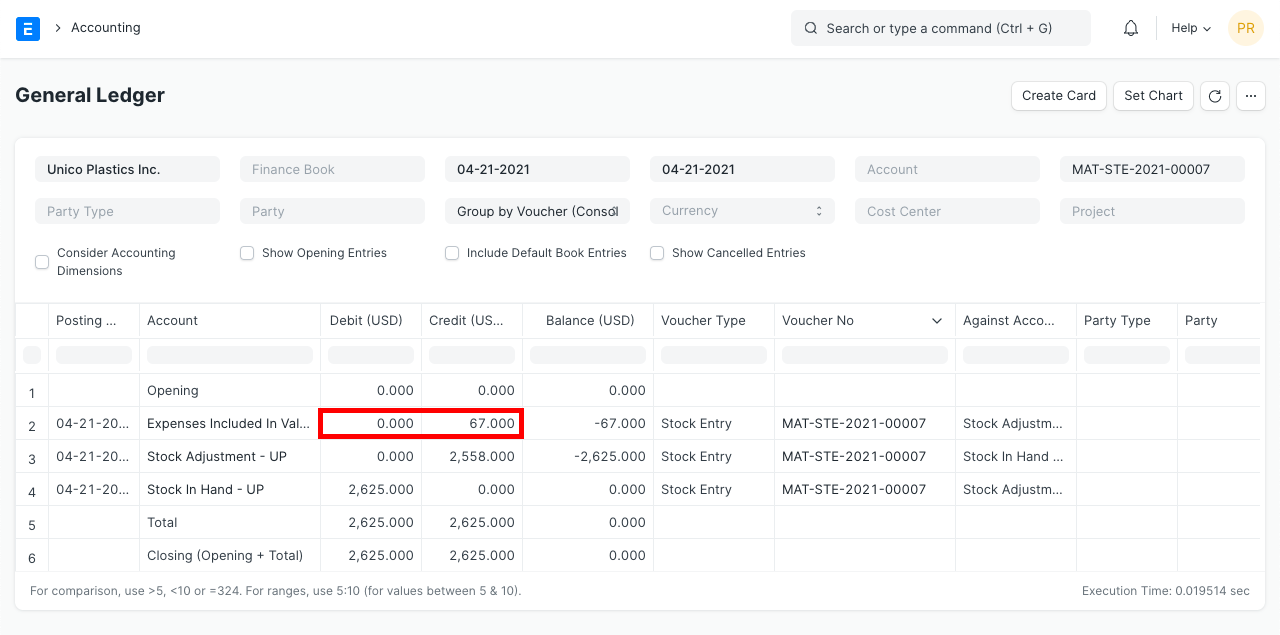
The system will post general ledger entries to update the Stock-in-Hand balance if you are utilizing "Perpetual Inventory." It will credit (reduce) the expense account stated in the Taxes and Charges table and debit (raise) the matching "warehouse account." The Cost-of-Goods-Sold (CoGS) value has been recorded using the old valuation rate if the products have already been delivered. Hence, general ledger entries are redone in order to update the CoGS value for all upcoming outgoing entries of related products.