Document Versioning
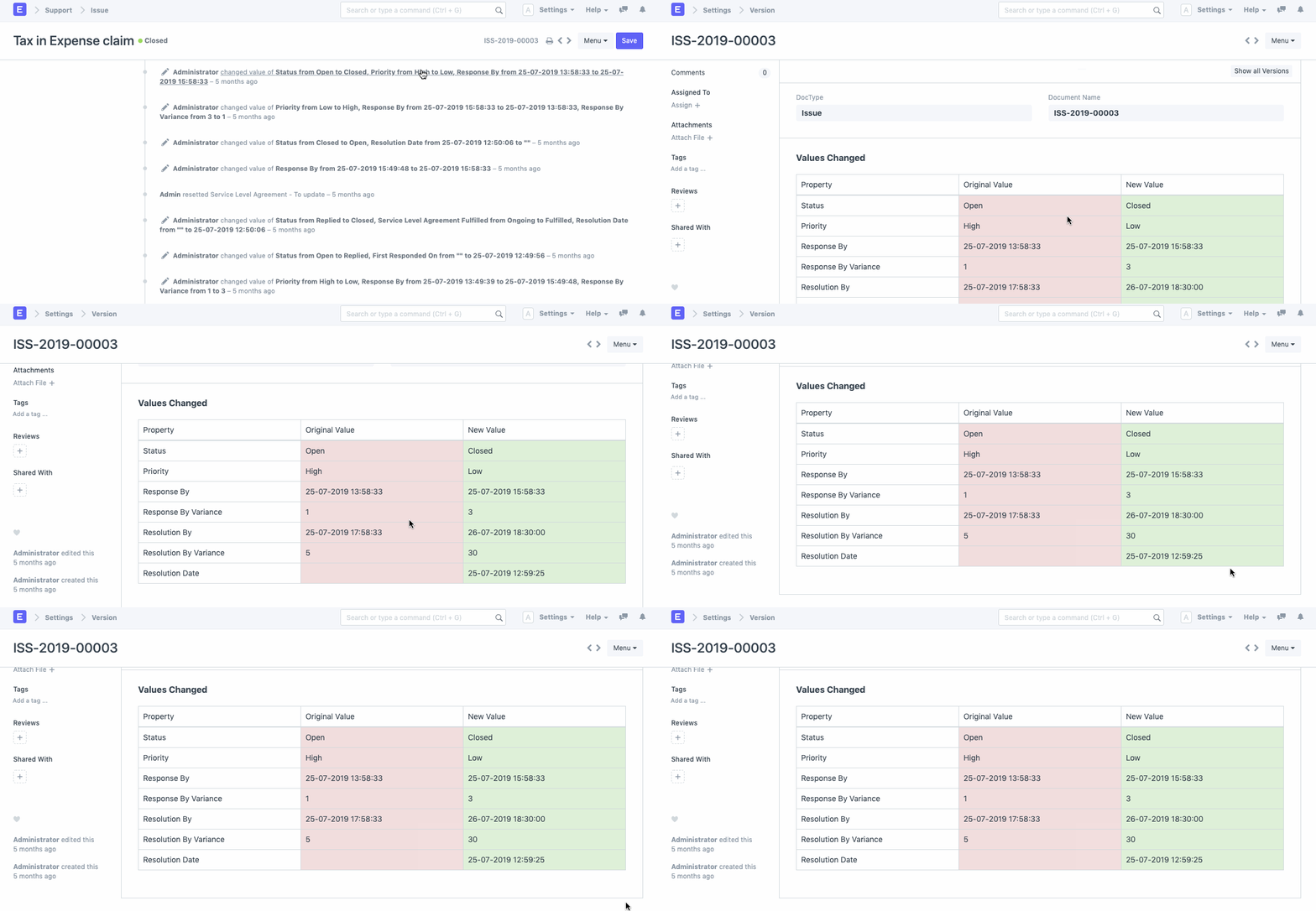
In Geer ERP, Document Versioning is a feature that allows you to track all the changes made in a form or a document.
This function is useful for doing an audit tail to determine what changes were made to a document, when they were done, and who was responsible.
.png)
How to Enable Document Versioning
Let's say that the Purchase Order requires Document Versioning to be enabled.
- Visit the list of purchase orders.
- Customize can be selected from the drop-down menu.
- You will be taken to the Purchase Order Customize Form page.
- Look in the Properties' "Track changes" field.
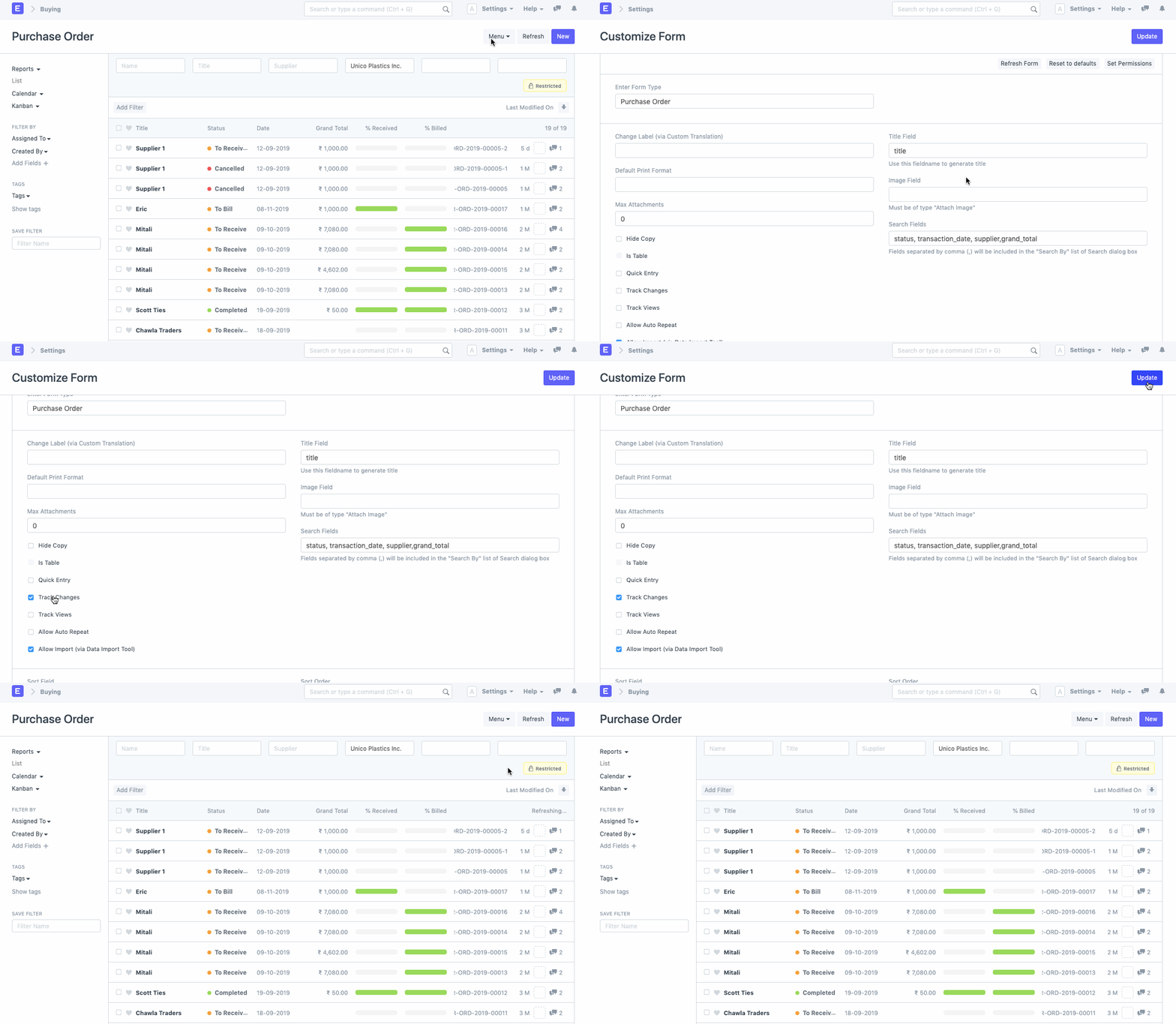
As a result, Document Versioning will be available for all future edits to Purchase Orders.
Version Log
A Version Log is created for each document for which Document Versioning is enabled. There are links to several versions of the document here.
You will be taken to a record of all the fields and the modifications made there when you click on these links.