Brand
Brand
Items are identified by a brand using a distinctive name.
A brand is typically the producer or packer of a certain product. For instance, Apple is a company that produces computers. A brand is merely the name by which a thing is sold, not necessarily the manufacturer of an item. For instance, if you produce plastic cups, you might license your product to a well-known company so that they can market it as their own.
For identifying and assigning specific defaults, Brands can be assigned to Items in ERPNext.
Go to: to see the Brand list.
Home > Selling > Sales > Brand
1. How to Create a Brand
Click on New from the Brand list once there.
If necessary, give a description along with the brand name.
Save.
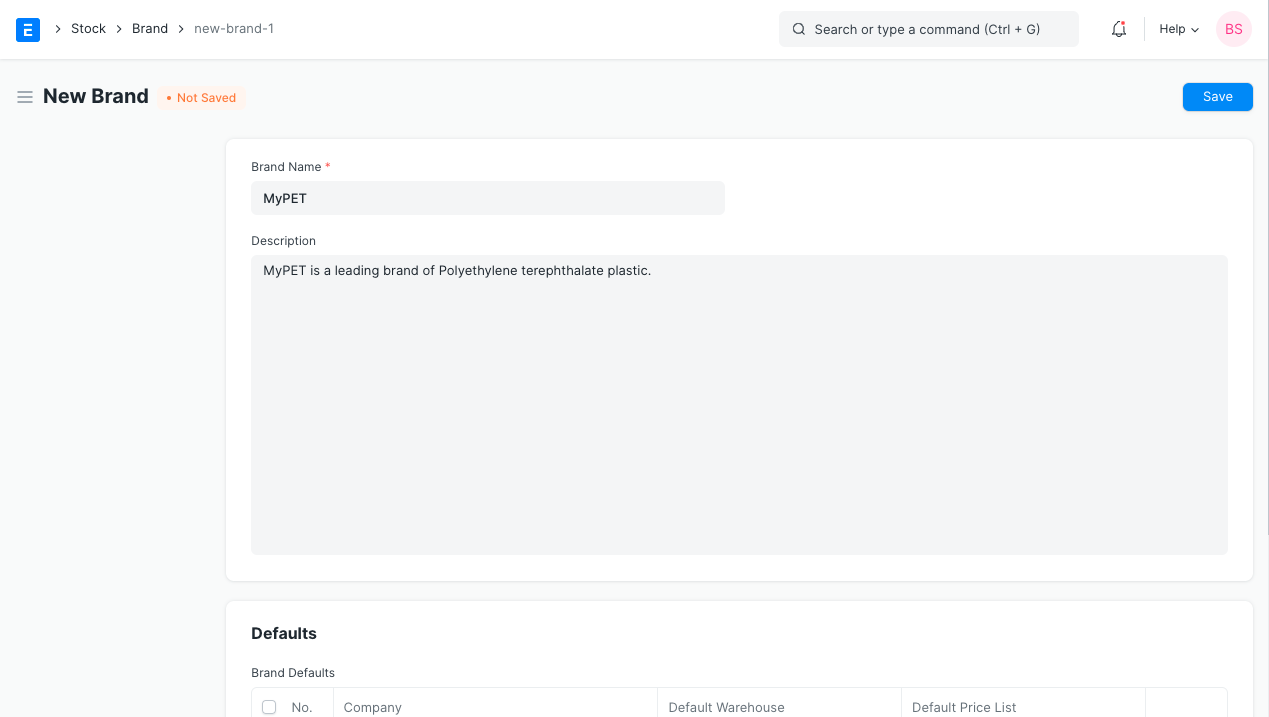
Today, this Brand can be connected to several Products.
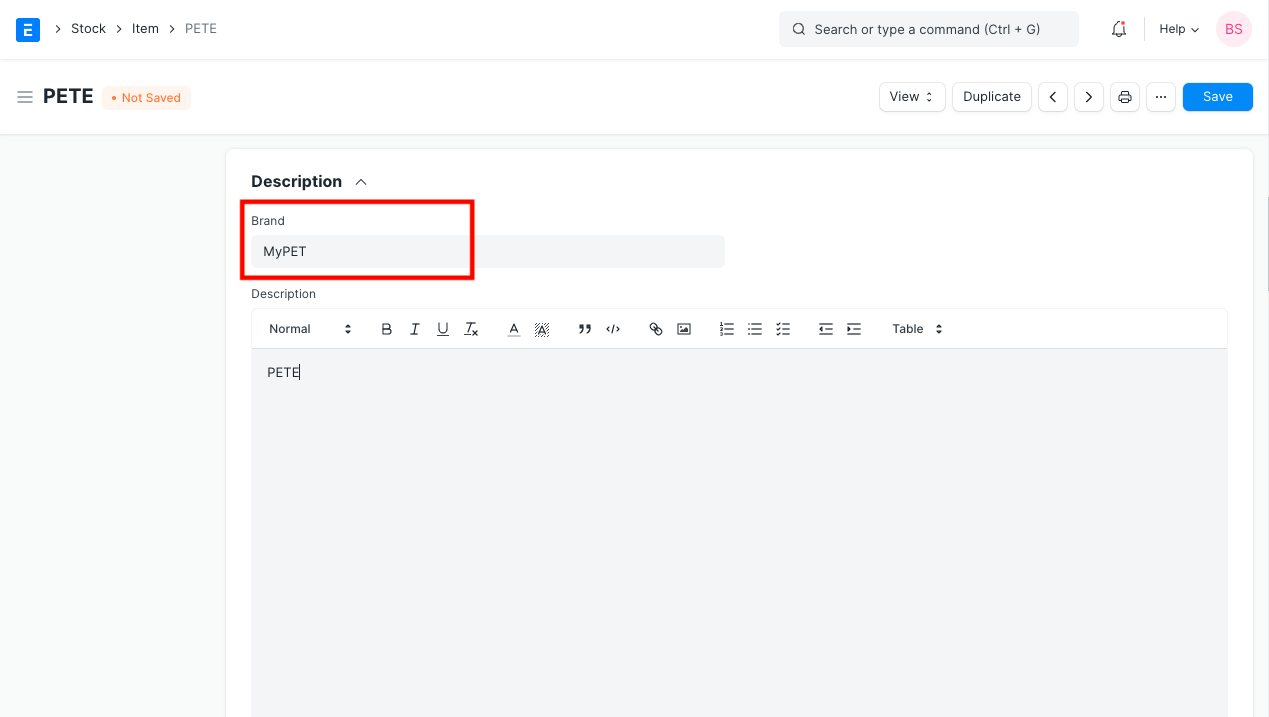
2. Features
2.1 Setting defaults for Items of this Brand
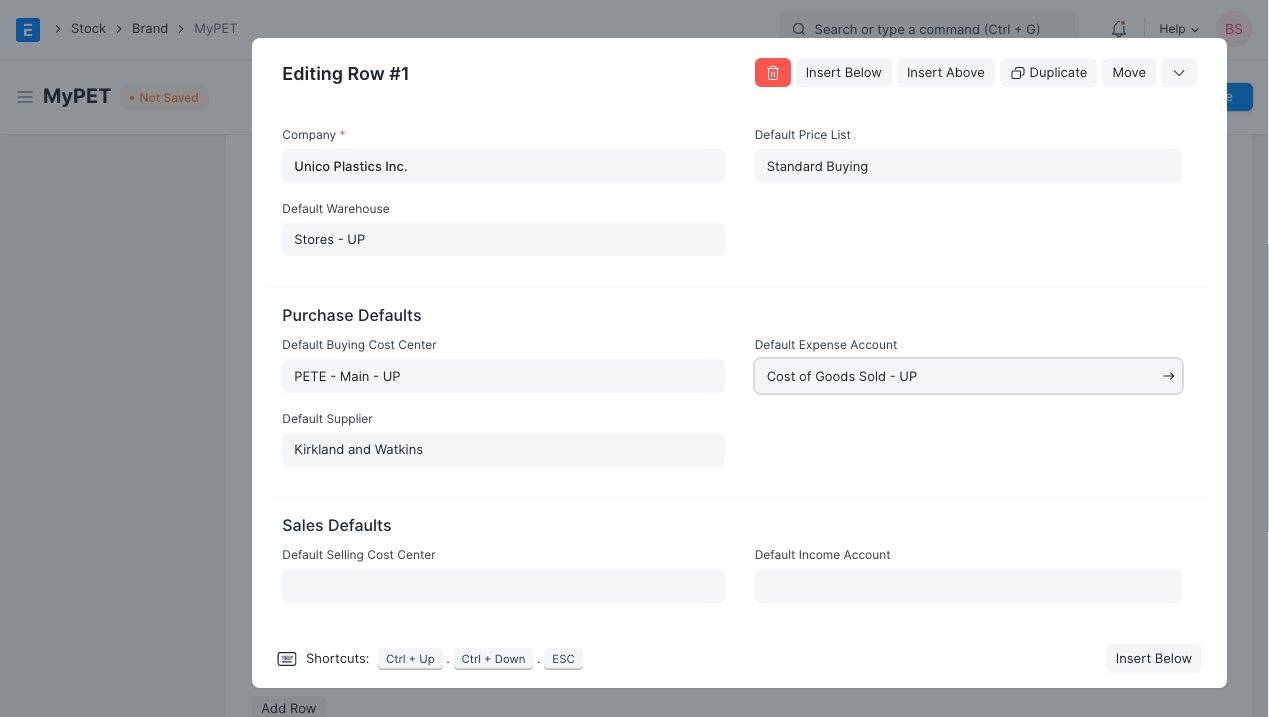
For a Brand, the following defaults can be configured. When doing Sales/Purchase transactions with an item bearing this brand, the set defaults will be retrieved.
Default Warehouse: Depending on the transaction, the Warehouse from which the item will be sourced or stored.
Default Price List: The price list that is set here will be retrieved for purchases and sales.
Purchase Defaults When choosing an item from this brand in purchase transactions like Purchase Order, Buy Receipt, or Purchase Invoice, the defaults set here will be retrieved.
- Default Buying Cost Center
- Default Supplier
- Default Expense Account
Sales Defaults
When choosing an item from this brand when executing sales transactions like Sales Order, Delivery Note, or Sales Invoice, the defaults defined here will be fetched.
- Default Selling Cost Center
- Default Income Account