Chart of Accounts
The Chart of Accounts is the blueprint of the accounts in your organization.
The foundation of your Chart of Accounts is a double entry accounting system, which is now widely used to measure how financially successful an organization is.
The names of the Accounts (Ledgers and Groups) that a Company needs to maintain its books of accounts are listed in a tree format in the chart of accounts. For each Company you form, Geer ERP sets up a straightforward chart of accounts, but you can change it to suit your needs and adhere to regulatory regulations.
The classification of accounting entries for each company is indicated by its chart of accounts, which is typically based on statutory (tax and compliance with governmental rules) requirements.
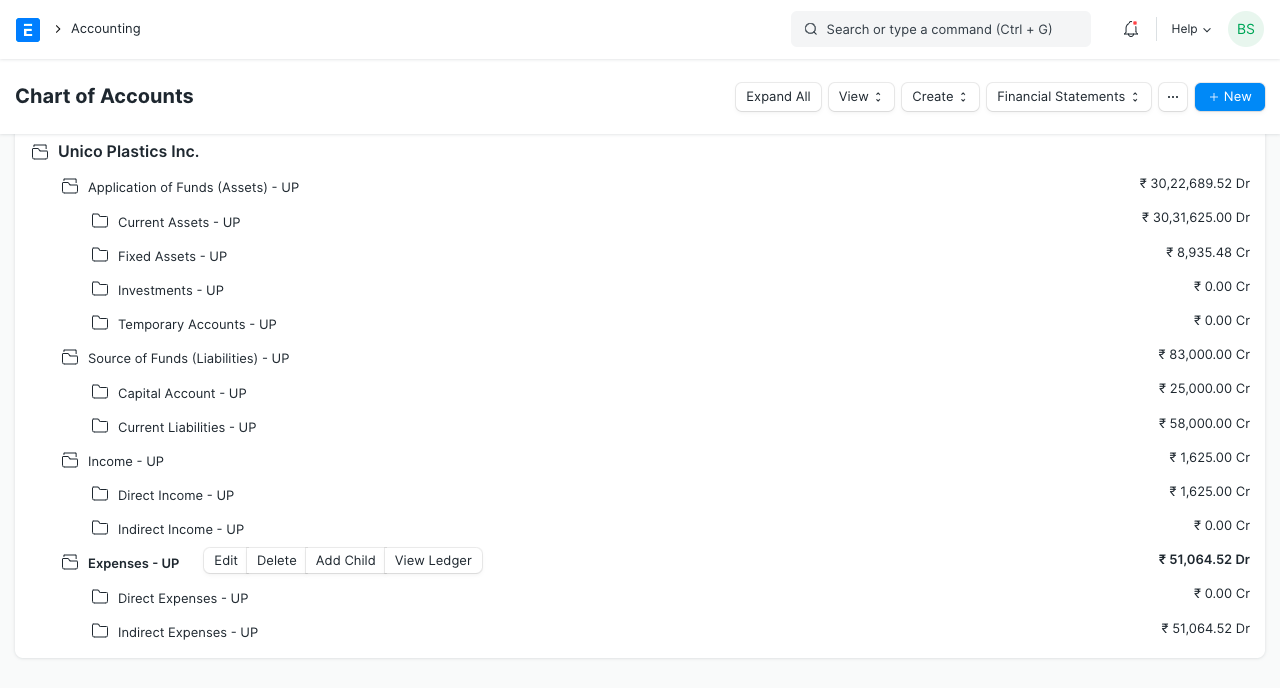
You can find answers to problems like these using the chart of accounts: - What is the value of your company? - How much debt do you currently owe? - How much money do you make that you pay taxes on? - What are you selling for? - What is the breakdown of your costs?
Knowing how well your company is performing is incredibly helpful if you are running a business.
Tip: If you can’t read a Balance Sheet it's a good opportunity to start learning about this. It will be worth the effort. You can also take the help of your accountant to set up your Chart of Accounts.
Go here: to get the list of Chart of Accounts.
Home > Accounting > Accounting Masters > Chart of Accounts
1. How to Create/Edit Accounts
A standard set of Chart of Accounts is included with Geer ERP. Use the Chart of Accounts Importer tool in place of creating or editing. Please be aware that using this tool will replace the current Chart of Accounts.
Visit the list of Charts of Accounts. You can create groups here that contain other accounts. An account has the options to "Add Child," "Edit," or "Delete."
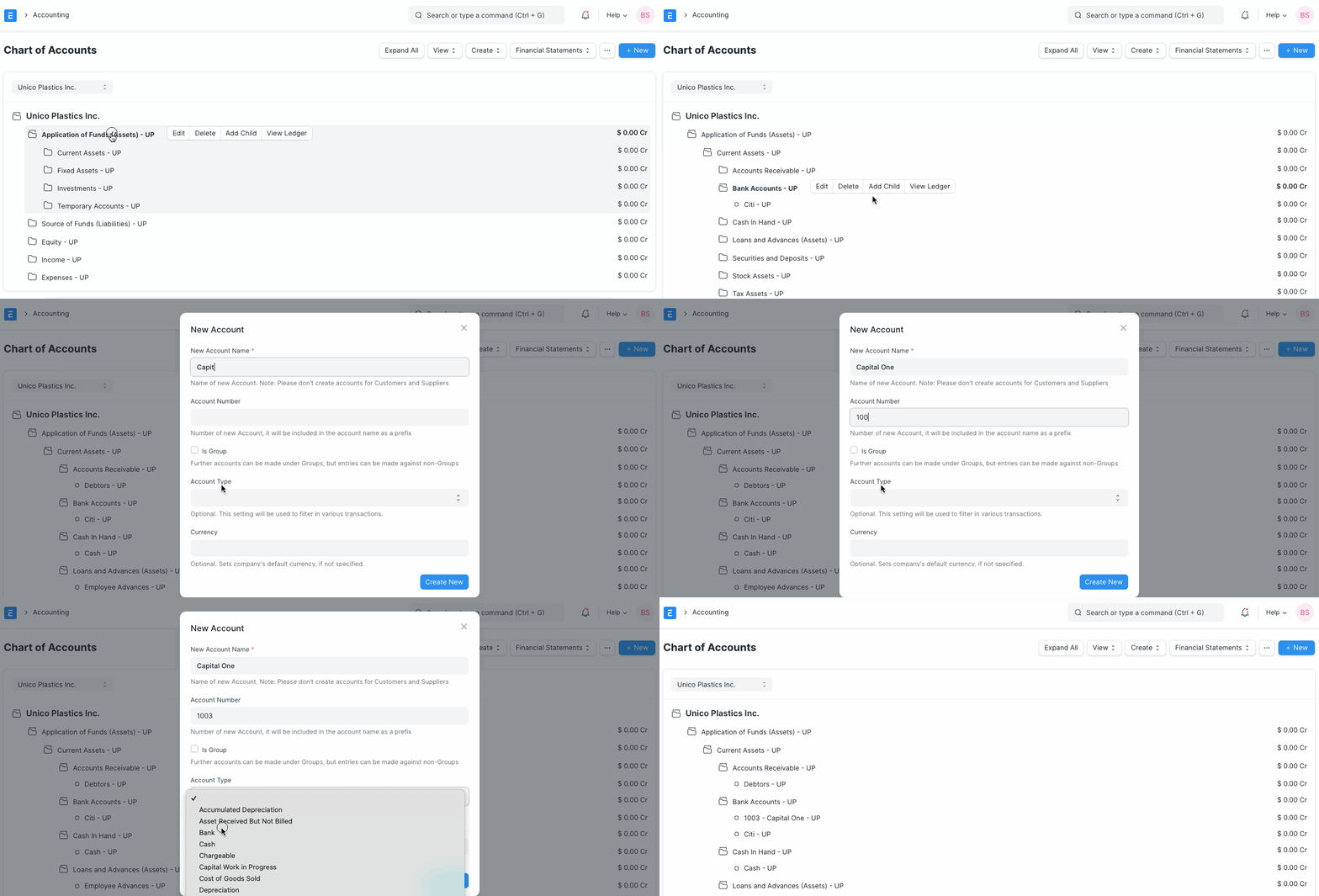
Only when you click on an Account of the Group (folder) type will the opportunity to establish a child account be shown.
- For the account's name, type it in.
- For the account number, type a number.
- If you want this account to be part of a group that can contain other accounts, check the "Is Group" box.
- Decide on an account type. This must be chosen since some areas only enable the selection of certain types of accounts.
- If this account will be used for transactions in a different currency, change the currency. It is the Company's currency by default. Visit the Multi Currency Accounting website to learn more.
- select "Create New"
You might typically wish to create Accounts for:
- Travel, wages, phone, and other expenses are listed here.
- VAT, sales tax, equity, and other liabilities are included under current liabilities.
- Sales of goods and services are included under "Income."
- Fixed Assets include structures, equipment, furnishings, etc.
 \
\
Tip: Accounts with different currencies are created when you receive or make payments to or from different currencies. For example if you are based in India and transact with USA, you may need to create accounts like 'Debtors US', 'Creditors US', etc.
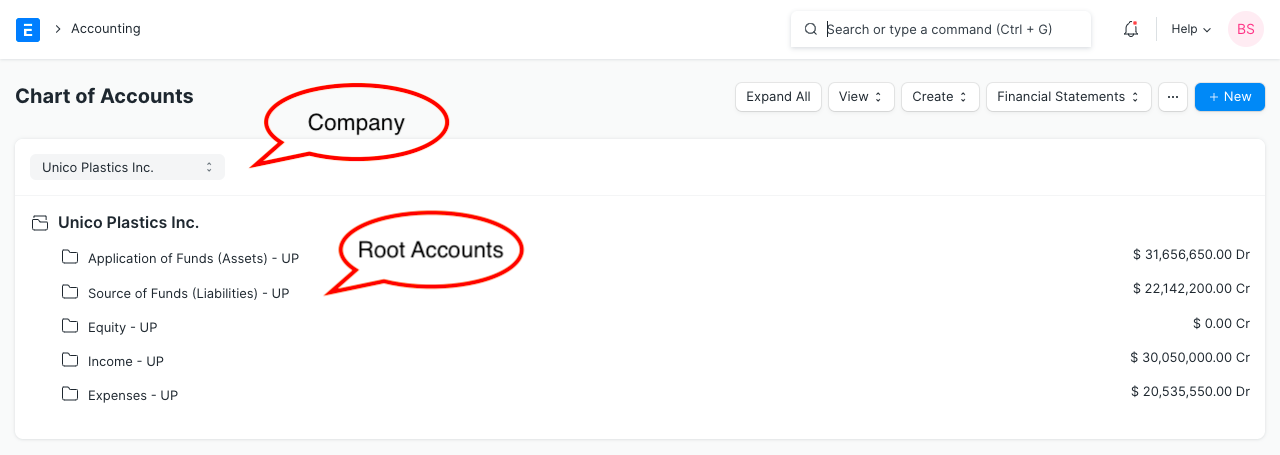
Let's examine the Chart of Accounts' primary groups.
2. Account Types
The four primary categories of account types are income, expense, asset, and liability.