Setting Employee-wise Leave Approver
Setting Employee-wise Leave Approver
Use Case: Each employee must have their own leave approver.
Steps:
1) Start by visiting the Employee's master.
2) Choose the Leave Approver for that specific Employee in the "Attendance and Leave Information" section.
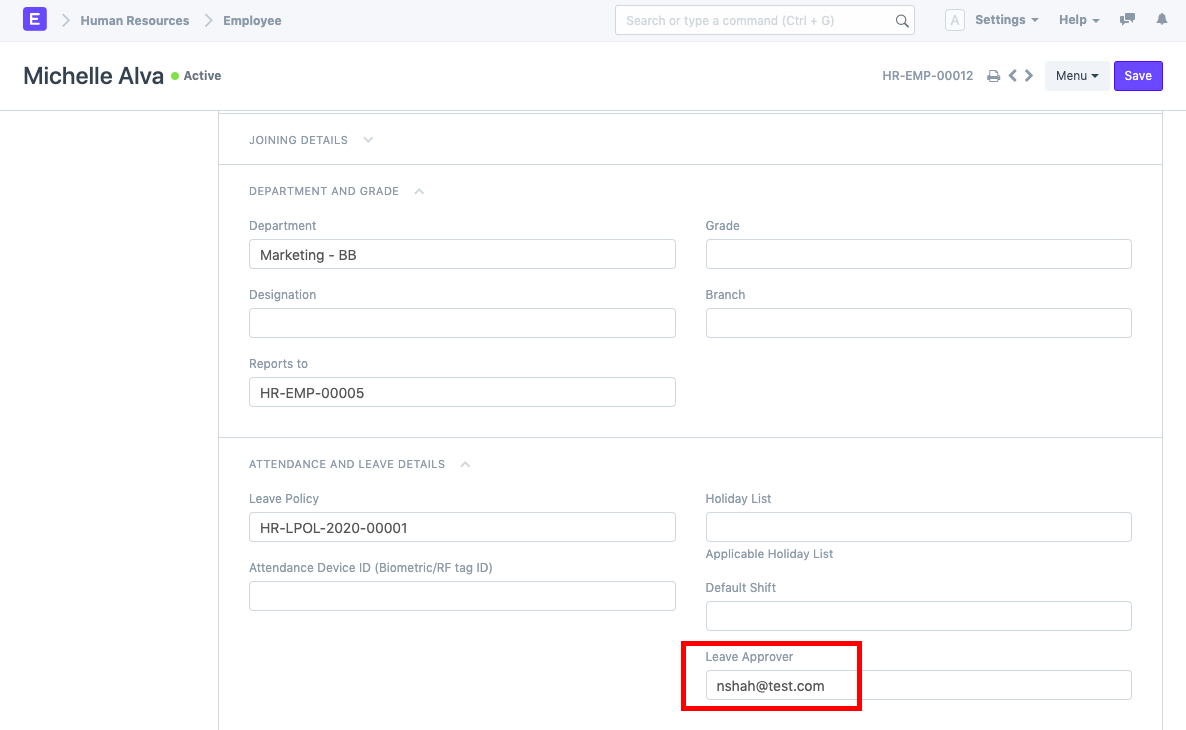
3) Through the employee master, assign the employee a leave policy, and grant leaves through the leave period.
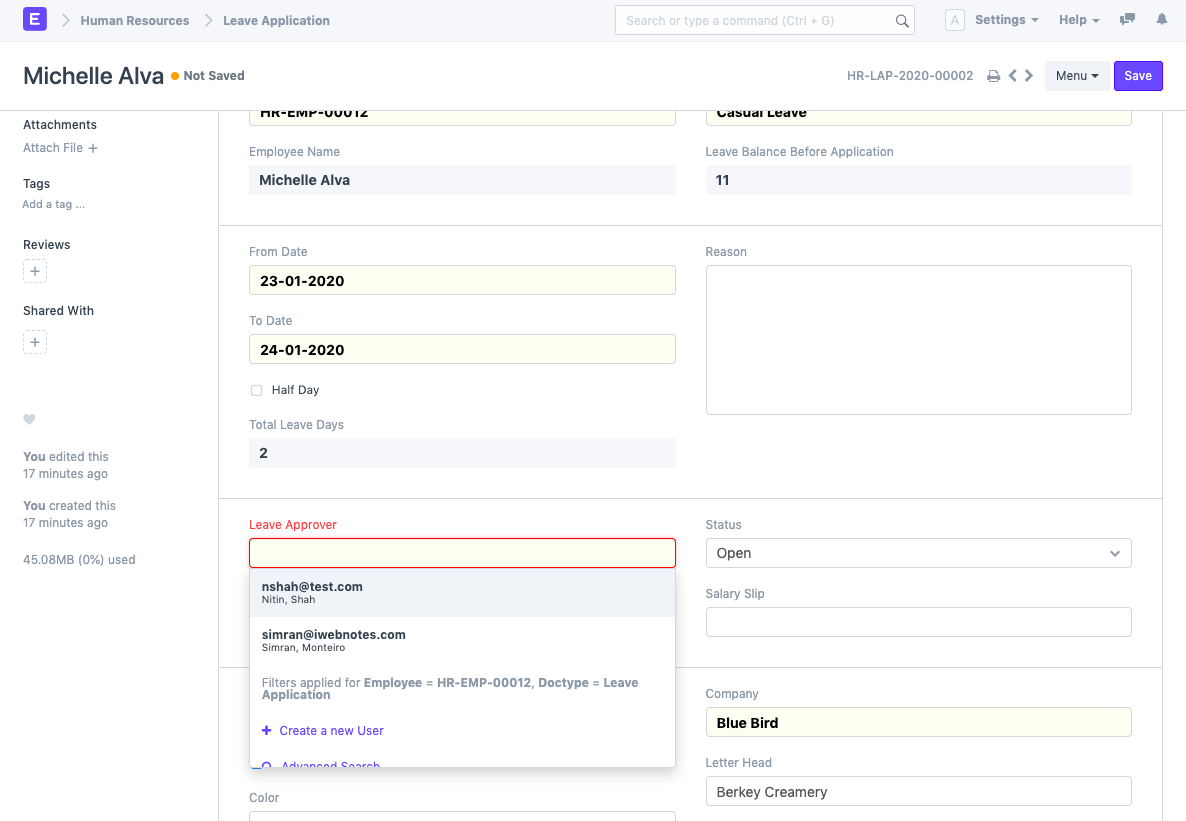
4) Make an entirely new leave application for the employee. The system immediately retrieves the collection of Leave Approver records for that specific Employee.
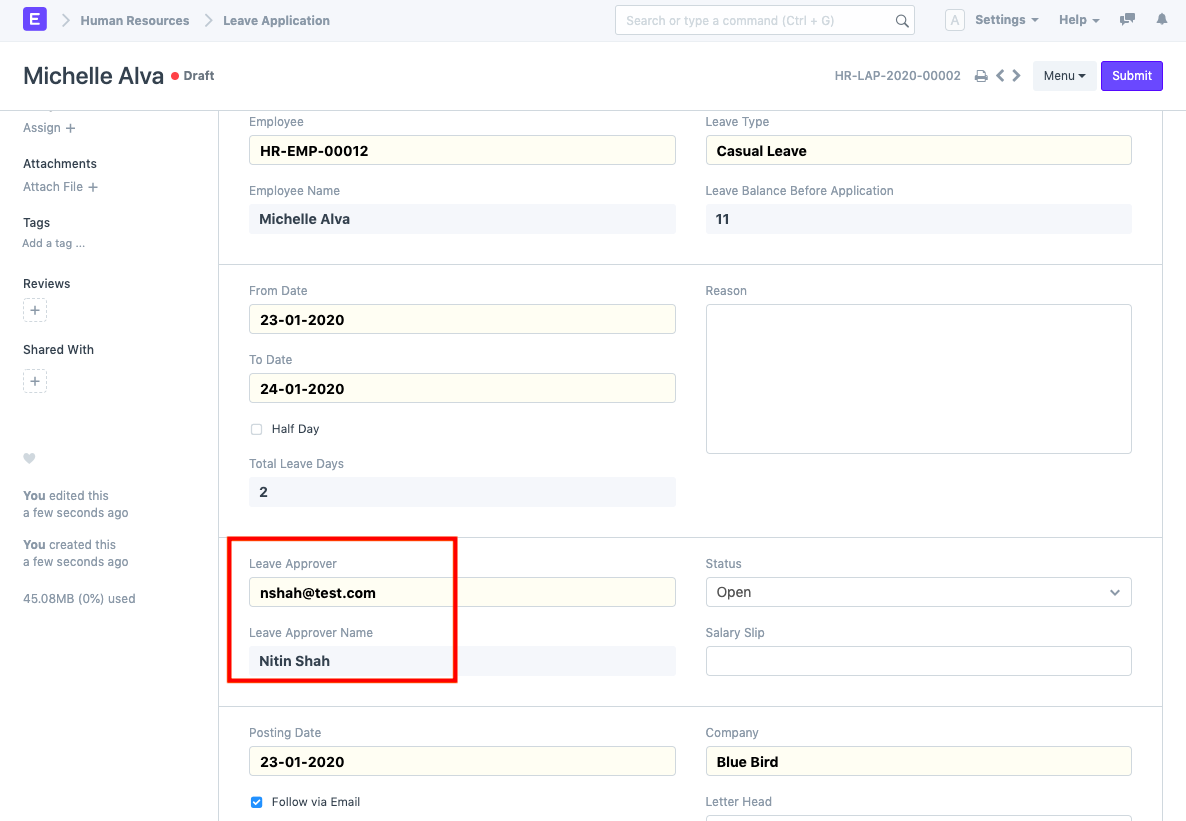
Note: If you have given that employee a Department and those Leave Approvers are likewise set up in that Department, the Leave Application will also retrieve those Leave Approvers. Yet the person designated in the Employee master will always be the default leave approver.
For instance, the Department has a Leave Approver.
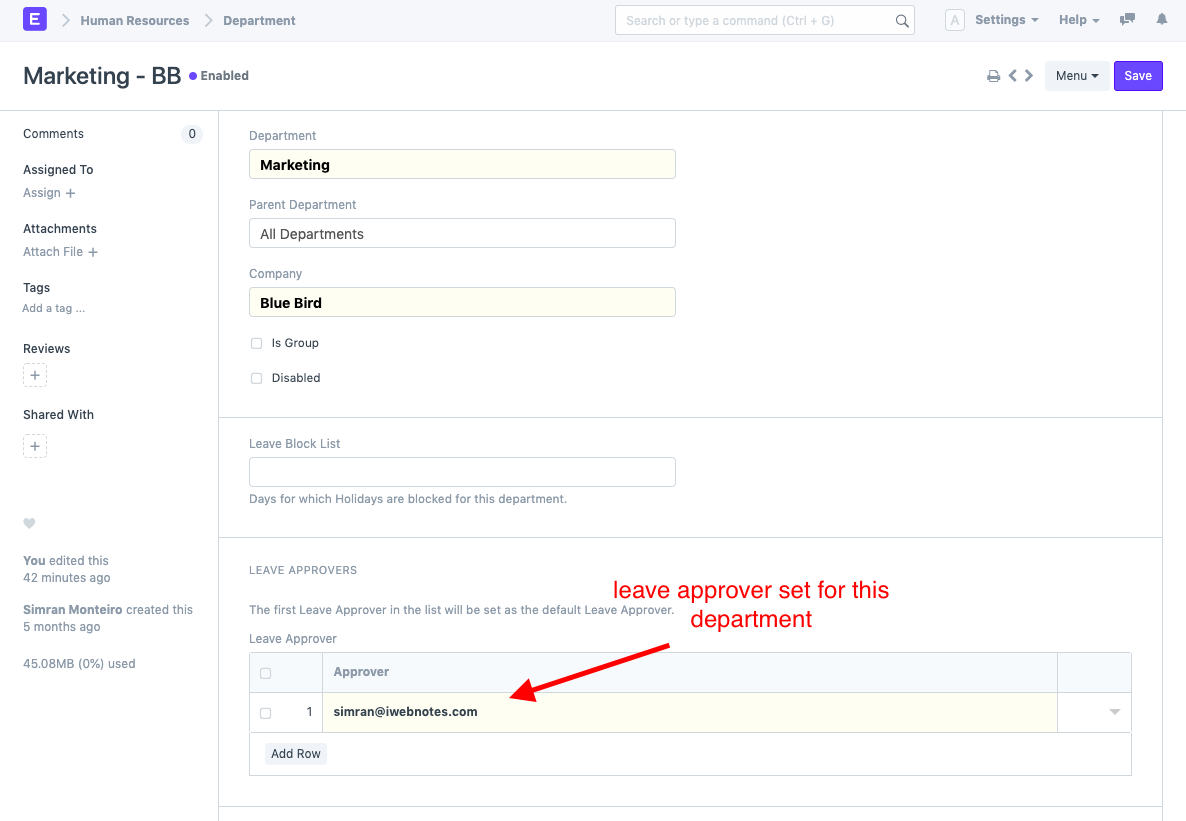
Now, when a member of this Department's staff creates a leave application, all of the leave approvers set up for this Department are also retrieved.