Product Listing
Product Listing
Customers can find your products on a product listing page that ERPNext offers. If you have published Website Items on your system, it is by default enabled.
Visit the /all-products route to access the product listing. Consider the following URL: https://apple.erpnext.com/all-products.
In the new Product Listing, actions are only visible when the card is hovered over.
There are two toggleable views accessible here:
Product List View The Short Website Description box on the Website Item's webpage can be used to include a brief description in the List View.

Product Grid View
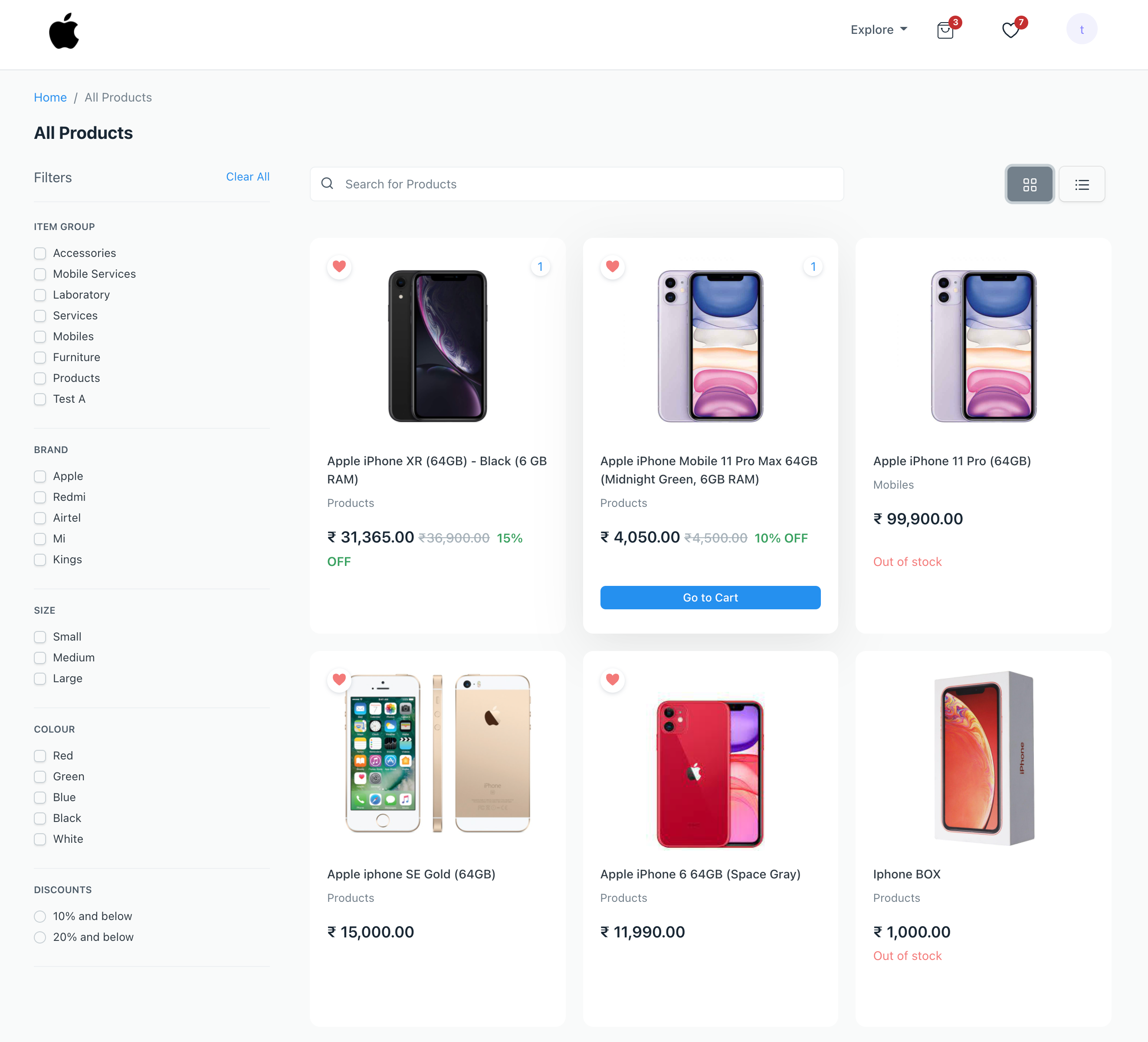
Filters Together with the products, filters are displayed on this page. Field filters, attribute filters, and discount filters are the three types of filters that are currently available.
In the Filters and Categories area of the E Commerce Configuration, field filters and attribute filters can be set up.
Based on the discounts that have been applied to the products, discount filters are created automatically. They don't need to be configured.