Sharing
You can share documents with other users via sharing in Geer ERP
You can share a document with another user if you have sharing privileges for that document in addition to user and role permissions. It should be noted that even if a shared document has User Permissions restrictions, the other user will still be able to see it.
Open the document you wish to share, click the "+" icon next to sharing, and then choose the user you want to share it with:
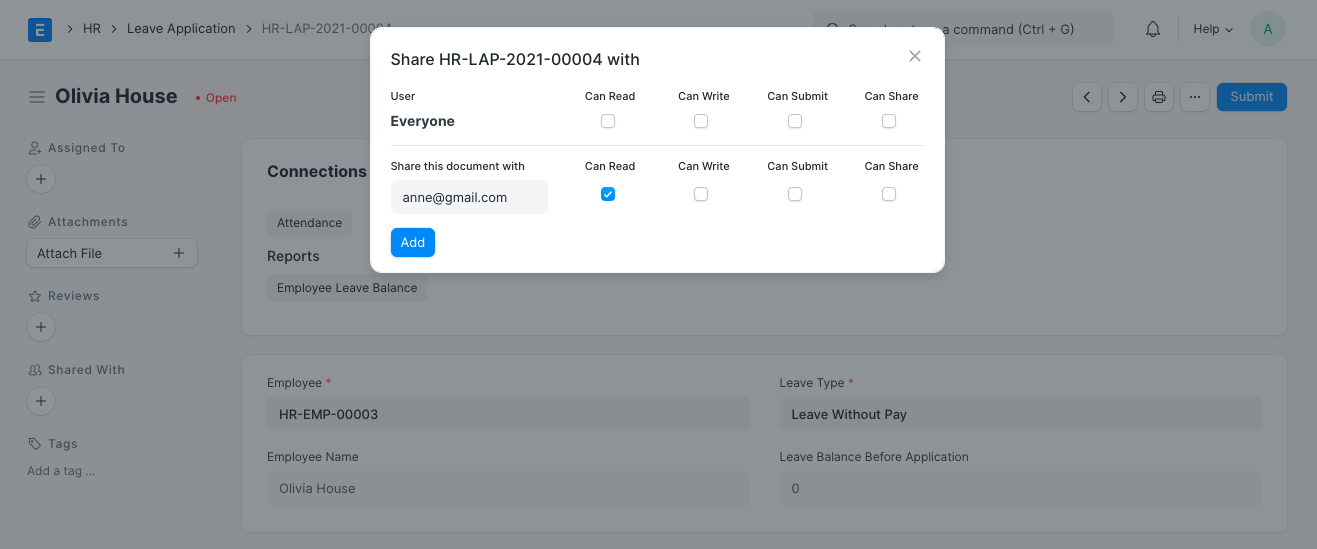
You have the option to pick either all users or a specific user in the popup window.
The user may be given access to read, write, submit, and share this document.