Accounting Period
An Accounting Period defines a time period in which financial statements are recorded.
Accounting Period in Geer ERP refers to a time period outside of which certain submit table transactions, such as Sales/Purchase Invoice, Stock Entry, Payroll Entry, Journal Entry, etc., cannot be created. In other words, the defined Accounting Period is the only time frame during which the selected transactions may be created.
Why is Accounting Period needed?
When transactions are submitted, they have an impact on the ledgers as well as the reports that use the data from the ledgers. When financial reports must be produced for an official audit or to close the accounting books for the fiscal year, this may provide problems.
Here, the Accounting Period can be used to set a deadline for transactions to be reported in order to protect the accuracy of the accompanying reports.
1. How to create an Accounting Period
1.1 What is the "Closed" option for the selected transactions used for?
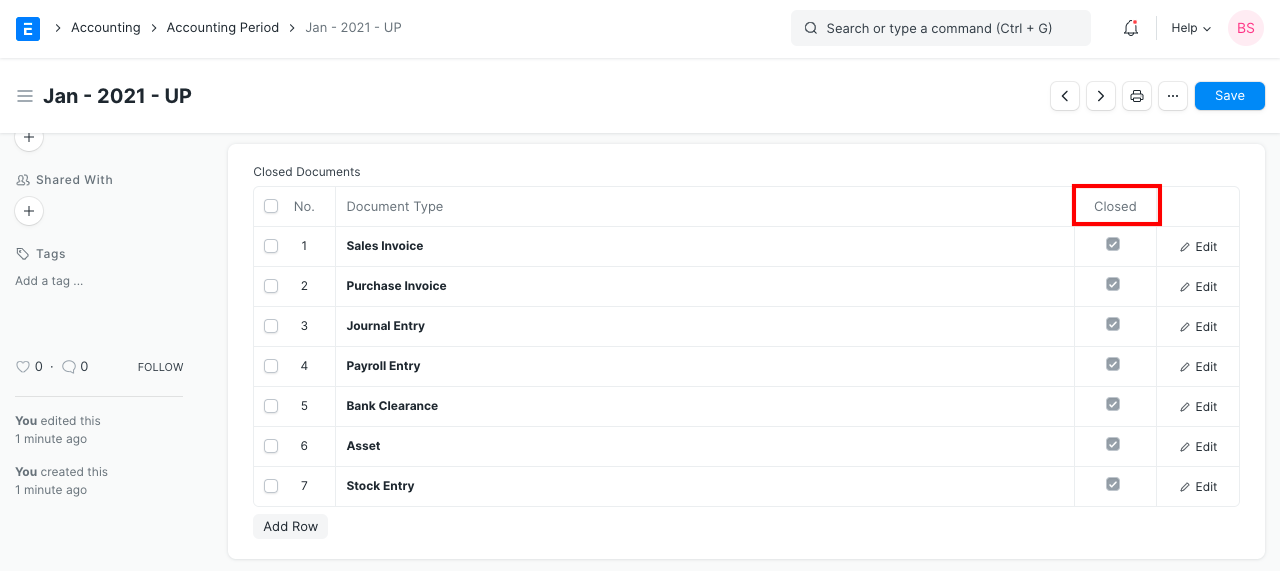
Which of the transaction doctypes are to be restricted at the end of the accounting period is chosen using the "Closed" option in the child table for those doctypes.
Be aware that after the Accounting Period expires, any chosen transactions in the child table that do not have "Closed" checked will not be limited.
- Give the Accounting Period a name.
- By specifying Start and End Dates, a time frame can be defined.
- Transactions can be added or removed from the table. Please take note that after the accounting period closes, all transactions shown in the table with the "Closed" option checked will become limited.
- Publish and save.

A validation error will prevent you from submitting a closed transaction if you attempt to do so after the Accounting Period in question has ended.
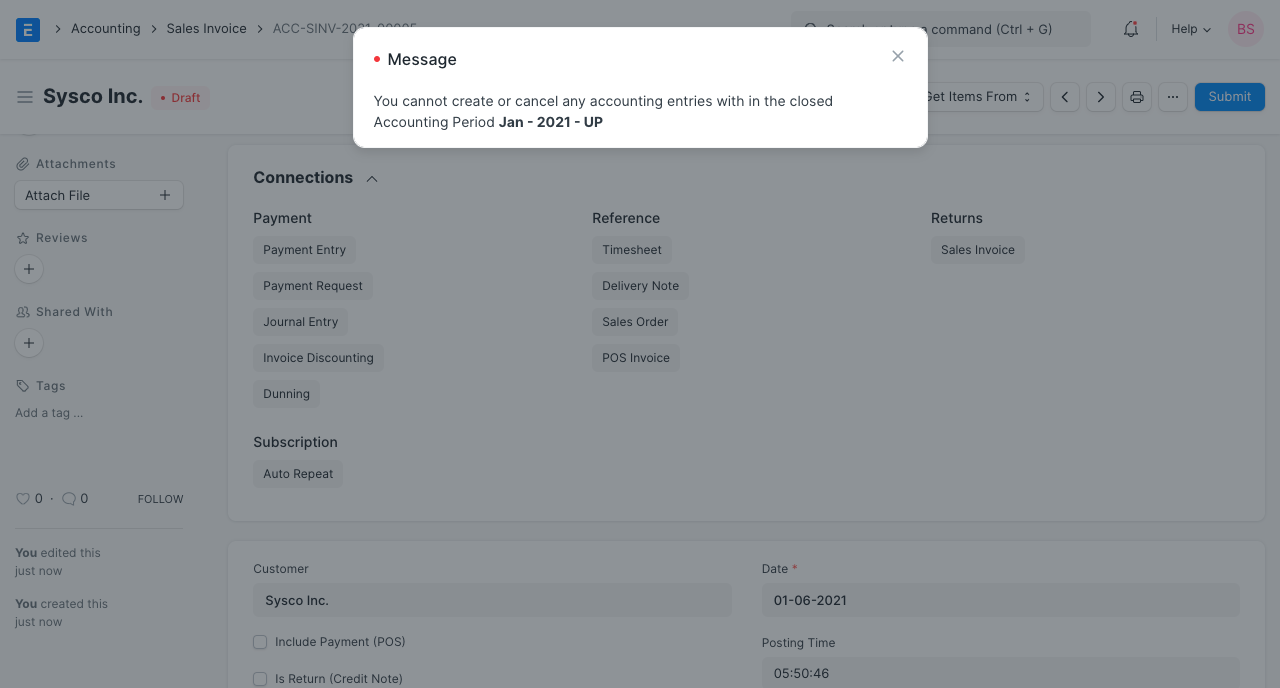
Note: No role can submit transactions defined in the Accounting Period, even the Role set in 'Role Allowed to Set Frozen Accounts & Edit Frozen Entries' in Account Settings.