Website Route Meta
Website Route Meta
With Website Route Meta, you may add any meta tags you want to your web pages.
Invisible tags called meta tags give search engines and website visitors information about your page. These tags could improve your SEO and search engine rankings if you utilize them properly. The head> section of your page will contain these tags. To enhance your web pages' SEO, you may use ERPNext to add any number of meta tags.
Go to: to access Webpage Route Meta.
Home > Website > Web Site > Website Route Meta
1. How to add meta tags to a web page
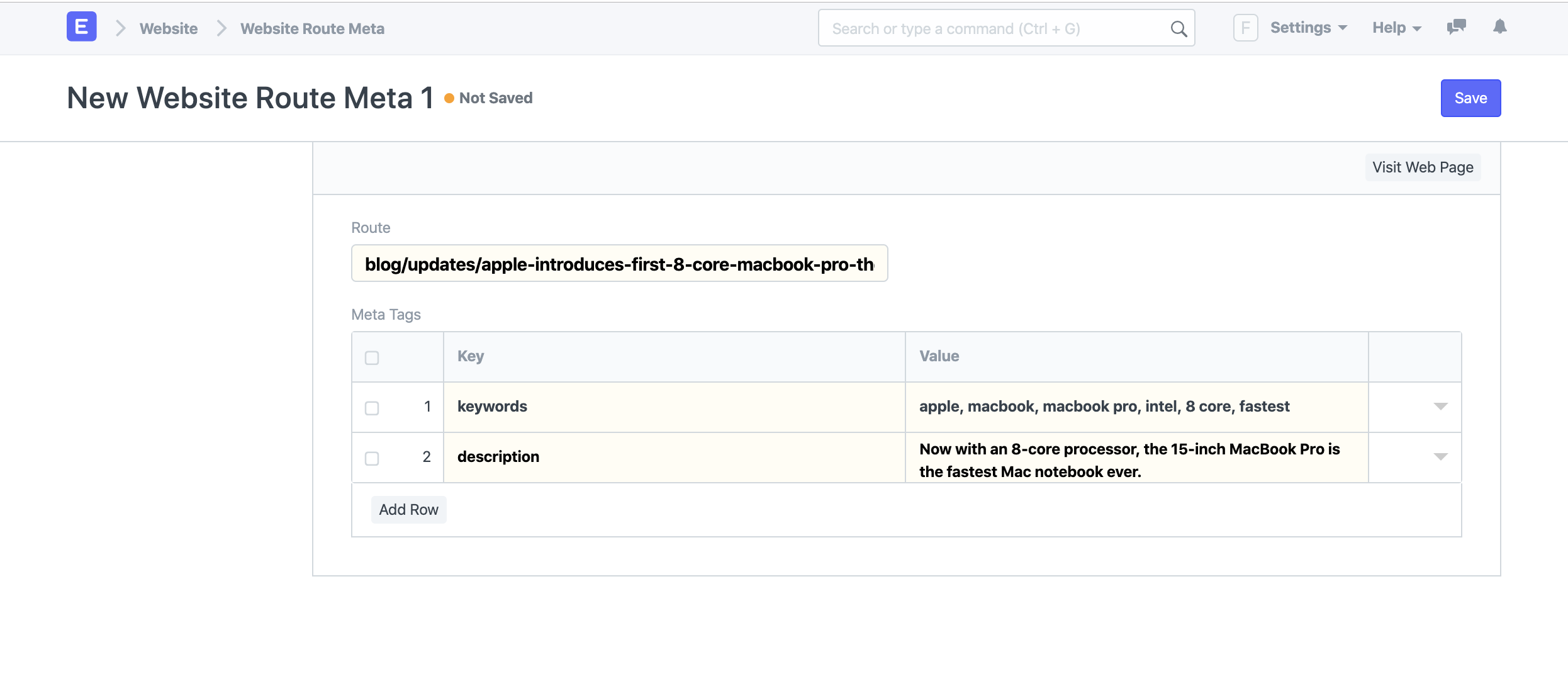
Click on New in the Website Route Meta list.
Step into the path. Ensure sure there is no slash (/) at the beginning of the route. There should be a webpage for this route.
For each meta tag, add key-value pairs. For instance, write "keywords" as the Key and comma-separated keywords in the Value field to add keywords to your web page.
Choose Save.
Now, the meta tags on your website should seem something like this in the page source:
Nota Bene: Meta tags can be added to any route in ERPNext that has a website page, not just web pages.
For instance, if you know the path, which you can receive from the Blog Post form, you can add meta tags to your blog articles.