Assessment Plan
Assessment Plan
An assessment plan is a program for carrying out an exam or assessment for a group of students taking a certain course within a current academic term.
Visit to access the Assessment Plan:
Home > Education > Assessment > Assessment Plan
1. Prerequisites
It is advised that you first create the following before creating an assessment plan:
- Student Group
- Course
- Program
- Assessment Group
- Grading Scale
2. How to create an Assessment Plan
- Click New from the Assessment Plan list.
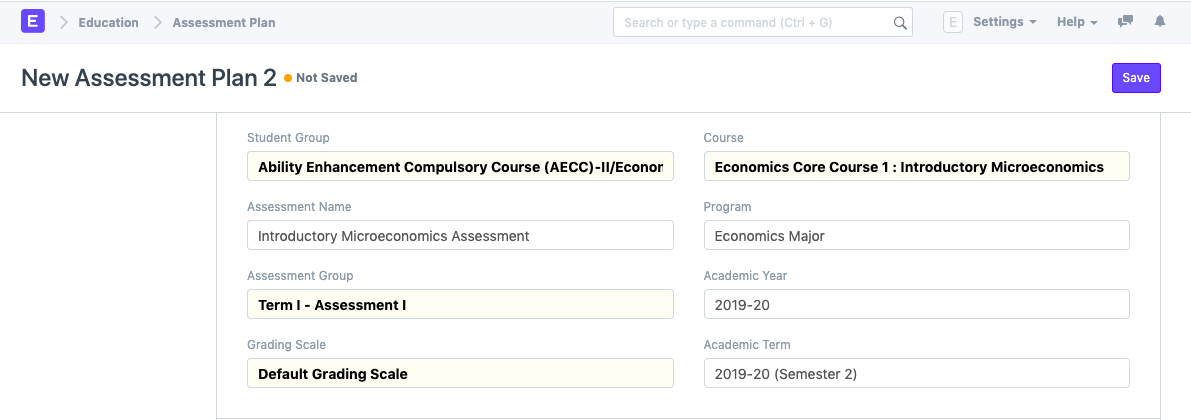
- Choose the student group for which the assessment is to be done.
- Choose the Course for which the evaluation is being done.
- Choose the assessment group under which the evaluation is being done.
- The Grading Scale for the exam will be immediately changed once you choose the course.
- Save
2.1. Additional Options while creating an Assessment Plan
You may also include the following information in the assessment plan in addition to the fields that are required:
- Assessment Name: Enter the name of the evaluation that will be carried out. Exam for Core Course IV in Economics, for instance, in Term I.
- Program: Choose the program for which the evaluation was done.
- Academic Year and Academic Term: Choose and enter the academic year that the assessment is being performed for.
3. Features
3.1. Schedule
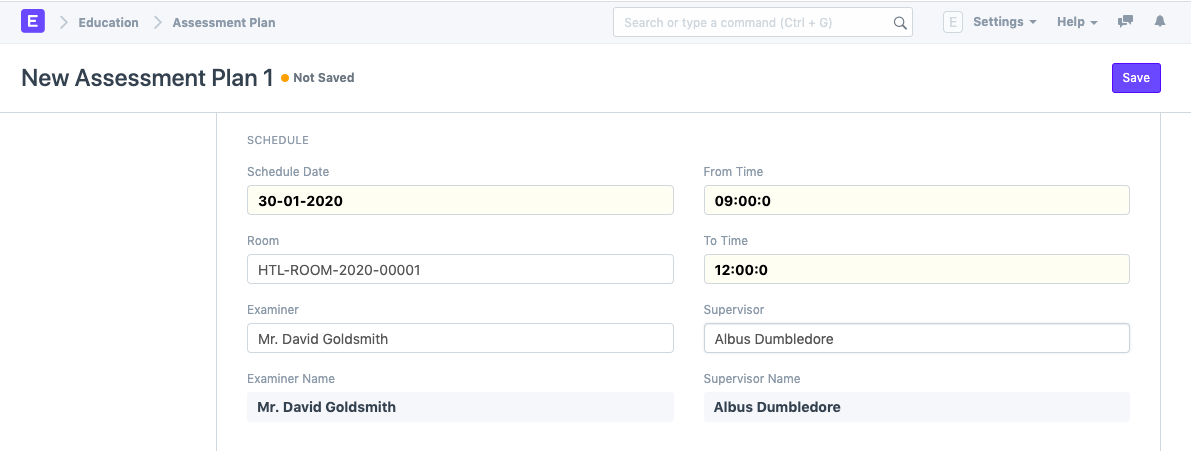
- Schedule Date: Specify the day that the evaluation will take place.
- From Time: The assessment's start date should be entered.
- To Time: Enter the evaluation's cutoff time.
- Room: Choose the space where the assessment will take place.
- Examiner: Provide the Examining Instructor's name for this evaluation.
- Supervisor: For this exam, include the name of the supervising instructor.
3.2. Evaluate
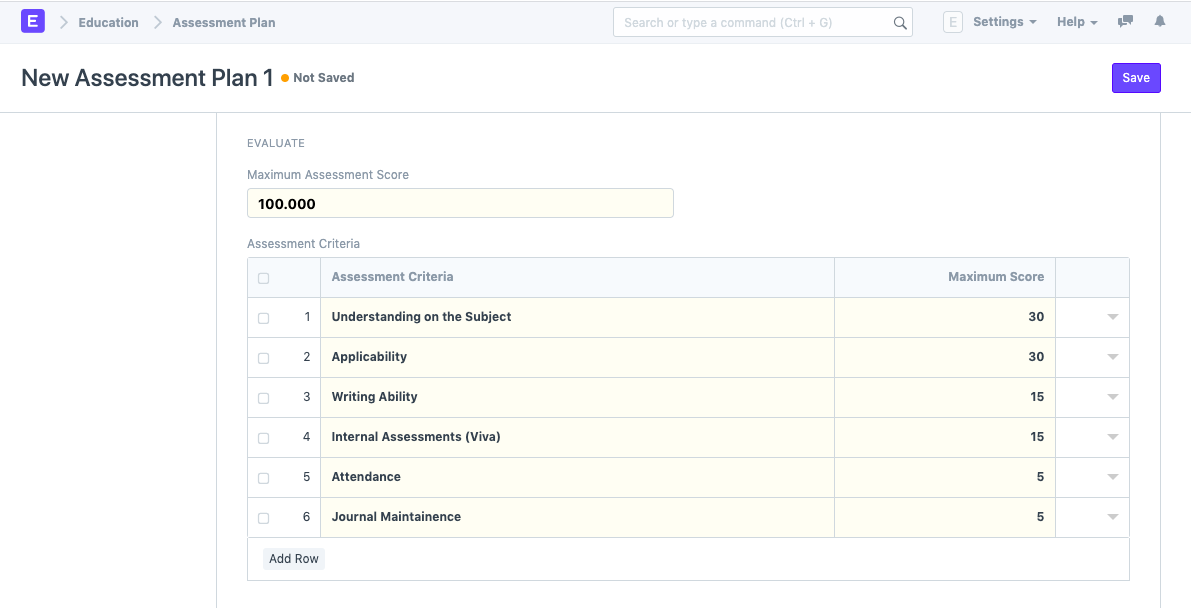
You will need to enter the Maximum Assessment Score once you have altered the Grading Scale and selected the Course, at which point the system will update the Assessment Criteria automatically.