Supplier Group
Supplier Group
A supplier group is a collection of suppliers who are connected by some commonality.
A contractor or subcontractor, who frequently adds specialized input to deliverables, might be distinguished from a supplier. A vendor is another name for a supplier. Depending on the goods and products they provide, there are several types of suppliers.
You can design your own supplier categories using ERPNext. Supplier Groups are the names of these subcategories. For instance, if the majority of your suppliers are FMCG wholesalers and pharmaceutical businesses, you can make new Supplier Groups for them with the appropriate names.
Go to: to access Supplier Group.
Home Purchasing Supplier Group Supplier
1. Prerequisites
It is suggested that you first create the following before making and using a Supplier Group:
1.Supplier
2. How to create a Supplier Group
1.Go to the Supplier Group list, click on New.
2.Type a name for your new Supplier Category.
3.You can set a Parent Supplier Group for this Supplier Group.
4.Ticking the Is Group checkbox will make it a Parent Supplier Group.
5.You can also assign a default Payment Terms Template to the Supplier Group. Useful in a case where all your hardware suppliers take half payment on sales order and half post shipment.
6.Save.
.png)
Using a variety of options offered by ERPNext, you can categorize your suppliers. Choose from the list of available options, which includes distributor, electrical, hardware, local, pharmaceutical, raw material, and services, among others. Organizing your provider into various groups makes accounting and payments easier.
3. Supplier Group Tree
Similar to a chart of accounts, a supplier group can likewise be built as a tree hierarchy.
Click Tree on the sidebar to see the Tree structure. Simply choose Menu > View List to return to the list view.
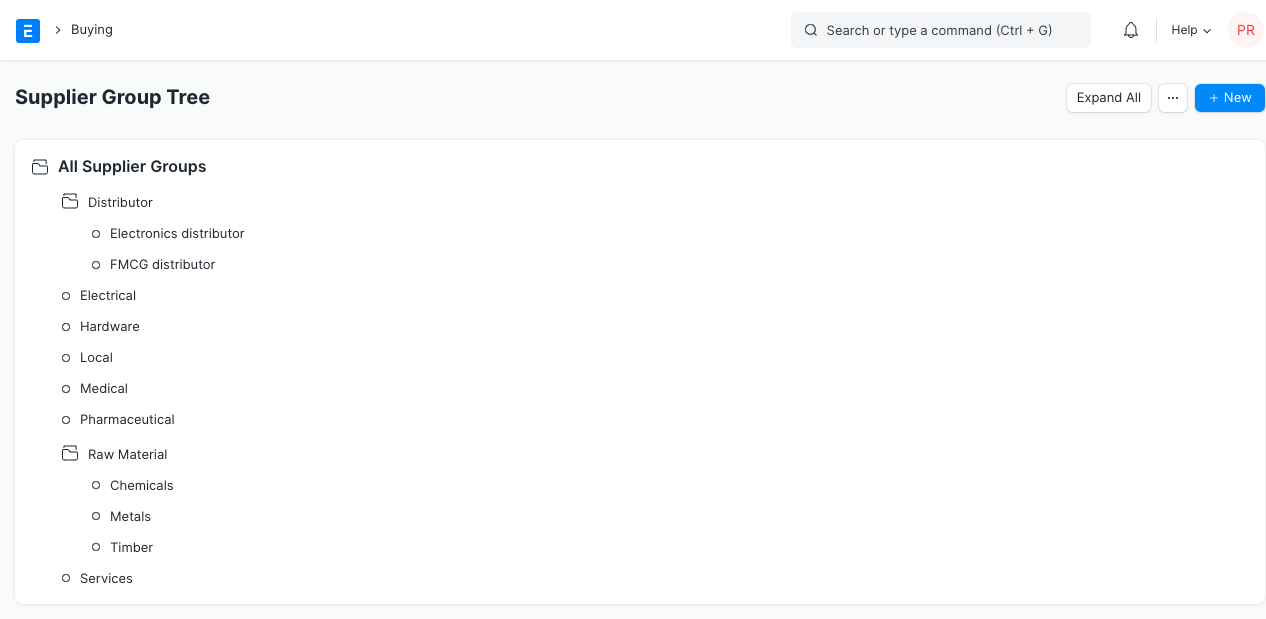
You can now use hierarchy-based permissions thanks to the new User Permissions that have been implemented. This means that a User is immediately eligible to view the child nodes of a parent node if they have permission to view the parent node of the Supplier Group.
Let's imagine, for instance, that a user has been granted permission to see the "Distributor" page in the image above. The user is then given access to inspect its child nodes, such as "Book Distributor," "Electronic Distributor," and so on.