Project Updates
Project Update
The status of the project can be communicated to all project stakeholders in a project update.
You can send a Project Update to the stakeholders each time you wish to keep them informed about the project.
To access Project Update, go to:
Home > Projects > Projects > Project Update
1. How to Create a Project Update
Click on New from the Project Update List.
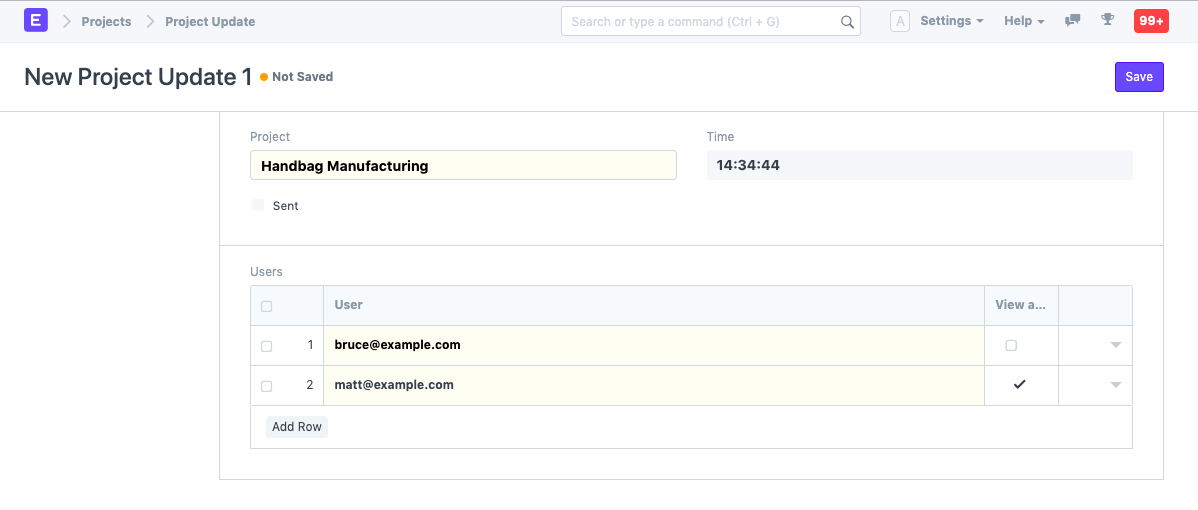
The Project name for which you want to deliver an update should be added.
In the Child Table, add the names of the Users to whom you want to distribute the project update. Your customers or any other internal or external stakeholder may be among these users.
Publish and save.
An email with project updates is delivered to the chosen stakeholders after you have submitted the project update.
1.1. Additional Details
The following information can be added when you expand the table that contains the names of the Users:
When sending a Project Update to a specific User, you can choose whether or not to also send them a welcome email.
In the Project Update, you can choose whether or not you want a certain User to view attachments.
Under the "Project Status" field, you can write a description of the project's current stage.