Quality Goal
Quality Goal
Introduced in Version 12
It is a group of unique metrics that aids in defining your quality objectives. Establishing a list of quality objectives is a fundamental step in the quality management process.
For your company, a quality goal with various quality objectives can be created. Various Quality Goals for a Goal may have a clear numerical target or a target that is gauged by the goal's progress toward completion (yes or no). According to the Frequency that is established for the Target, it is monitored.
You can maintain the actual performance metrics in a Quality Review document that will be automatically prepared if you choose a frequency.
Go to: to access the list of Quality Goals.
Home > Quality > Quality Goal
1. How to Create a Quality Goal
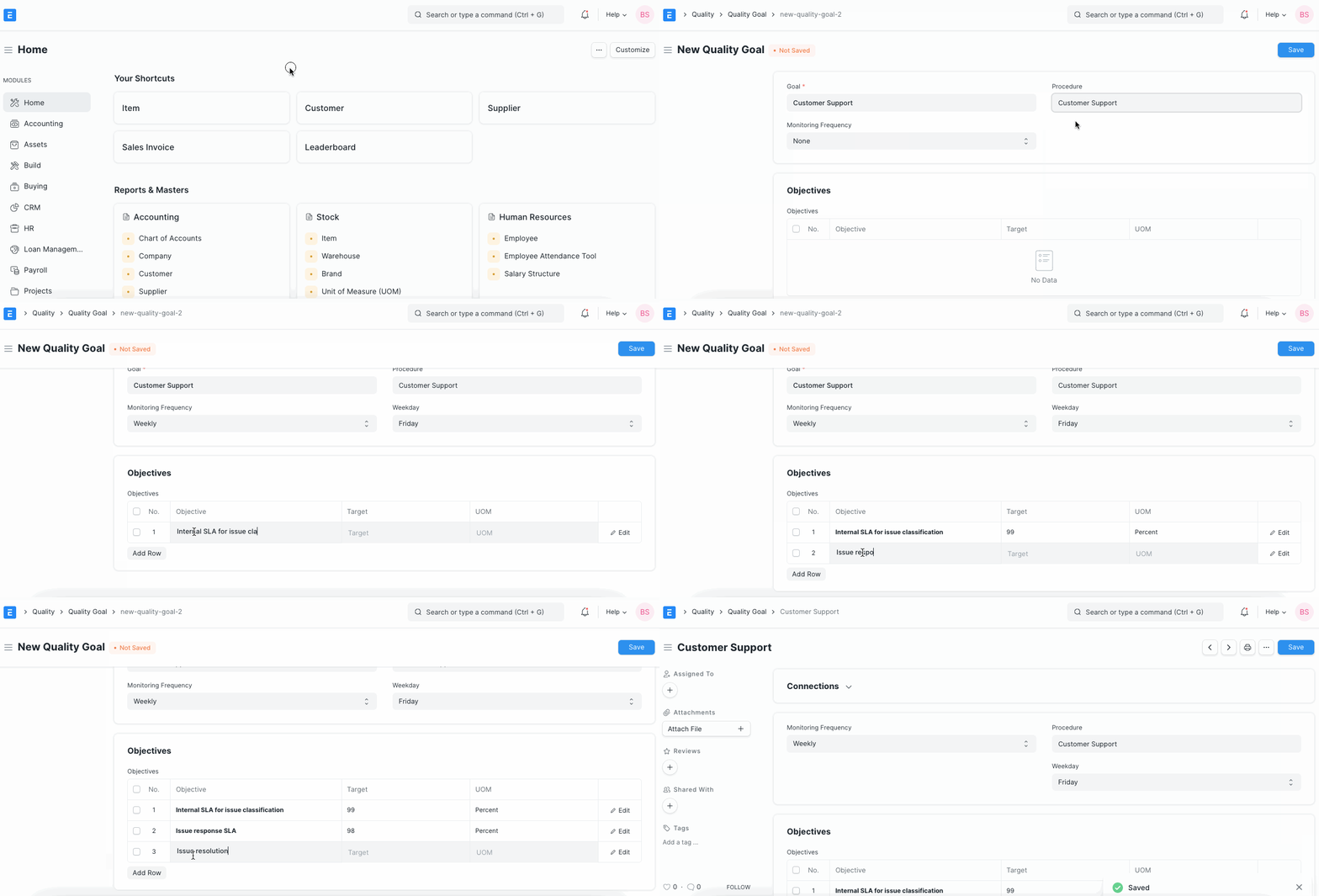
Click New under the Quality Target list.
Put a name in for the objective.
Choose a quality procedure that will be used to accomplish the goal.
The person who created the goal is identified in the sentence "Created By."
Enter one of the following monitoring frequencies: "Daily," "Weekly," "Monthly," or "Quarterly." If there is no requirement for monitoring, choose "None." Enter this in the Goals table:
The numerous objectives that must be accomplished in order to achieve a quality goal are included in the objectives.
The numeric target value of an Objective that must be achieved makes up the target.
The measurement unit used to measure the target. Including: Hours, Leads, etc.
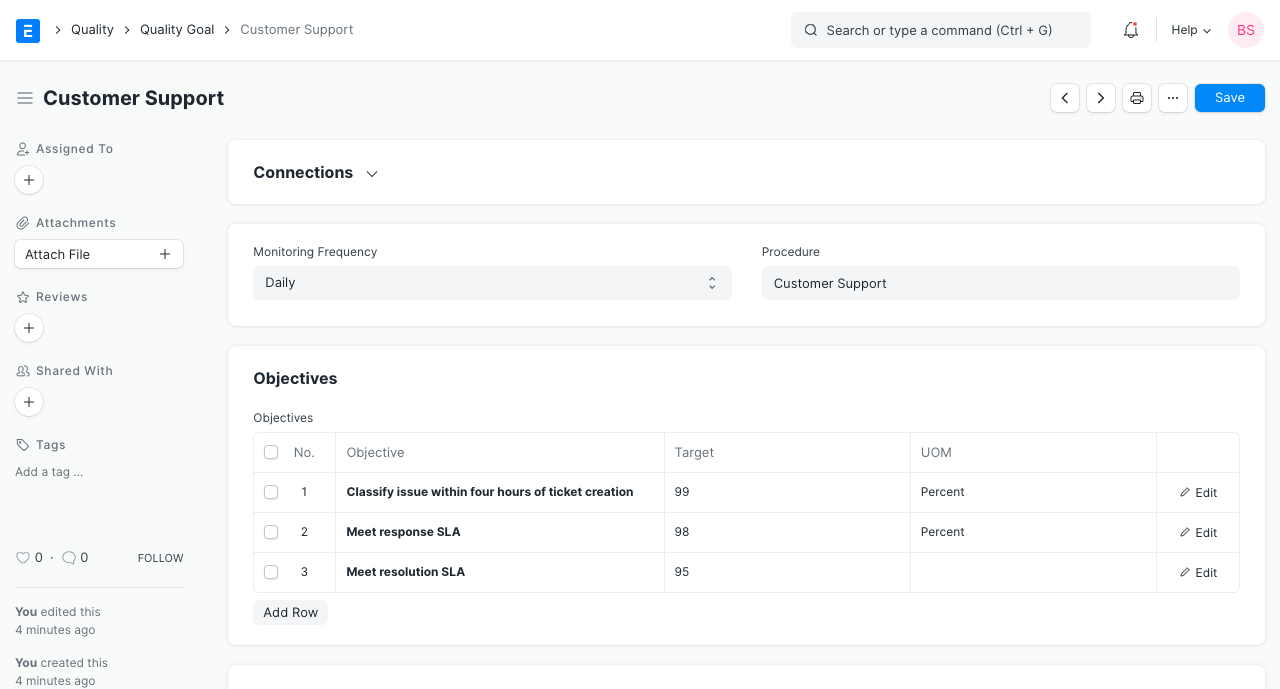
- Save
The number of times the document was saved is displayed in the Revision field.
Developing a Good Goal: