Freeze Accounting Entries
*Freeze Accounting Entries
Follow the instructions below to freeze accounting entries up to a specific date.
Step 1: Go to: Accounting > Accounting Msters > Accounts Settings
Step 2:Set Date In the Accounts Frozen Upto area, enter a date.
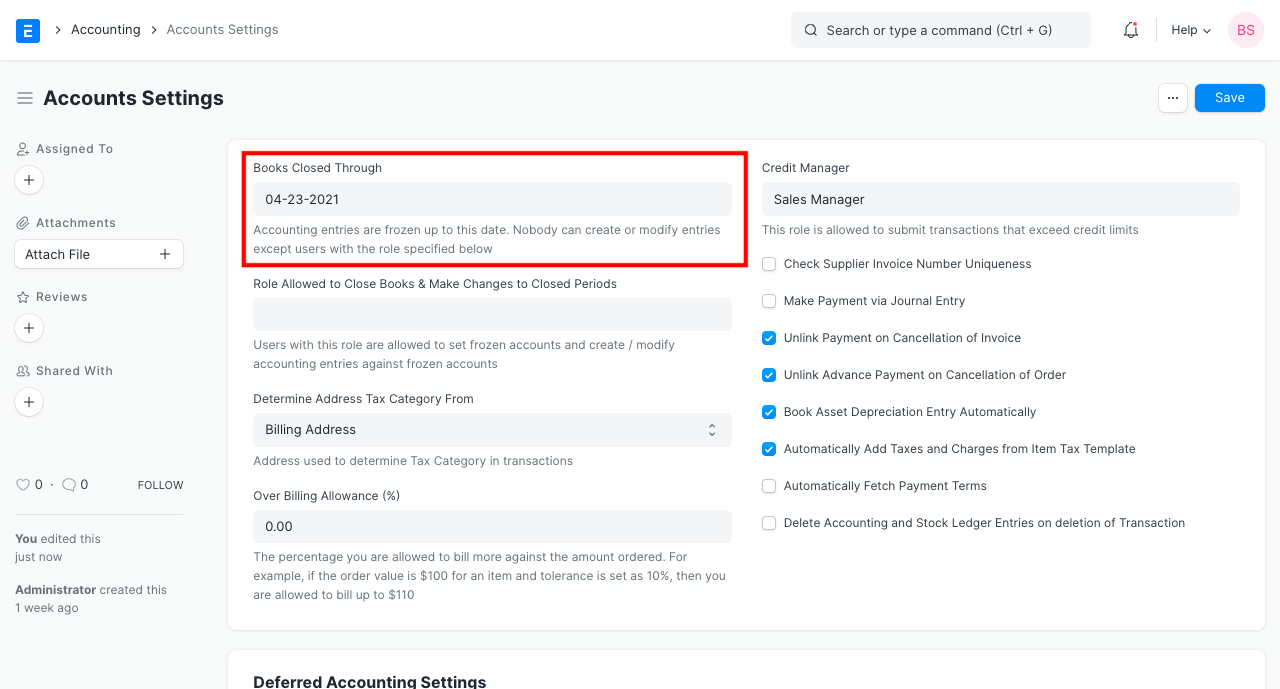
The system will no longer permit any accounting entries to be made before the designated date. If someone makes any attempt to create entries, the system will display the following error message.
Any accounting entries previously allowed by the system will no longer be allowed before the specified date. The following error message will be shown by the system if anyone tries to create any entries.
.png)
Within the accounts' frozen date, you can still permit users with specific roles to add and change records. This Role can be set in the account settings themselves.
Within the accounts' frozen date, you can still permit users with specific roles to add and change records. This Role can be set in the account settings themselves.