Crop
Crop
We must now specify the type of crop we will grow. All that must be done before creating our first crop cycle or planting is summarized by a crop.
Agriculture > Crop .
Click the Crop symbol on the desk. Any current Crops will be displayed in a list.
To make the first Crop, click "New" in the top right corner. We'll open a new Crop document and start by entering some fundamental data.
The following should be entered for the fundamental data:
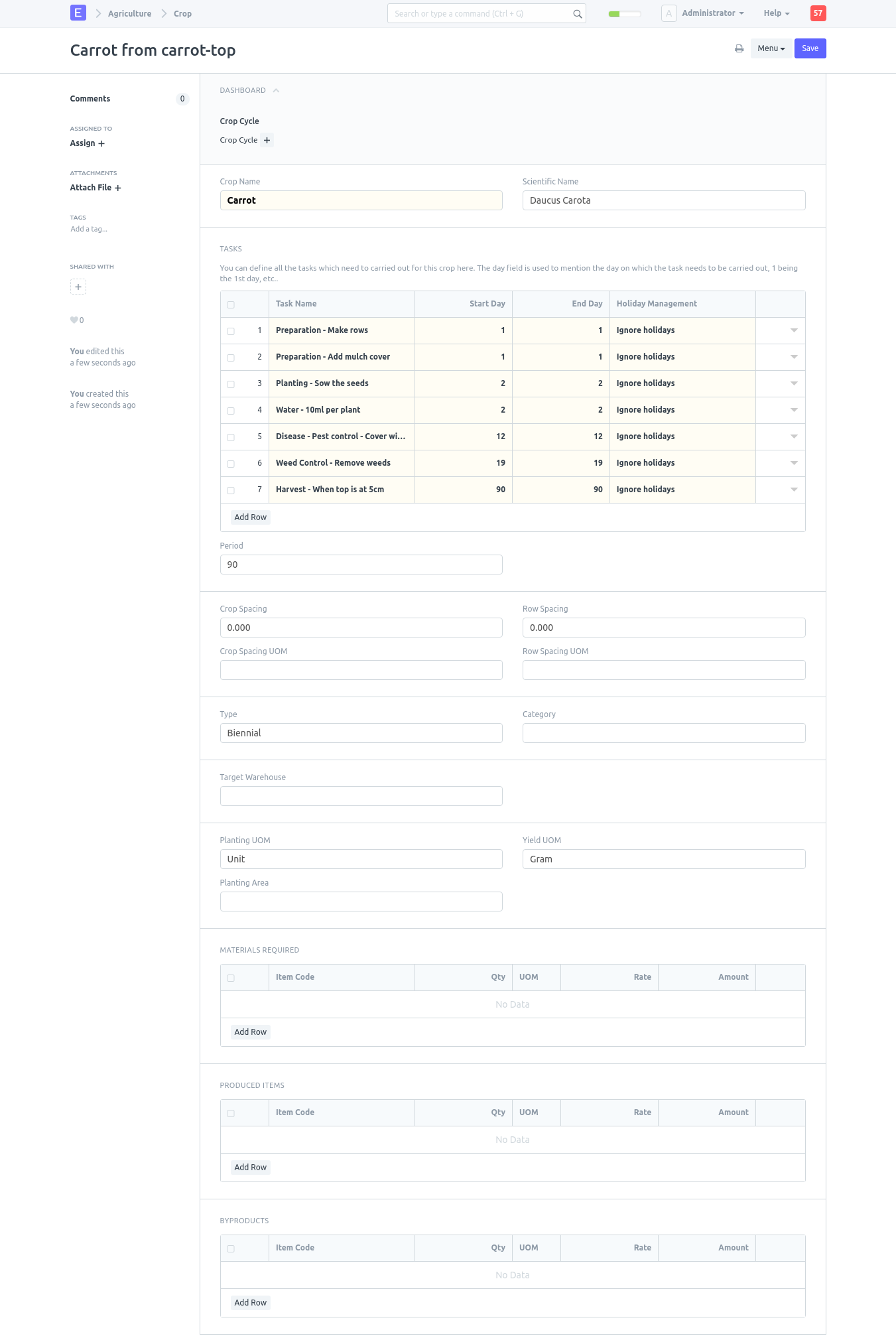
Title: Carrot from carrot-top
Crop Name: Carrot
Scientific name: Daucus Carota
Type: Biennial
Planting UOM: Unit
Yield UOM: Grams
Press "Save"
The parts on Needed Materials, Byproducts, and Product will be omitted. We enter some pre-planned tasks, such planting, watering, and harvesting, into the Perfect Agricultural Work List. (Please notice that for illustrational purposes, our activity list will be purposefully condensed. For the purposes of this example, the field will be prepared, planted the following day, given just one watering, added a cover after germination on Day 12, weeds pulled on Day 19, and harvested on Day 90.
The first row will appear as follows:
Task Name: Preparation - Make rows
Start Day: 1
End Day: 1
Holiday Management: Ignore holidays
After finished, click "Save" to keep all of your work from being lost.
Even if we have saved the bare minimum of data, our work is not yet over. Continue adding Task Name, Start Day, Finish Day, and Holiday Management to the next rows.
Row 2: Preparation - Add mulch cover, 1, 1, Previous Business Day
Row 3: Planting - Sow the seeds, 2, 2, Previous Business Day
Row 4: Water - 10ml per plant, 2, 2, Ignore holidays
Row 5: Disease - Pest control - Cover with Fine Net, 12, 12, Previous Business Day
Row 6: Weed Control - Remove weeds, 19, 19, Previous Business Day
Row 7: Harvest - When top is at 5cm, 90, 90, Previous Business Day
Click 'Save'
You form should now look something like this
For as many harvests as you require, repeat step 2. Duplicating previous crops and adjusting only what is essential can allow you to save some time.