TDS Setup for India
TDS Setup for India
the procedures listed here to configure TDS in ERPNext:
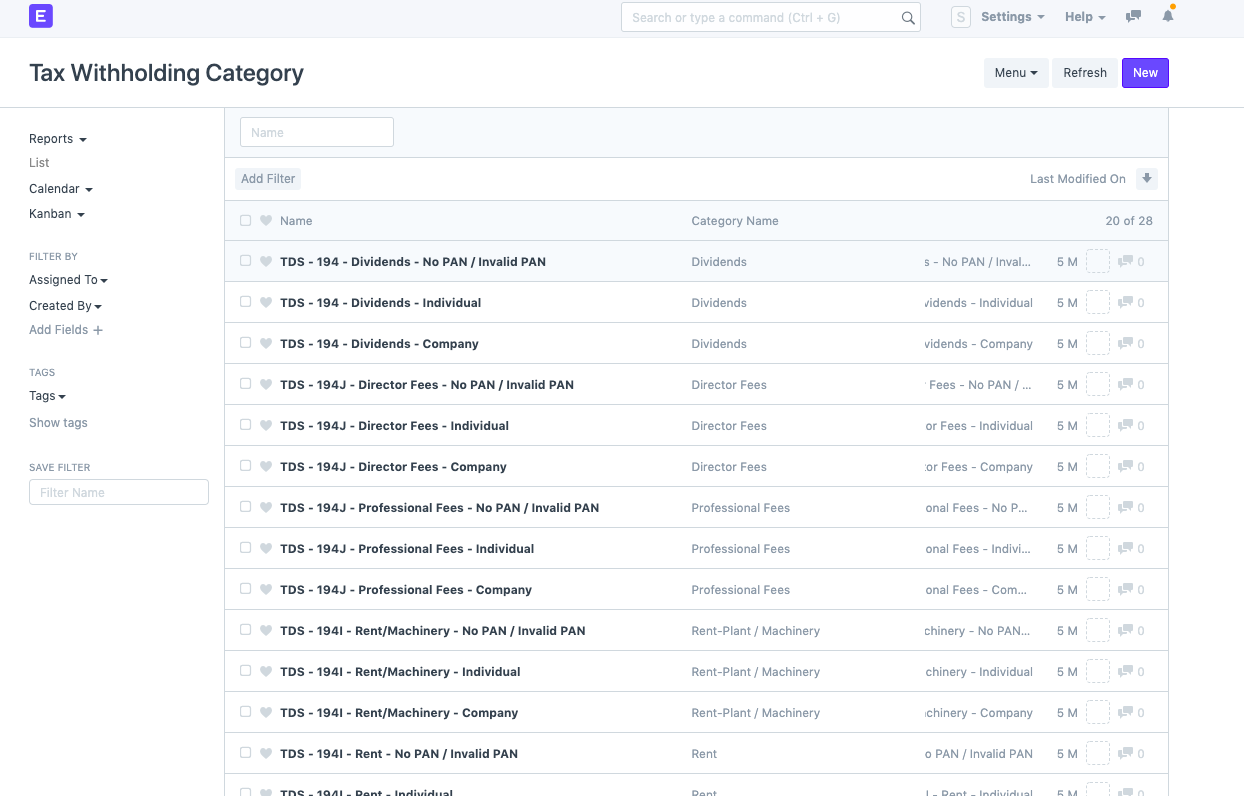
*Initially, you must define the tax withholding categories; by default, 28 categories have already been established in accordance with Indian legal requirements. But, you can create a new category by selecting "New" if you wish to do so (button at right top corner)
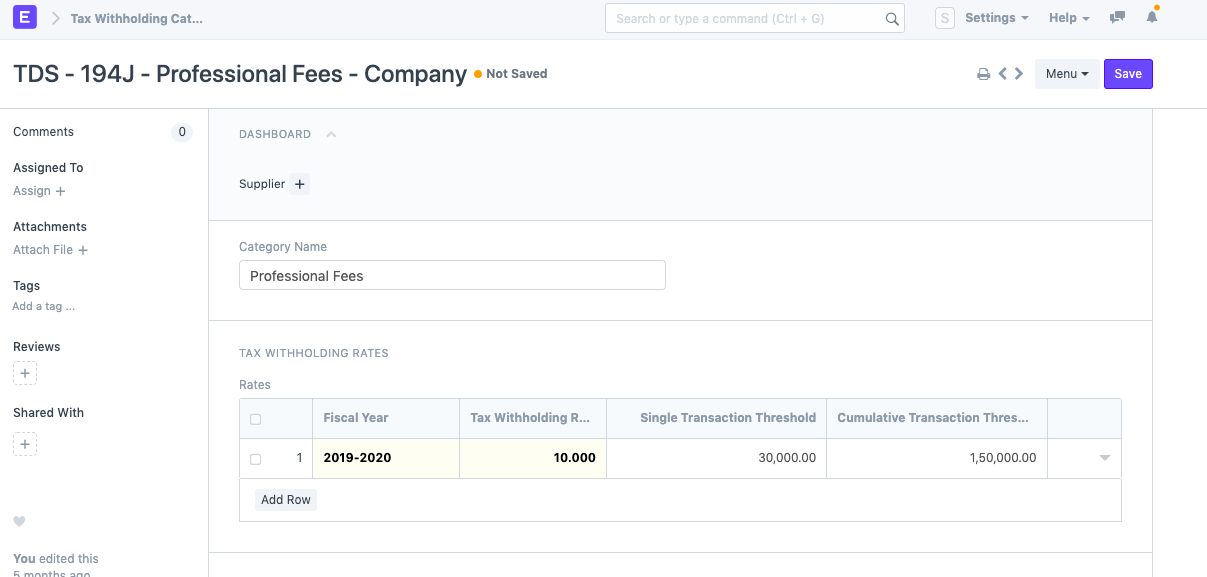
*For the Financial/Fiscal year, you must define the Tax Withholding Rate, "Single Transaction Threshold," and "Cumulative Transaction Threshold" for each category.
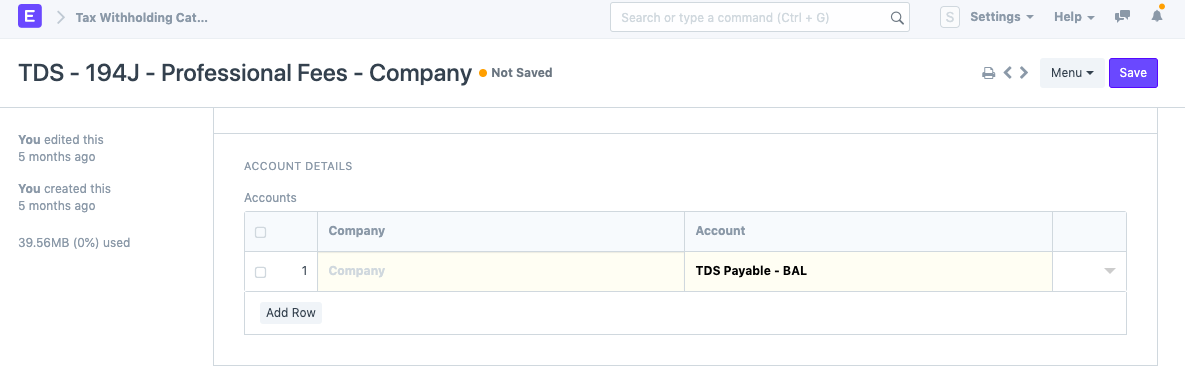
You can set a company-specific TDS Payable account in the "Account Detail" section of the same screen.
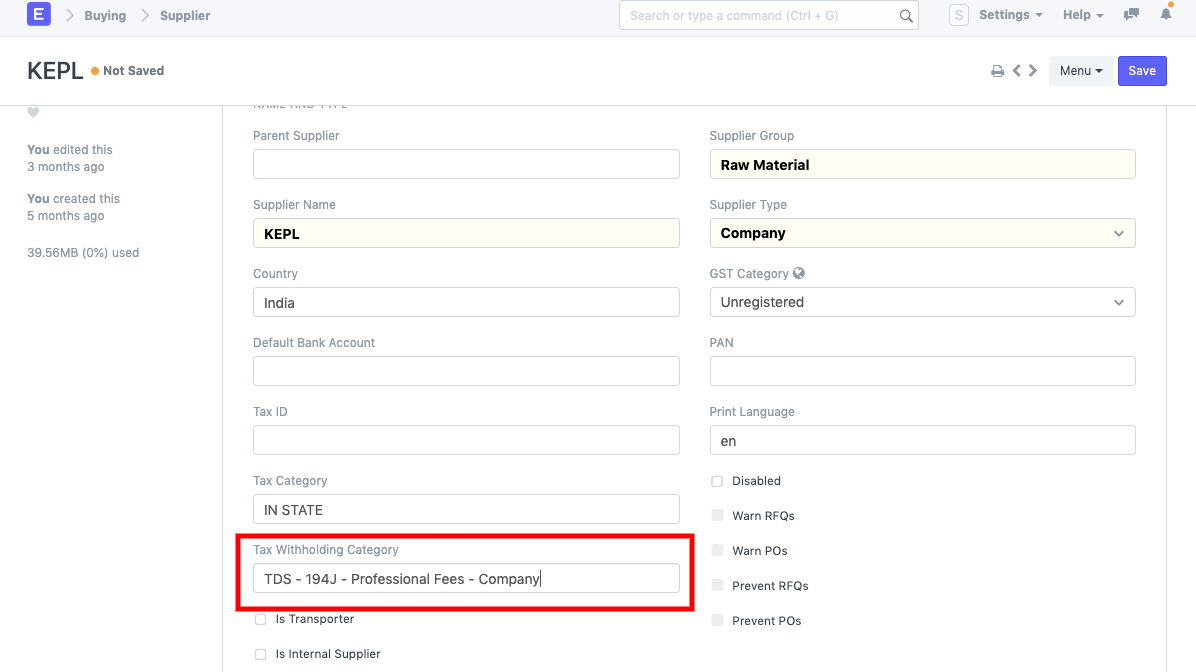
Go to Supplier Master and assign Tax withholding category once you have finished setting up tax withholding.
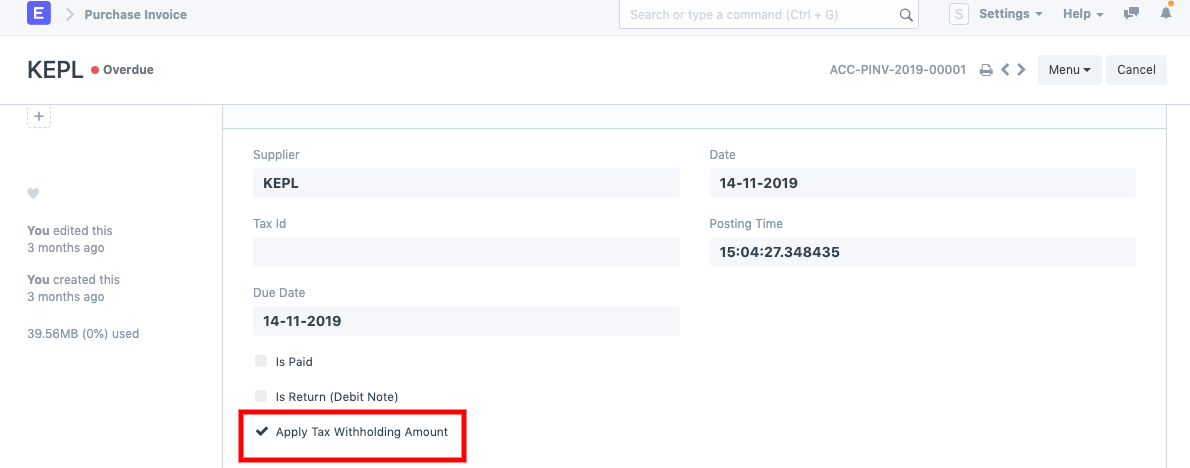
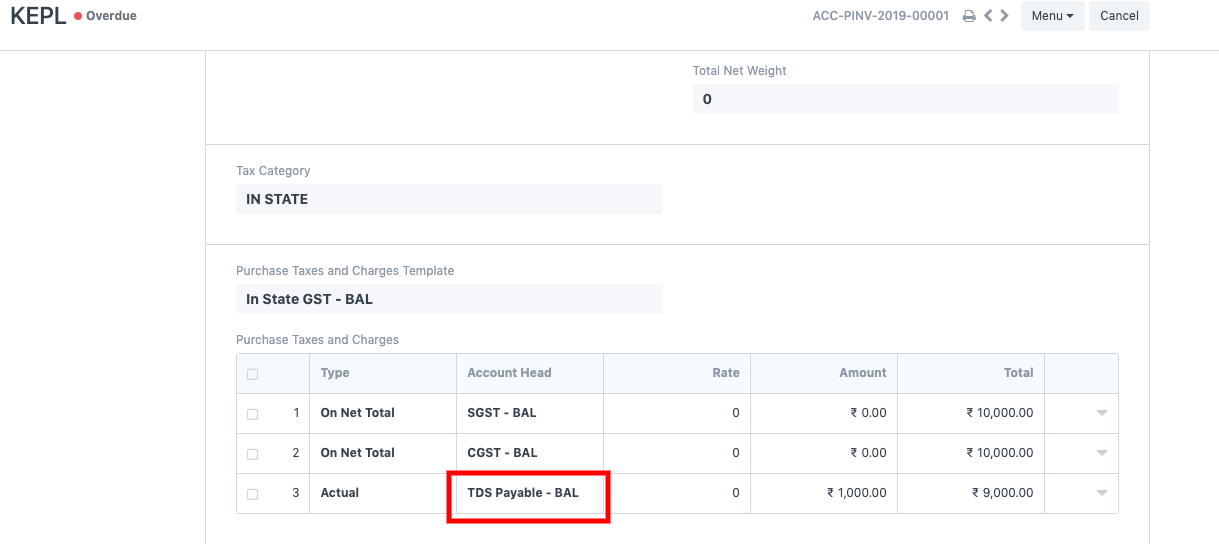
Make sure "Apply Tax withholding Amount" is selected when creating a purchase invoice for that supplier since only then will the system automatically acquire the TDS Payable amount from the "Taxes & Charges" table based on the Threshold you chose.
You can find a standard report to verify monthly payable by searching for "TDS payable monthly" report.