Close Sales Order
Close Sales Order
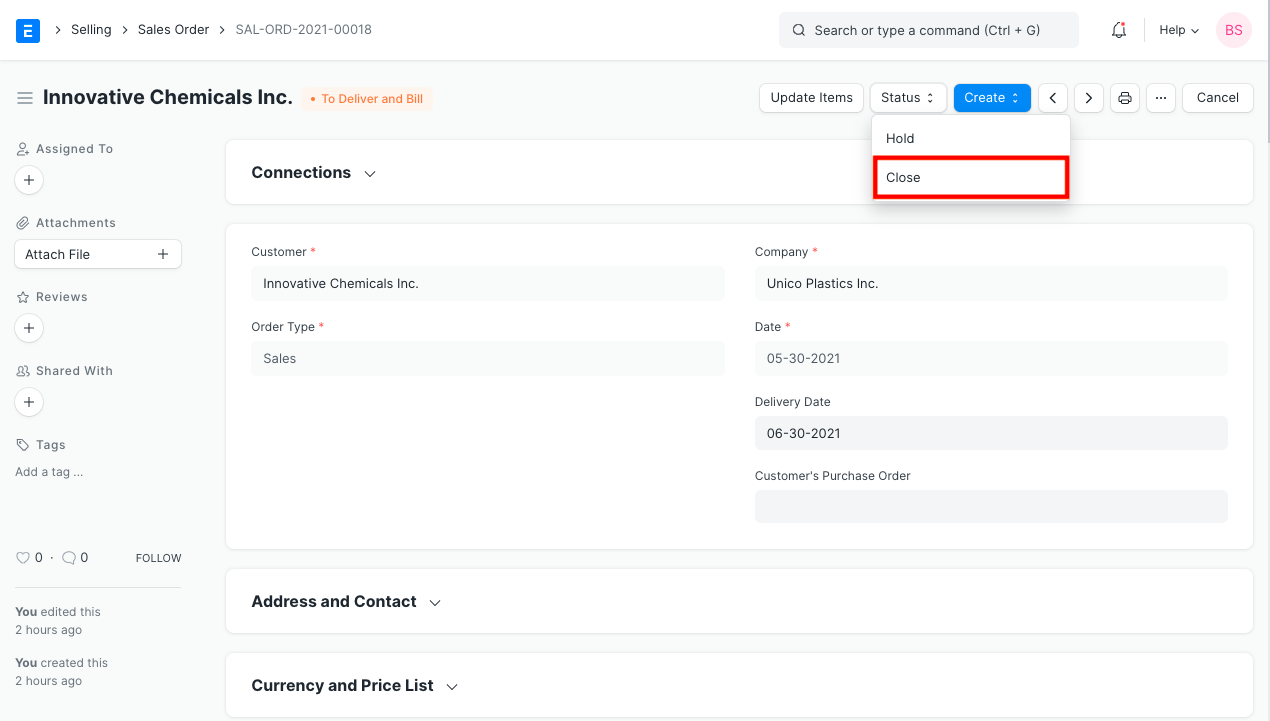
The Stop option can be found in the filed Sales Orders. The user won't be able to create a Delivery Note or a Sales Invoice against a stopped Sales Order.
Scenario
Ten wind turbines are part of an order. Also, a sales order for ten units is made. Only seven units are sent to the buyer due to a lack of stock. Three units are still pending delivery. Client says they have already purchased the pending goods from another seller, so they are not required to provide it.
In this instance, just the seven products will have a Delivery Notice and Sales Invoice created. Moreover, the Sales Order needs to be marked as stopped.

You won't see the pending amounts (in this case, three) in the Pending to Deliver and Pending to Invoice reports after the Sales Order is designated as halted. You must first Unstop the Stopped Sales Order in order to do additional transactions against it.
The Purchase Order has the same functionality as well.