Invoice Discount in Payment Entry
Invoice Discount in Payment Entry
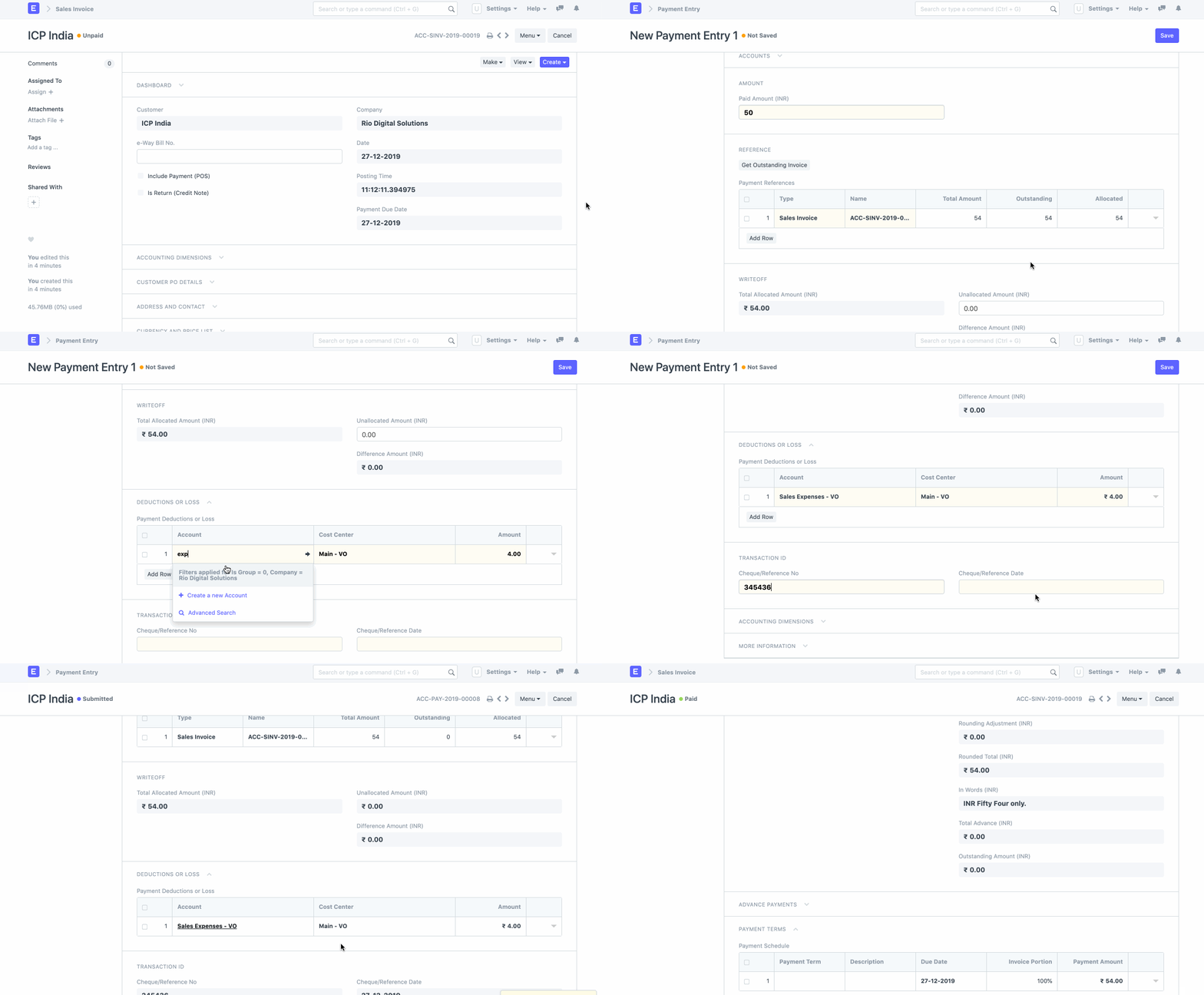
Question: Occasionally, a customer does not pay the entire invoice and requests a discount. For instance, the total invoice amount is 54 euros, but he pays 50 euros and receives a discount of 4 euros. How should this case be entered into the system so that the invoice is marked as paid, but we are aware that a discount was applied?
Answer: In the Payment Entry, enter the following values:
1.Value of Paid Amount as 50 EUR
2.Credit 54 EUR against the Invoice
3.This will result in a difference of 4 EUR
4.In the Deductions and Additional Charges table, select either the Income account or the Discount Expense account (depending on your preference) and enter 4 EUR.