Credit Limit
Credit Limit The maximum amount of credit you will voluntarily extend to a customer is known as the credit limit.
The maximum amount of credit that a financial institution or other lender would grant a debtor for a certain line of credit is known as a credit limit. It is the greatest quantity of products or services that a customer can have without making a down payment.
The Credit Limit can be established for a Client, Customer Group, or the Company. The Credit Limit will be examined when a Sales Order or Sales Invoice is filed.
The following is the order of importance for monitoring the credit limit: 1.Credit Limit set in Customer 2.Credit Limit set in Customer Group 3.Credit Limit set in Company
1. How to Set Credit Limit
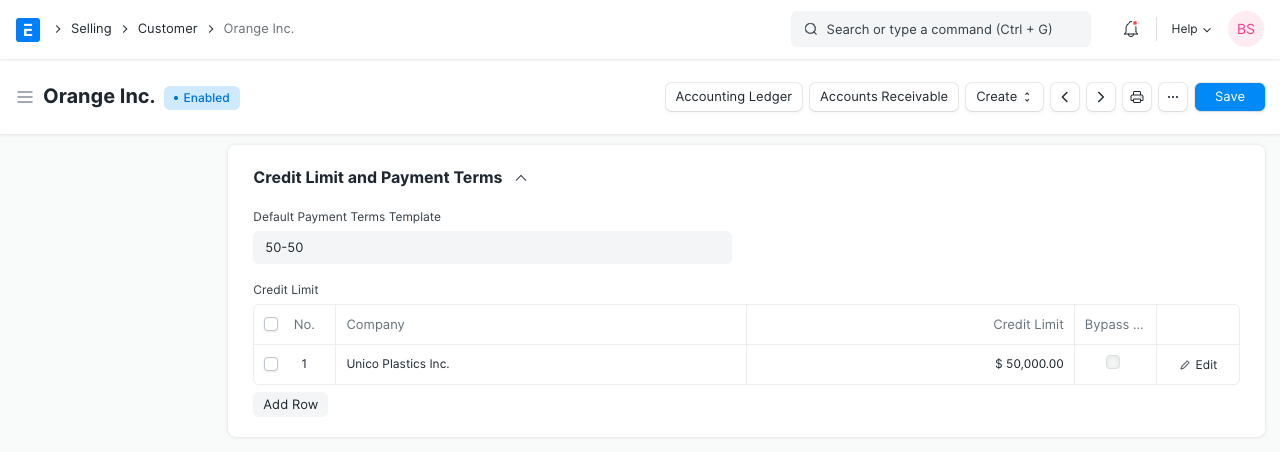
1.Go to: Selling > Sales > Customer > Customer. 2.Under Credit Limit and Payment Terms section, set the Credit Limit. 3.If you leave the Credit Limit as the default, i.e., 0, it has no effect. 4.Save.
2. Features
2.1 Credit Controller
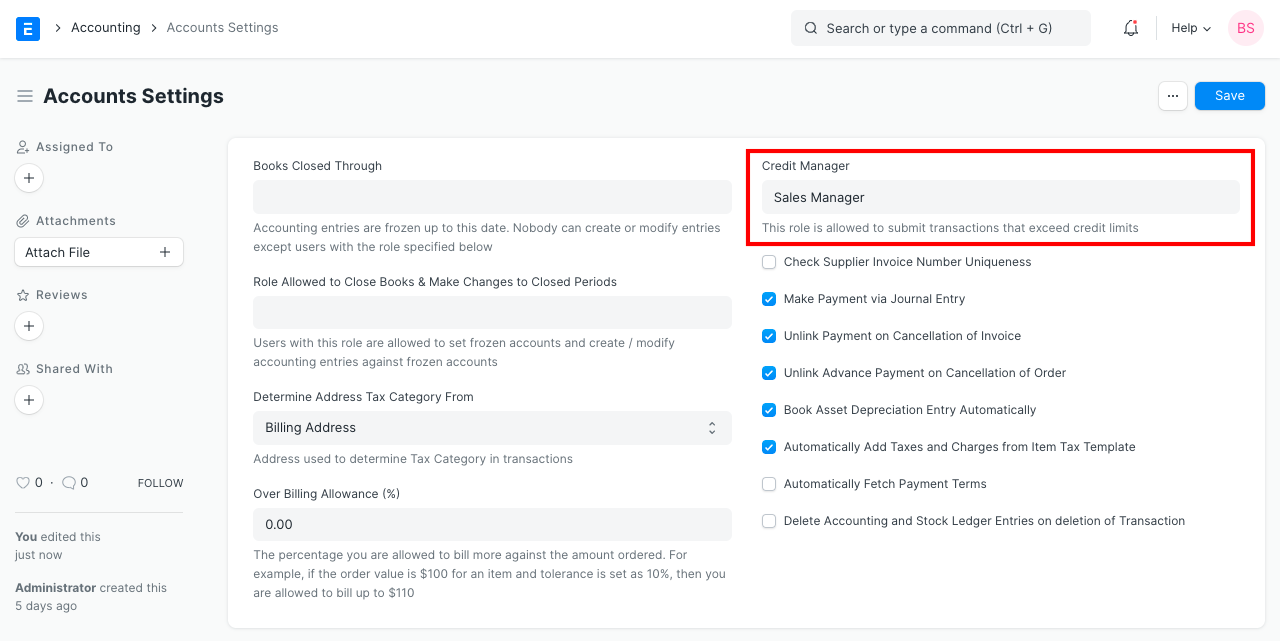
Even when a customer's credit limit is completely used, you can let users with a certain role overcome the credit limit validation and submit a sales order or sales invoice.
To create the role of Credit Controller: 1.Go to: Accounting > Settings > Accounts Settings 2.Set the role in Credit Controller field.
2.2 Bypass Credit Limit Check for Sales Order
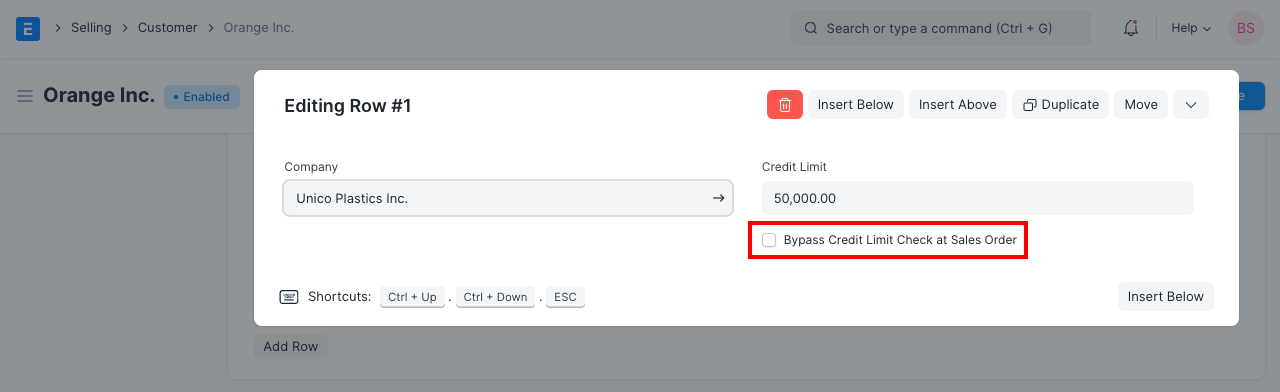
You can specify the credit limit for a particular customer to be compared to the total amount of past-due sales invoices rather than sales orders. To achieve this, click the box next to "Bypass credit limit check at Sales Order" in the customer's "Credit Limit and Payment Conditions" section.
2.3 Credit Limit for Customer Groups
To set the credit limit at the level of the customer group:
1.Go to Selling > Customers > Customer Group. 2.Open the Customer Group and set the Credit Limit.
2.4 Credit Limit for Company
When a credit limit is set at the corporate level, it is applied globally to all customers.
To establish the Business Credit Limit: 1.Go to Accounting > Masters and Accounts > Company. 2.Open the Company and set the Credit Limit.