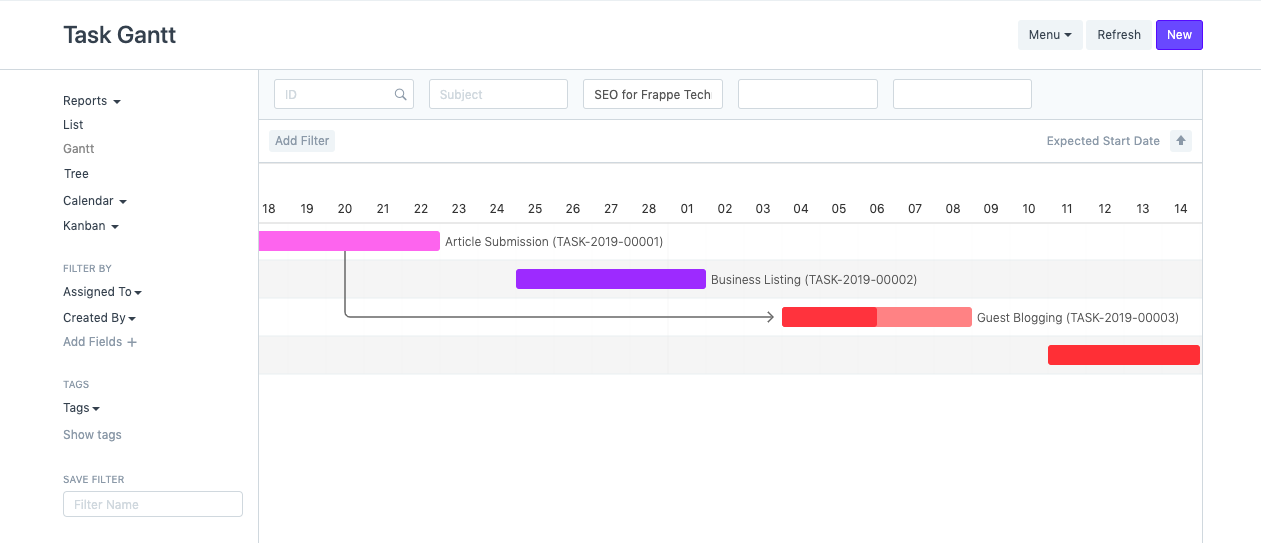
Make A Colorful Gantt Chart
Make A Colorful Gantt Chart
For better representation and visual clues, ERPNext gives users the option to add color to specific documents. The Event Calendar, which allows you to add a color for each event, is a good illustration of this.
To accomplish this, we will modify the Tasks module of the Projects module.
*Steps To Add Colours To The Gantt Chart *
- Choose Task under Input Form Type in the system's Customize Form menu. You can also get this page by selecting Menu > Customize from the Task list or form.
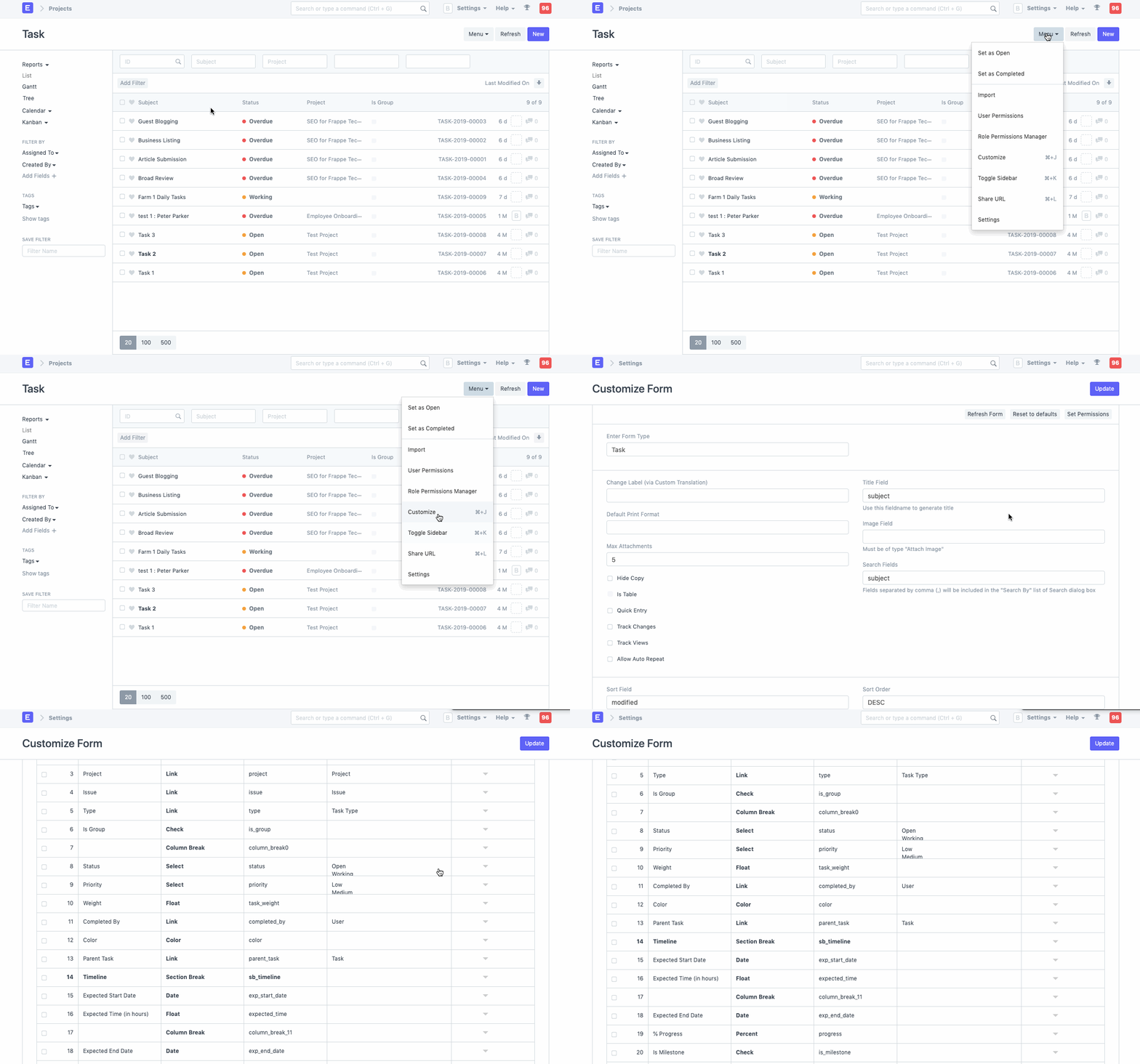
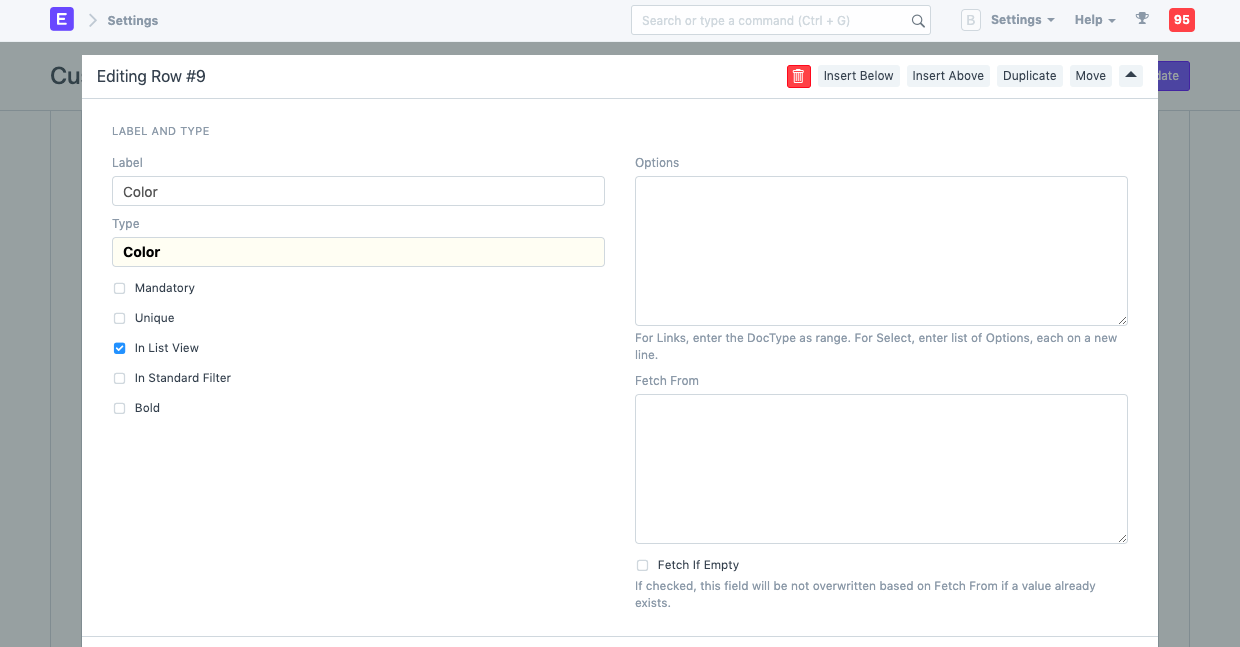
In the fieldtype color doctype, add a new field.
Look at the List View selection.
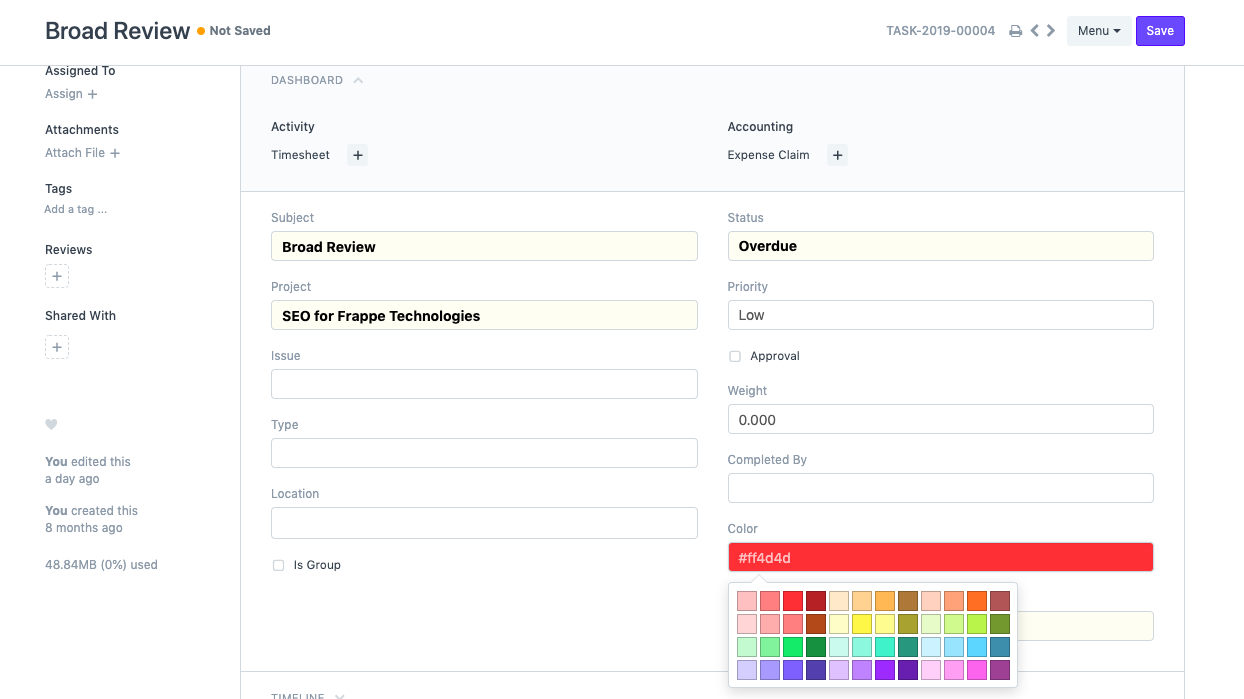
Return to the Task list, save the form, and then reload.
You ought to see a color field when you open a task, old or new. Choose a hue for the task.
- Go to Gantt view and return to the Task list.