Question:
How do I print a page while also removing the Geer ERP link at the bottom?
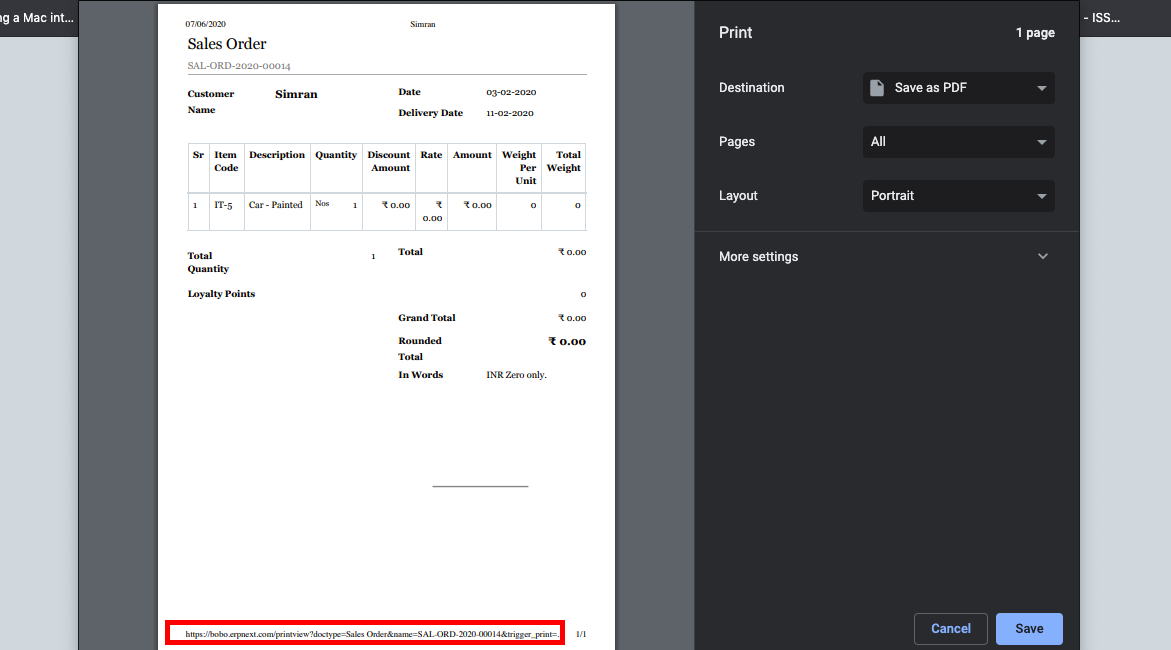
Solution: The steps listed below can be used to remove the url from the print page's bottom:
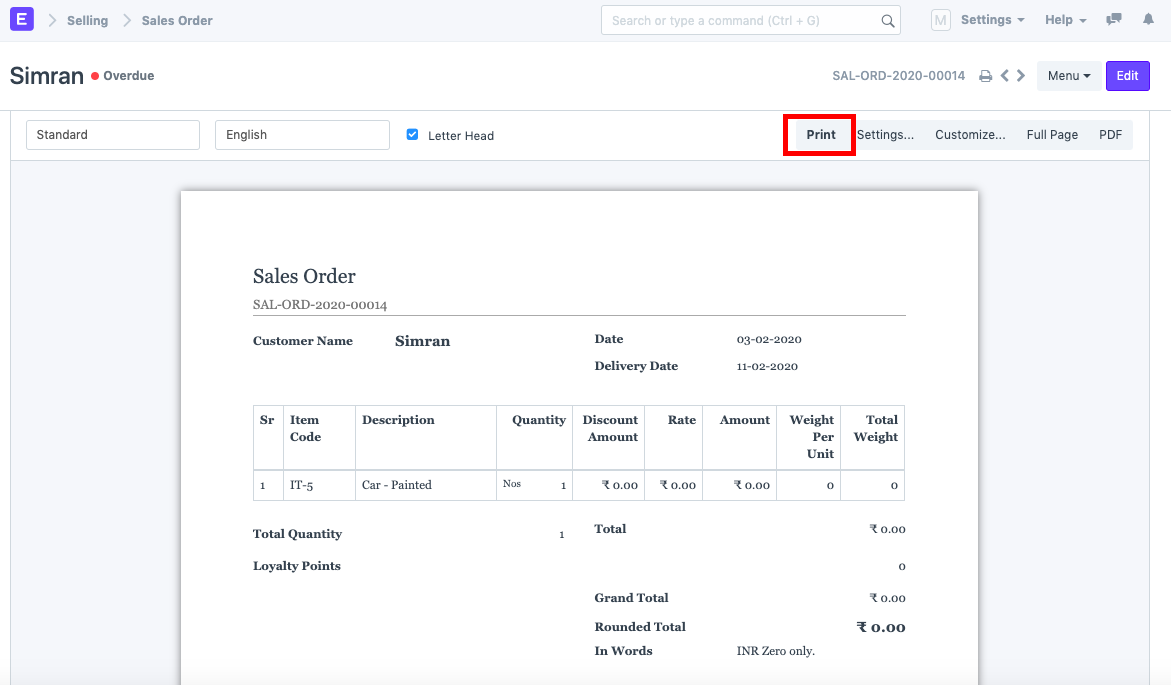
1) Select the Print icon.
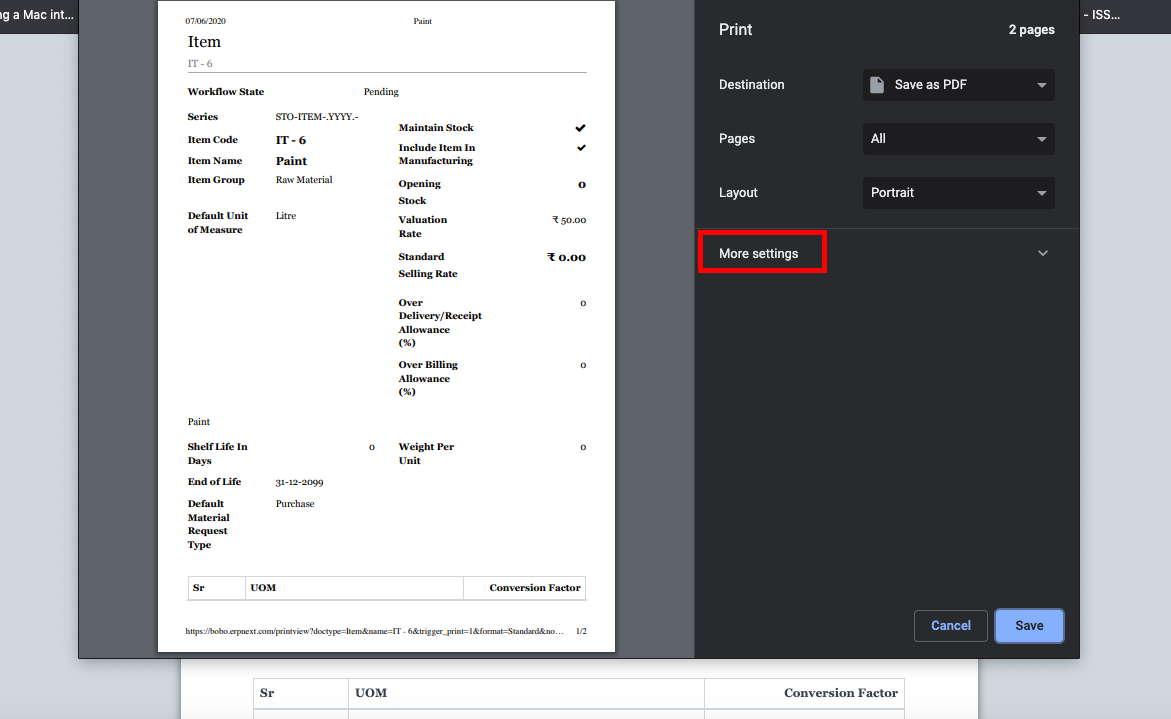
2). Select "More Settings."
3) Make sure "Headers and Footers" is not selected.
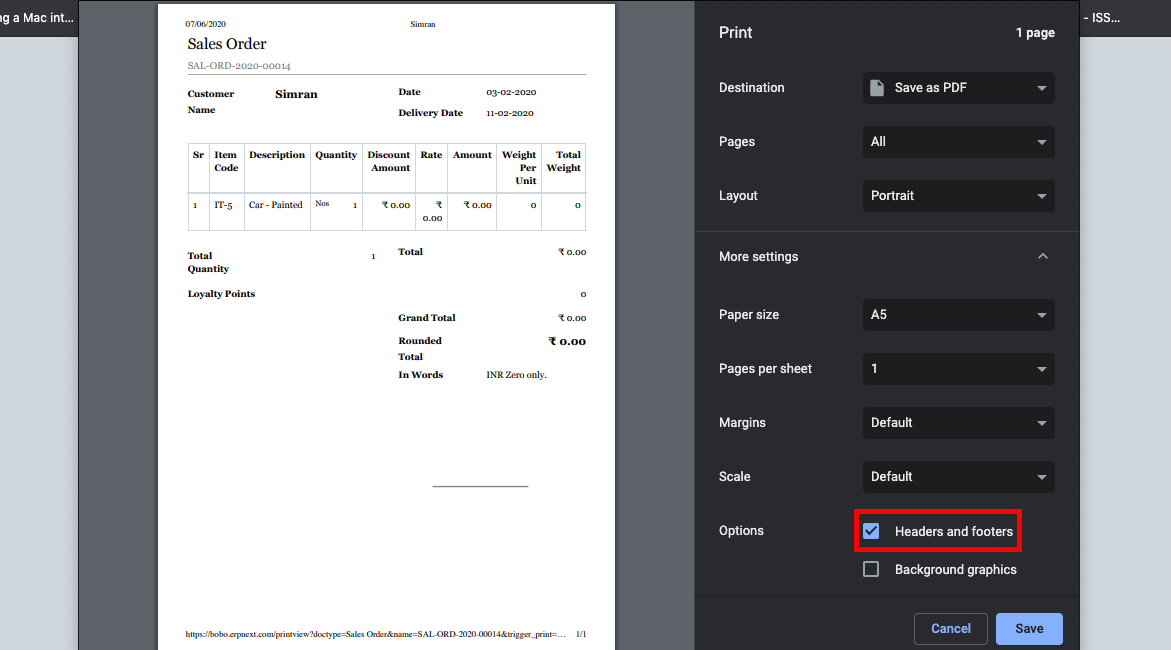
4) Select Save.
Remove Link at the Bottom of the Print Page
ronalyn_ edited 2 years agoQuestion:
How do I print a page while also removing the Geer ERP link at the bottom?
Solution:
The steps listed below can be used to remove the url from the print page's bottom:
1) Select the Print icon.
2). Select "More Settings."
3) Make sure "Headers and Footers" is not selected.
4) Select Save.