Holiday List
Holiday List
A collection of holidays' dates is called a holiday list.
The majority of businesses have a typical holiday list for their staff. On the other hand, some of them might have various holiday lists depending on various Areas or Departments. You can set up various Holiday Lists in ERPNext and distribute them to your staff in accordance with your needs.
Go to: to access Holiday List.
Home > Human Resources > Leaves > Holiday List
1. How to create a Holiday List
Go to Holiday List and select New.
Holiday List Name, please. Depending on the needs, it may be based on the fiscal year, location, or department.
For the holiday list, choose the From and To dates.
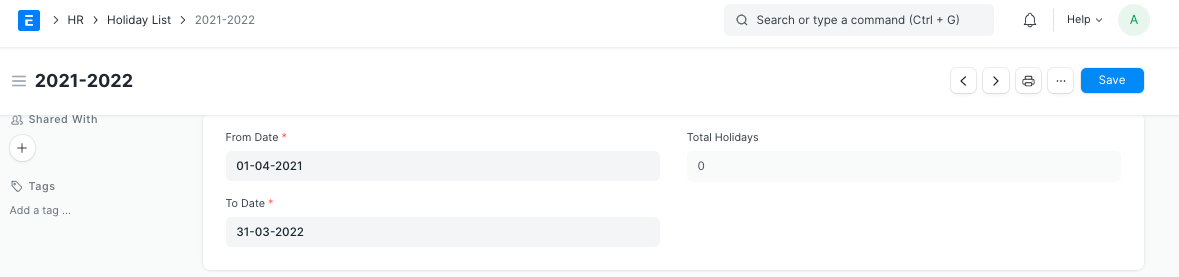
2. Features
The following are some of the extra features in the holiday list:
2.1 Adding Weekly Holidays
Weekly Offs can be readily added as follows to the holiday list:
Choose the day in the Weekly Off field under the "Add Weekly Holidays" section.
The "Add to Vacations" button should be clicked.
Save.
The Holidays table updates after the Weekly Offs are added.
Note: The Weekly Offs feature allows you to add several days.

By selecting the "Add row" option in the Holidays table, you may also manually add particular days (such as festival holidays).
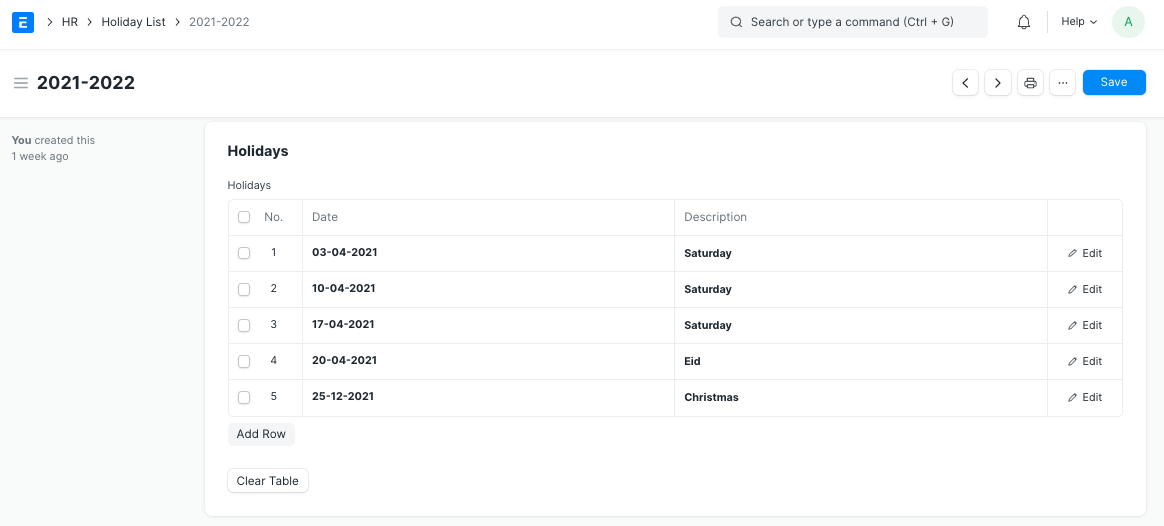
Note: The Total Holidays field is updated each time a new holiday is added to the Holidays database.
2.2 Holiday List in Company
With the "Default Holiday List" field of the Company master, you can set a default holiday list for the entire firm.
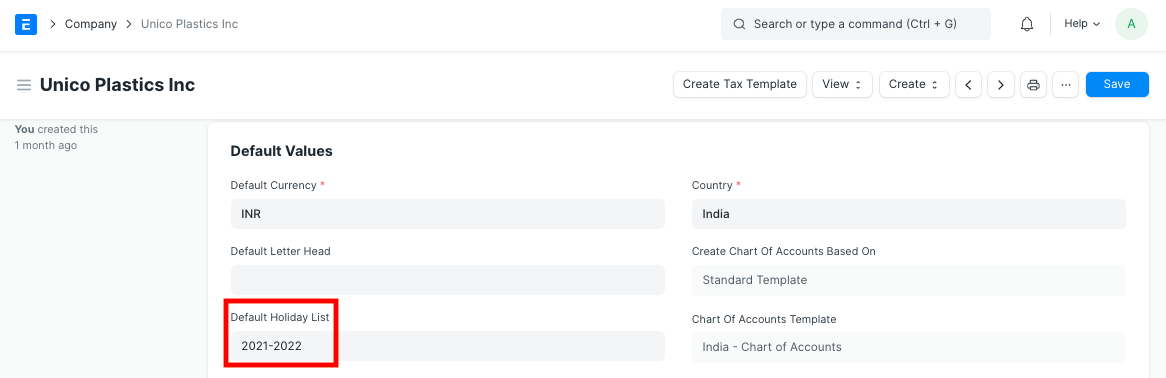
2.3 Holiday List in Employee
Choose a specific Holiday List for an Employee in the relevant master if you have generated numerous Holiday Lists.
The days listed on the Holiday List will not be counted when an Employee requests leave because they are already holidays.
Note: If you have defined a holiday list in the employee master, that list will take precedence over the company's standard holiday list. Create as many holiday wish lists as you like. If you own a business, for instance, you may have separate lists for office staff and industrial employees. By connecting a Holiday List to the appropriate Employee, you can switch between many lists.
2.4 Holiday List in Workstation
Also, as seen in the example below, you can set a holiday list at the workstation level.
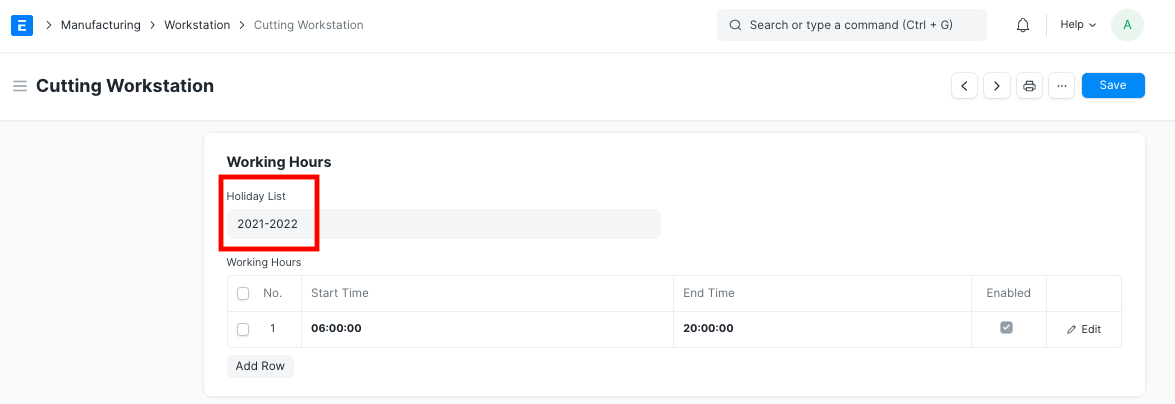
The days the Workstation will be closed are those listed in the Holiday List that is marked in the Workstation master.