Include Document Link in Notification Email
Geer ERP frequently requires the document ID to be a link in the email message when sending an email notification. For instance, if we have a reminder (notice) set up for each new Material Request, we would like an email containing the link to that request to be sent to us as well. Follow the steps listed below to set that up:
1) Click New under Notification list.
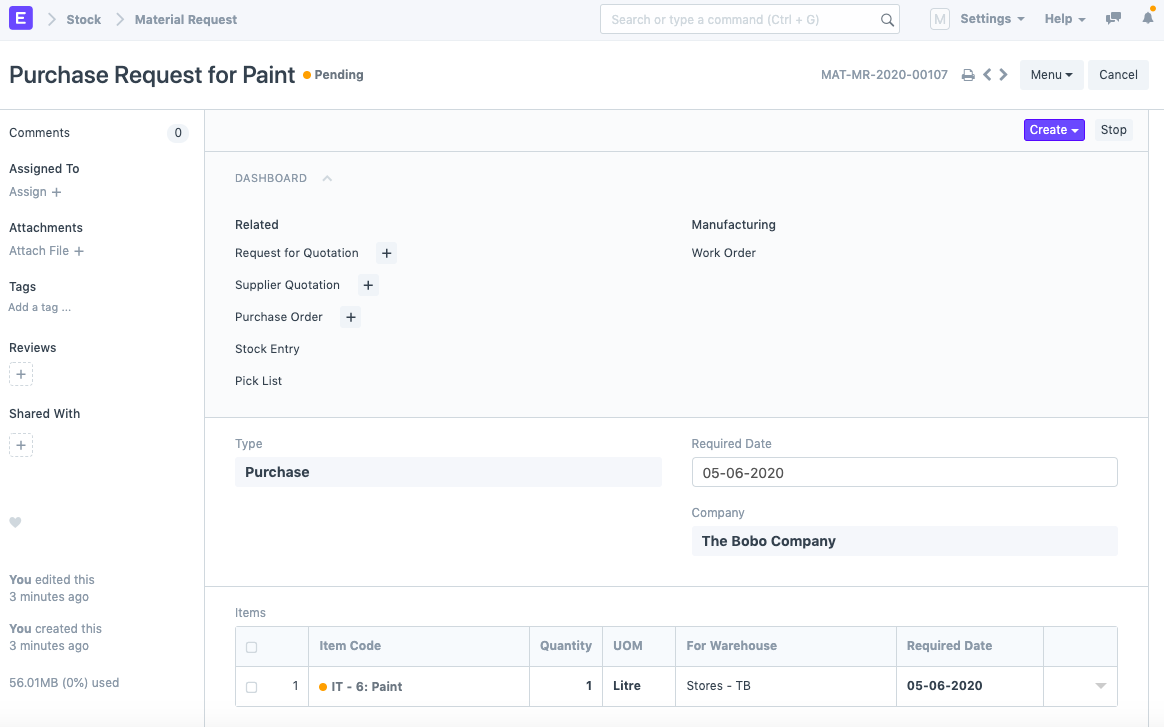
2) For any DocType, create a new notification. In this instance, we've picked the example of sending an email notification whenever a new material request is created, as seen in the illustration below.
.png)
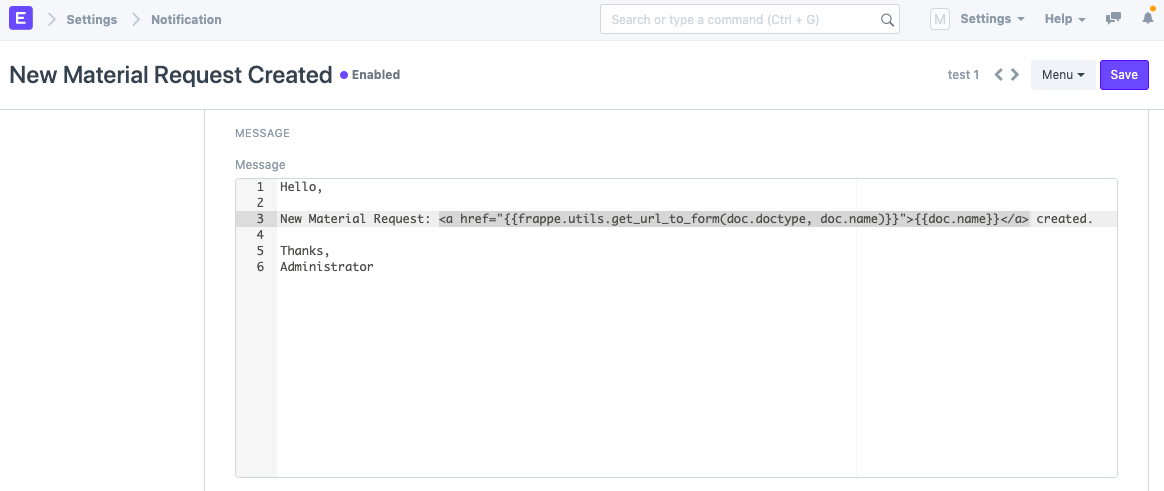
3) Copy the following code into the email message to transmit the corresponding record's document ID as a link: {{doc.name}}
4) As a result of the aforementioned Notification, the following email will now be sent upon the formation of a new Material Request.
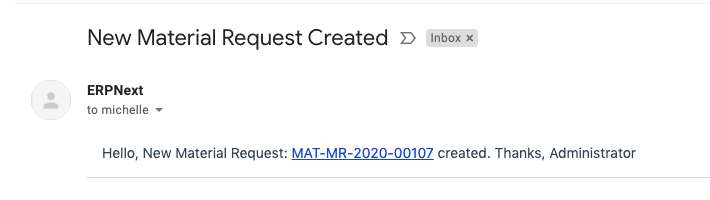
You will be directed to the new Material Request after clicking the link.