Tags
Using Tags easy way to classify different kinds of documents in their respective categories.
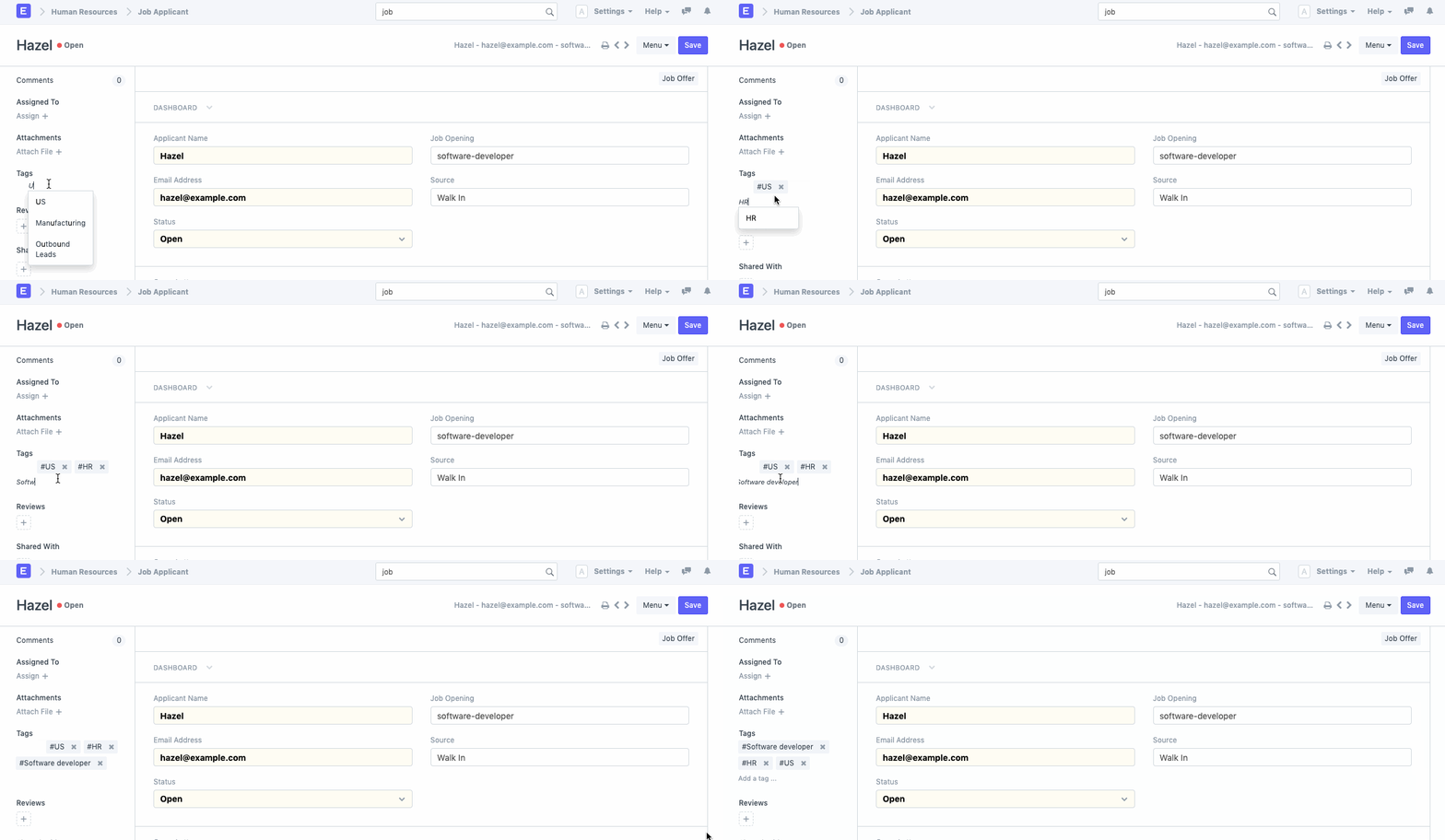
Similar to assignments and comments, any tag can be added to a document type.
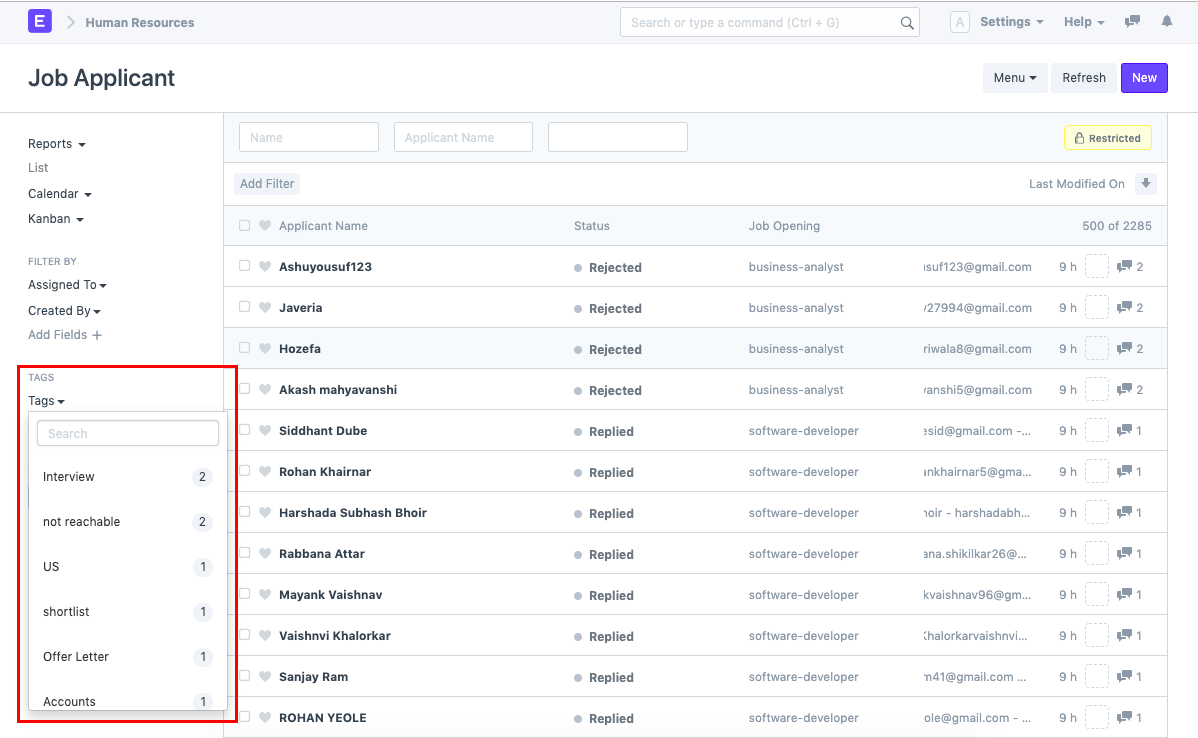
You can use tags to filter a document list as you browse through it. You can quickly view how many papers are assigned to each classification.
Find all tagged documents
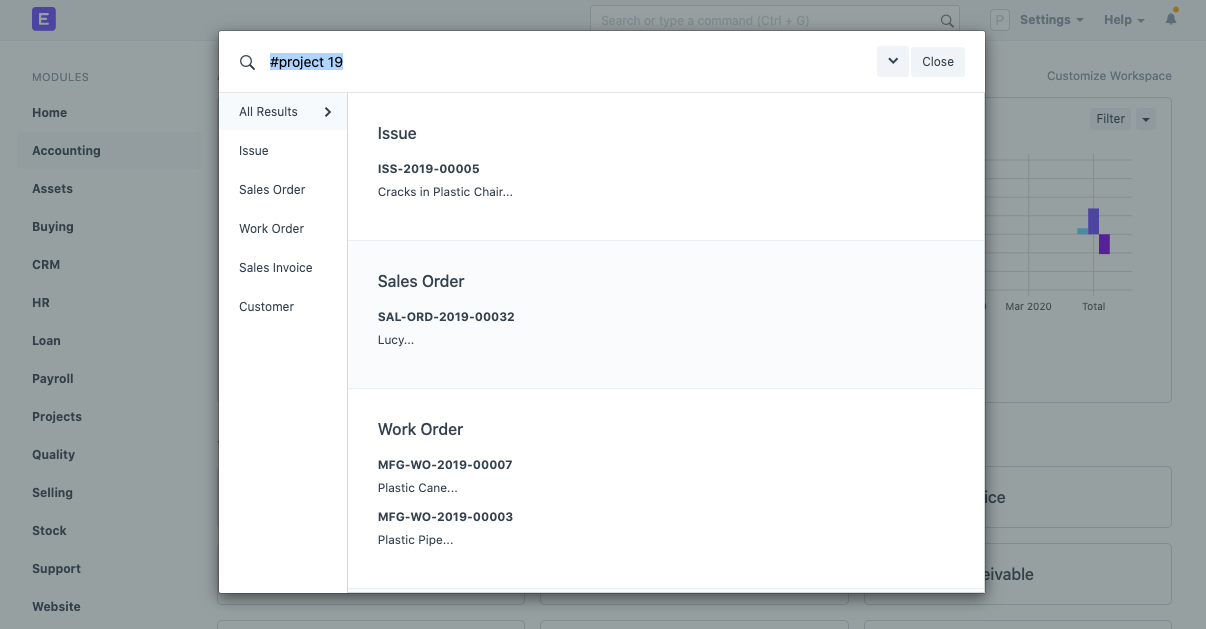
Once you've marked a few documents with a particular tag, you may search for "#tagname" in the global search box at the top to find all of the tagged documents. Consider, for instance, that you have tagged certain documents with the phrase "project 19". Simply enter "#project 19" (without the quotations) in the global search field, and then choose #project 19 from the list of results.
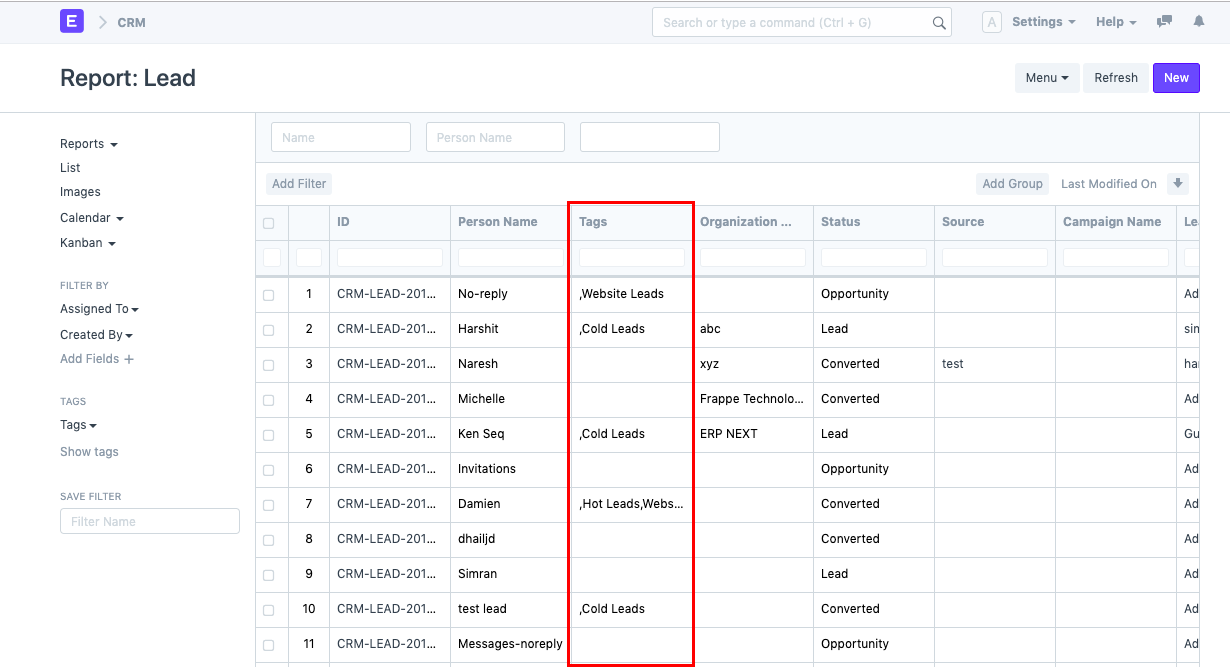
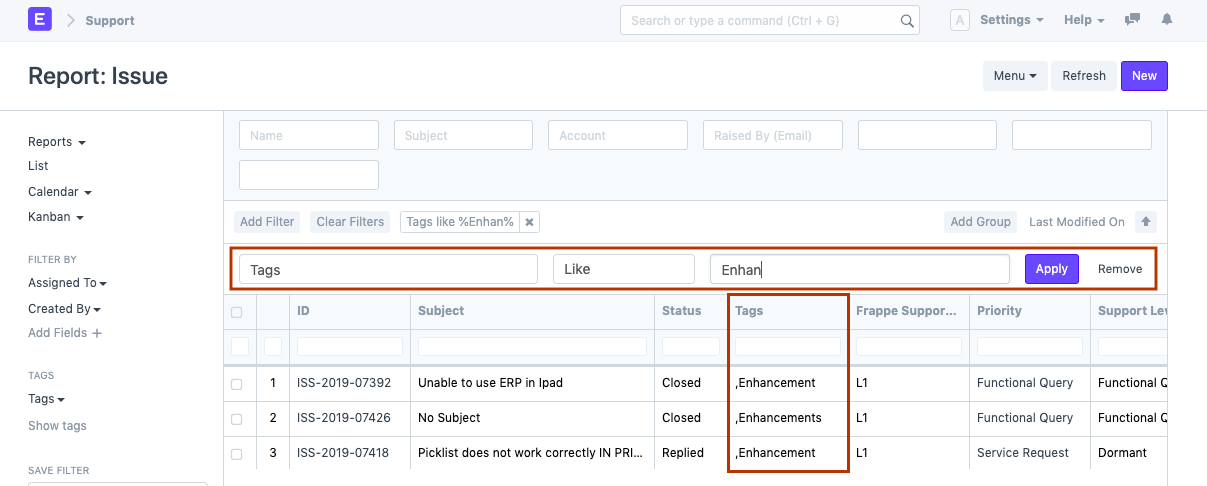
When retrieving a report, all the tags that are created in your Geer ERP account can be searched. Additionally, these tags can be used in the report's filter search.