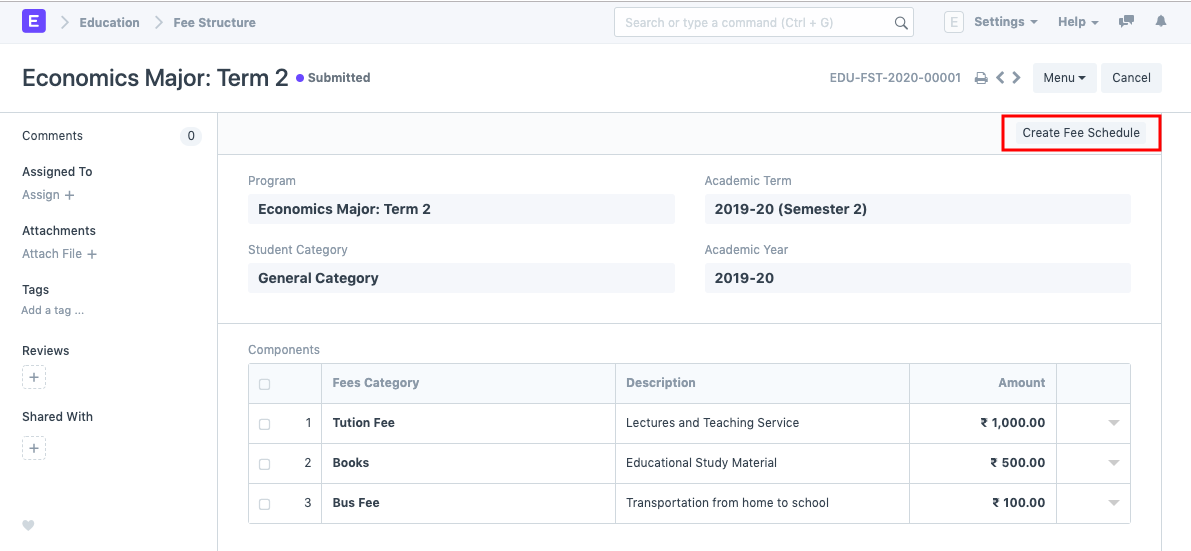
Fee Structure
Fee Structure
While creating Fees records or producing them using the Fee Schedule, a Fee Structure serves as a template.
When calculating the fees for each student, the Fee structure can be fetched.
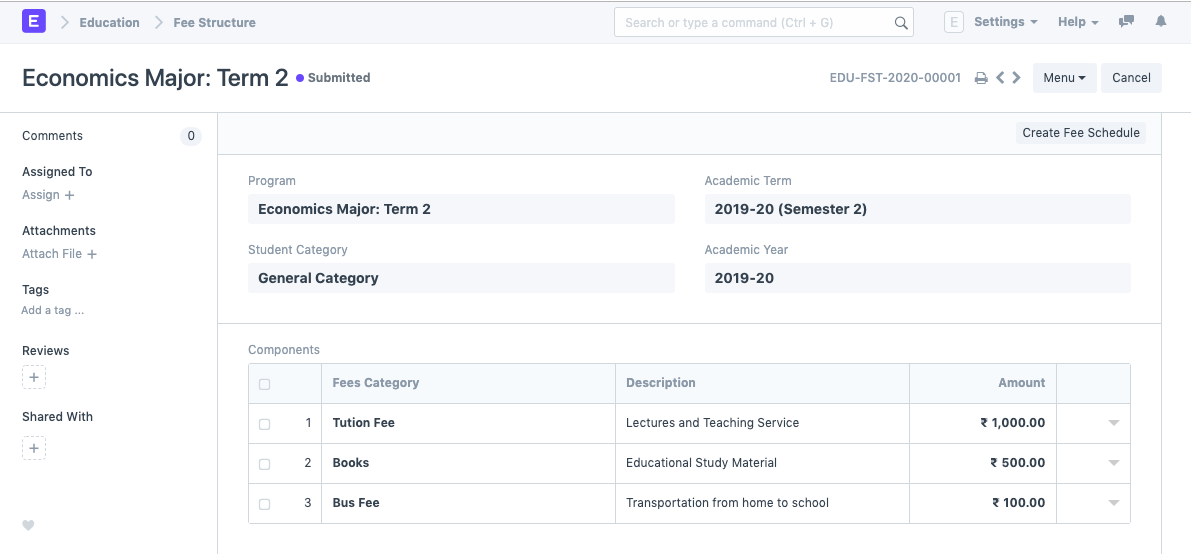
To access fee Structure, go to:
Home > Education > Fees > Fee Structure
1. Prerequisites
The following should be made first before developing a fee structure:
Academic Term
Academic Year
Program
Student Category
2. How to create a Fee Structure
Click on New from the fee structure list.
Choose the program and provide further information for the cost structure.
The Fees Category and Amount should be entered in the Components Table.
Publish and save.
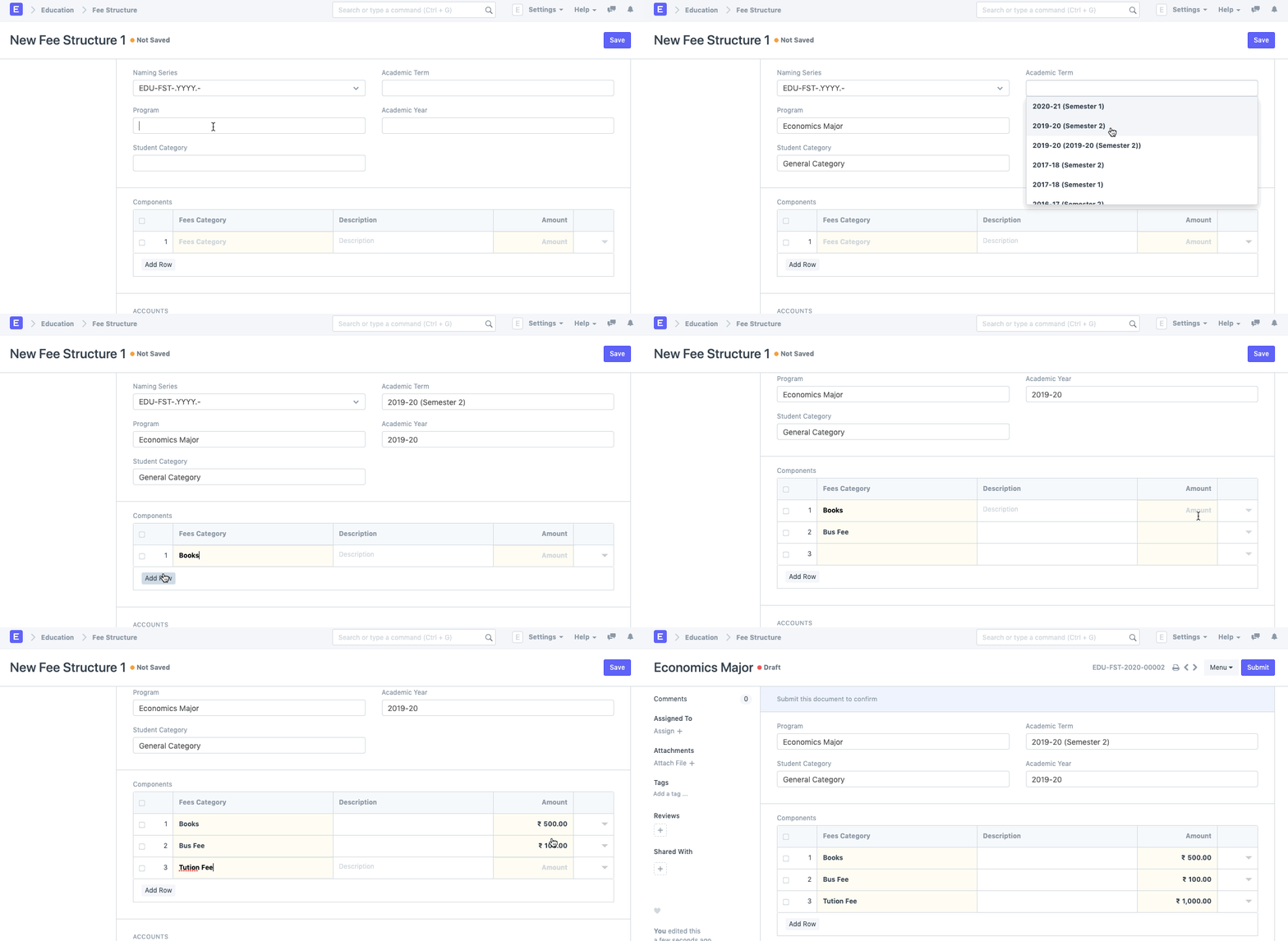
2.1. Additional Options while creating a Fee Structure.
Type in the fundamental information, such as Student Category, Academic Term, and Academic Year.
Add the Fees Category Description to the Components Table.
2. Features
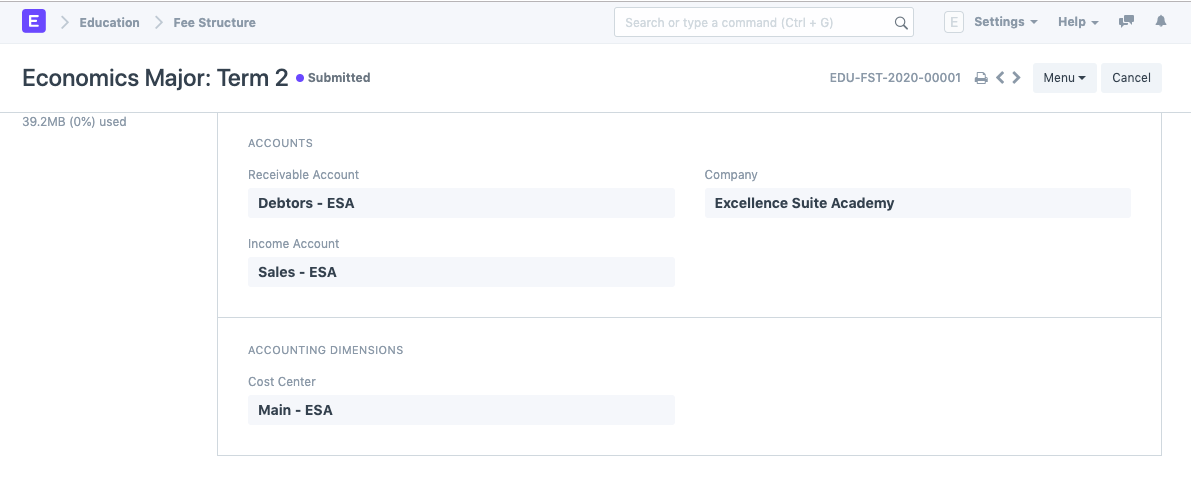
2.1. Accounts
You may edit your account entries quite easily while using ERPNext. Your Accounts will be updated at the same time that a student provides their fees and the system records it.
You can add your Accounts details to the charge structure to make that process go more smoothly.
- Receivable Account: Insert the institution's receivable account name here.
- Income Account: Choose and add the Institution's Income Account.
- Company: Choose and include the company that receives all payments. If your ERPNext account contains numerous institutions or if a sister company manages the accounts.
2.2. Accounting Dimensions
- Cost Center: Choose and include the name of your Institute for Accounting Dimensions's cost center.
3. After submitting the Fee Structure
The Fee Schedule can be created from within Fee Structure once the Fee Structure has been submitted.