Deferred Revenue
Deferred Revenue
Advance payments a company receives for goods or services that will be delivered or provided in the future are referred to as deferred revenue.
It is also referred to as unearned income.
The business that receives the prepayment lists the sum as Deferred Revenue as a liability on its balance sheet. Because it refers to money that hasn't been received and indicates goods or services that are owing to a customer, deferred revenue is a liability. On the income statement, the product or service is recorded as revenue as it is supplied over time.
1. Configuring Deferred Accounting
Introduced in Version 13
The following settings will provide you greater control over how you handle your deferred accounting, so you should be aware of them before you begin utilizing deferred accounting.
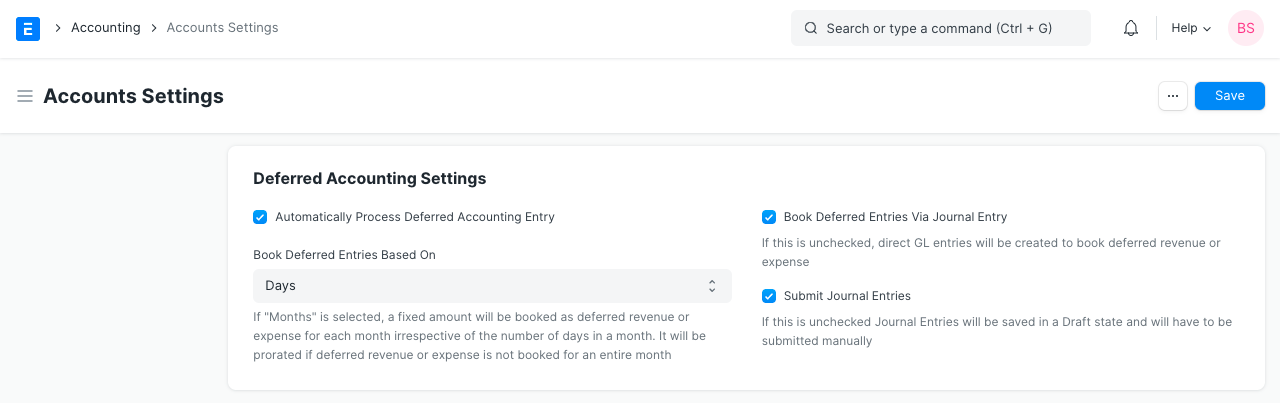
1.Automatically Process Deferred Accounting Entry: This setting is enabled by default. You can turn off this setting if you don't want the deferred accounting entries to be posted automatically. Delayed accounting must be processed manually using Process Deferred Accounting if this setting is disabled.
2.Book Deferred Entries Based On:Based on two factors, deferred revenue amounts might be booked. "Days" is the pre-selected option here. The deferred revenue amount will be booked depending on the number of days in each month if "Days" is chosen, or on the number of months if "Months" is chosen. For instance, if the option "Days" is chosen and $12,000 in income must be postponed over the course of 12 months, $986.30 will be booked for the month with 30 days, and $1019.17 would be scheduled for the month with 31 days. If "Months" is chosen, $1000 in delayed revenue will be booked every month, regardless of how many days there are in a month.
3.Book Deferred Entries Via Journal Entry:Ledger entries are often posted instantly to record deferred revenue against an invoice. This option can be enabled in order to post the postponed amount via journal entry.
4.Submit Journal Entries:Only if deferred accounting items are posted via journal entry is this option relevant. The Diary Entries for deferred posting are retained in Draft state by default; a user must manually verify and submit these items. If this option is turned on, Diary Entries will be submitted without user input automatically.
2. How to use Deferred Revenue
Subscription plans are available from Internet and TV service providers on a quarterly or annual basis. For a few months, they receive full payment in advance from the customer, but they record income in their book of accounts on a monthly basis. For the supplier, this is Deferred Revenue, and for the customer, it is Deferred Expenditure. The configuration for Deferred Revenue accounting in ERPNext to automate the procedure is as follows.
2.1 Item
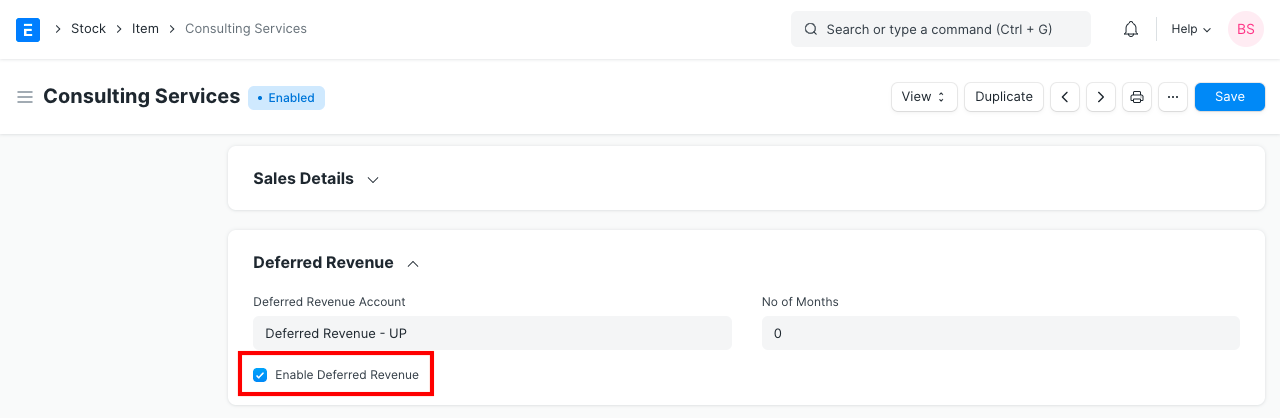
Check the Enable Deferred Revenue box in the Item master prepared for the subscription plan's Deferred Revenue section. Moreover, you can choose a Deferred Revenue account for this specific item and the specified number of months.
2.2 Sales Invoice
Instead of posting to the income account upon production of the sales invoice for the deferred revenue item, the value of the sale is credited to the deferred revenue account. The account and service start and end dates will be fetched automatically if you had set the account and period in Item.

2.3 Journal Entry
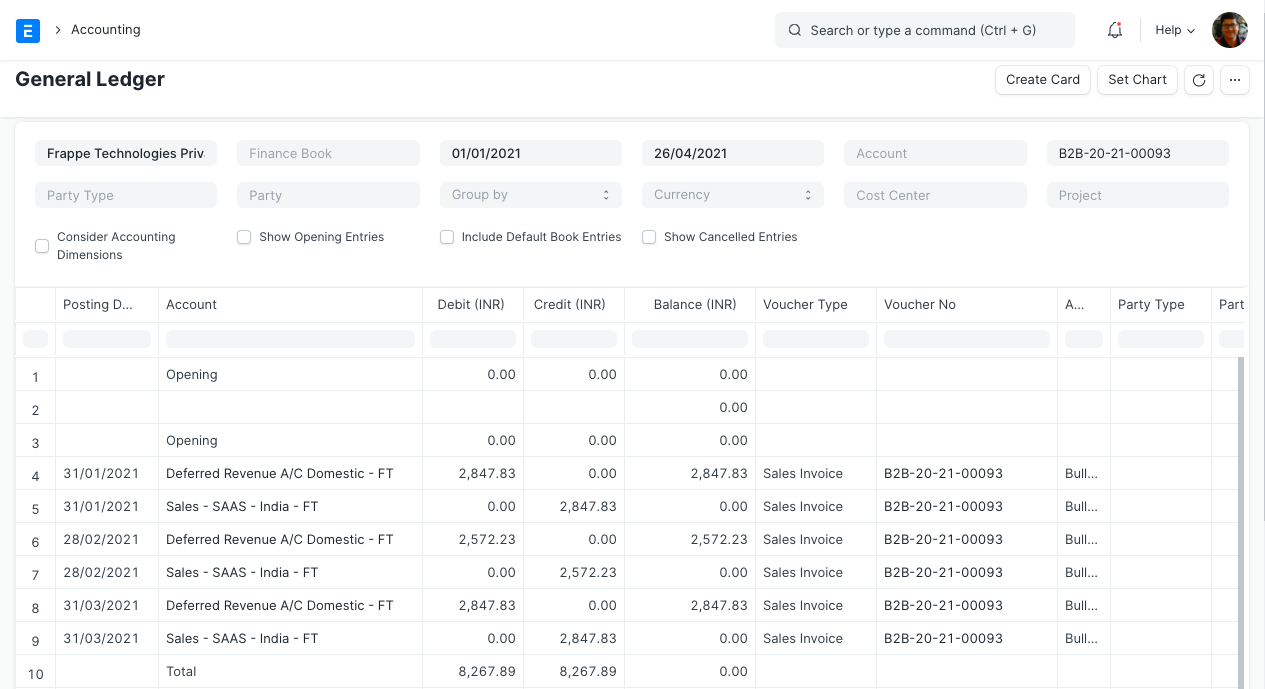
Journal Entries are generated automatically at the end of each month based on the From Date and To Date specified in the Sales Invoice Item table. It credits the Income Account chosen for an Item in the Sales Invoice and debits the value from the Deferred Revenue account.
This is an illustration of income for a deferred revenue item that was recorded using numerous journal entries.