Loan Security Unpledge
Loan Security Unpledge
Introduced in Version 13
A Loan Security Unpledge is created to unpledge the securities when the entire loan amount has been paid.
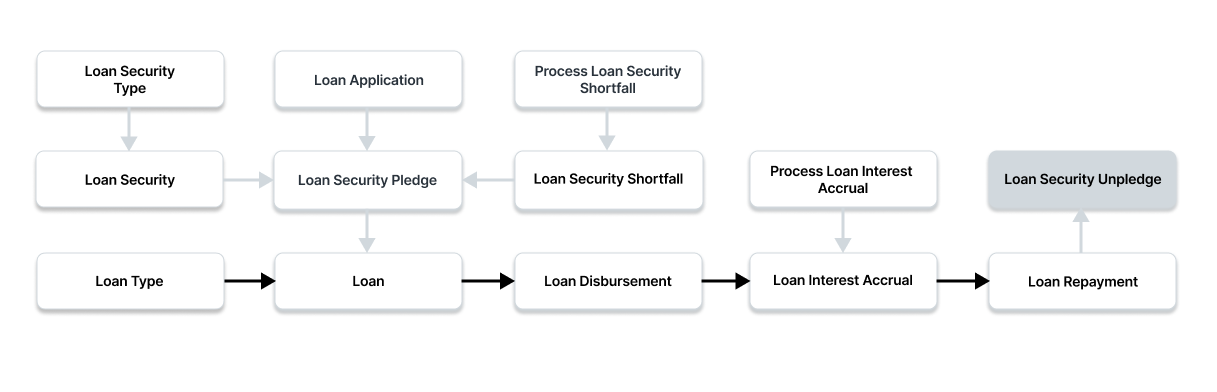
Use this link to see the Loan Security Unpledge list:
Home > Loan Management > Loan Security > Loan Security Unpledge
1. Prerequisites
You must first create the following before you can make a Loan Security Unpledge:
- Loan Security Type
- Loan Security
- Loan
2. How to Create a Loan Security Unpledge
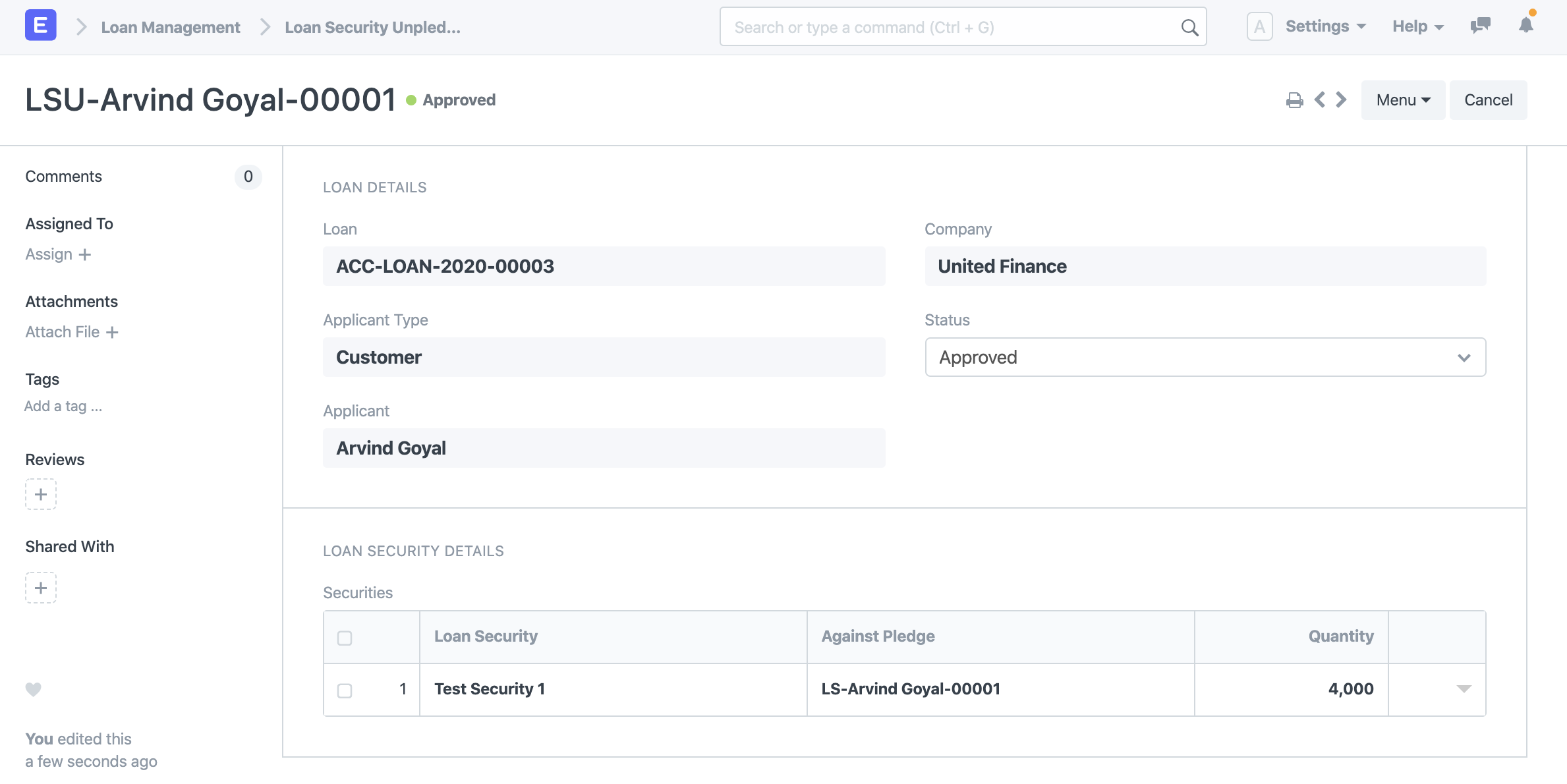
Click New under Loan Security Unpledge List.
Choose the loan for which the securities have not been pledged.
Choose the candidate.
Select Company
Enter the loan security and the amount that will be released from pledge in the securities table. Provide the loan security pledge for which the securities need to be released from pledge as well.
To save the Loan Security Unpledge document, click "Save."
To release the loan securities from pledge, click "Submit."
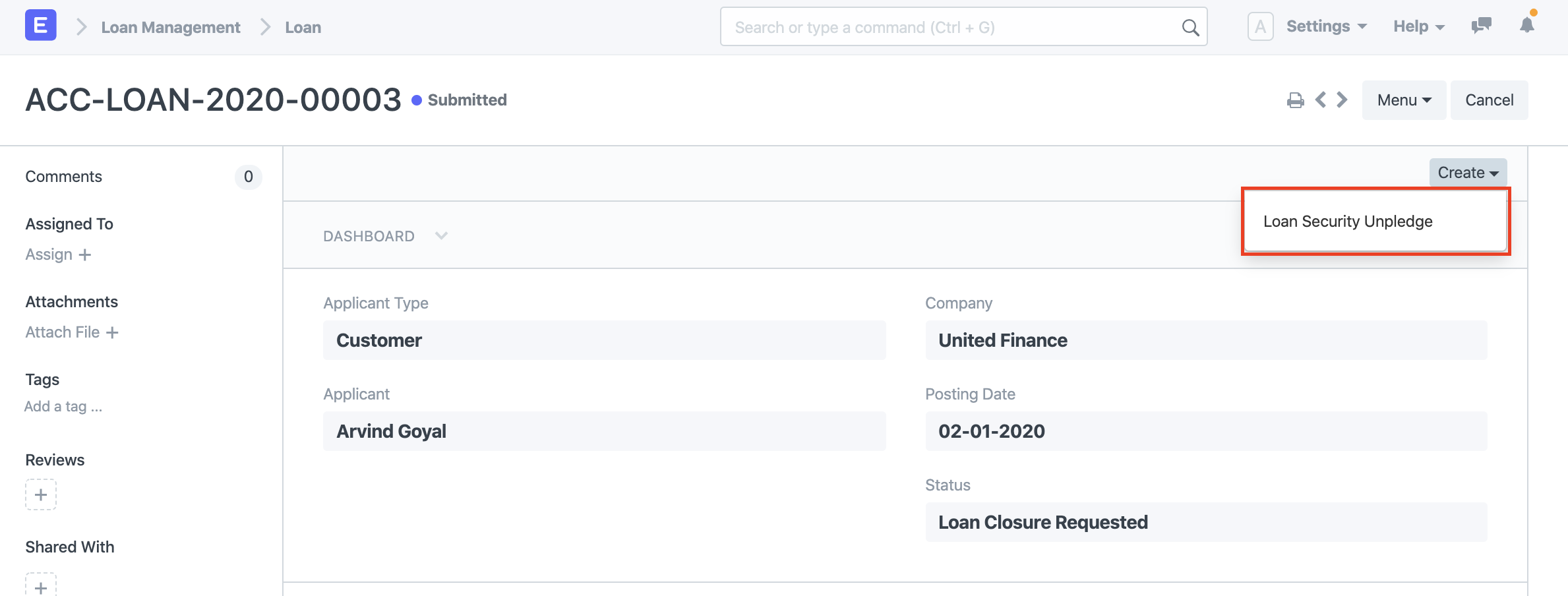
2.1. Other ways to create a Loan Security Unpledge
Using the Create option in the top right, you can also construct a Loan Security Unpledge from a Loan on which loan closure is requested.
3. Features
3.1 Approval of Loan Security Unpledge Request
When the Loan Security Unpledge is approved, the quantity and status of the related Loan Security Pledge are automatically updated. If a loan security promise is fully unpledged, its status in the loan security pledge will be set to "Unpledge," otherwise, it will be set to "Partially Pledged." The Loan against which the unpledge request was lodged will also be closed automatically in the event of a full unpledge.