Sales Persons in the Sales Transactions
Sales Persons in the Sales Transactions
The Sales Person master is kept in a tree structure in ERPNext. In every sales transaction, the salesperson can be chosen.
The Customer Master can also be updated with new salespeople. When a customer is selected in a transaction, salespeople who have been updated for that customer are fetched into the sale.
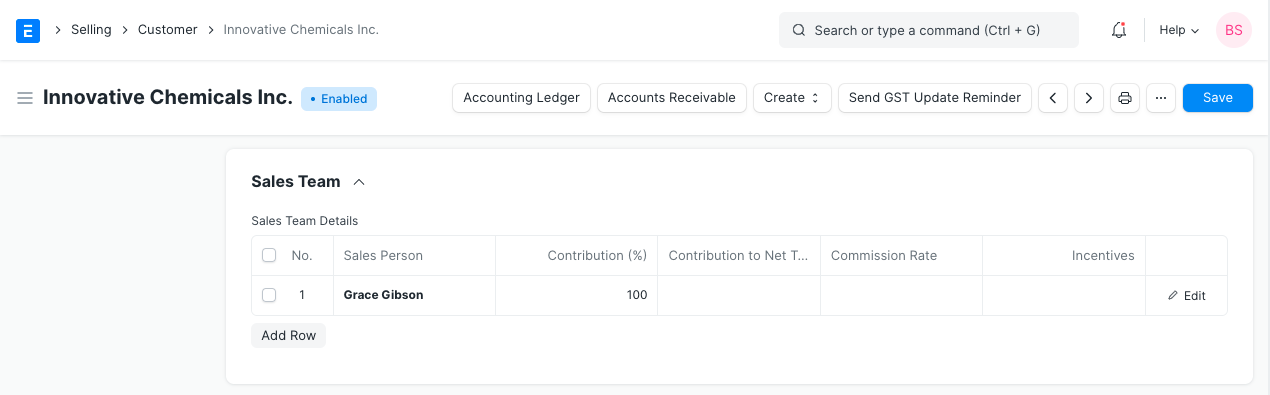
Sales Person Contribution Whenever multiple sales representatives are collaborating on an order, a contribution (%) should be established for each Sales Representative.
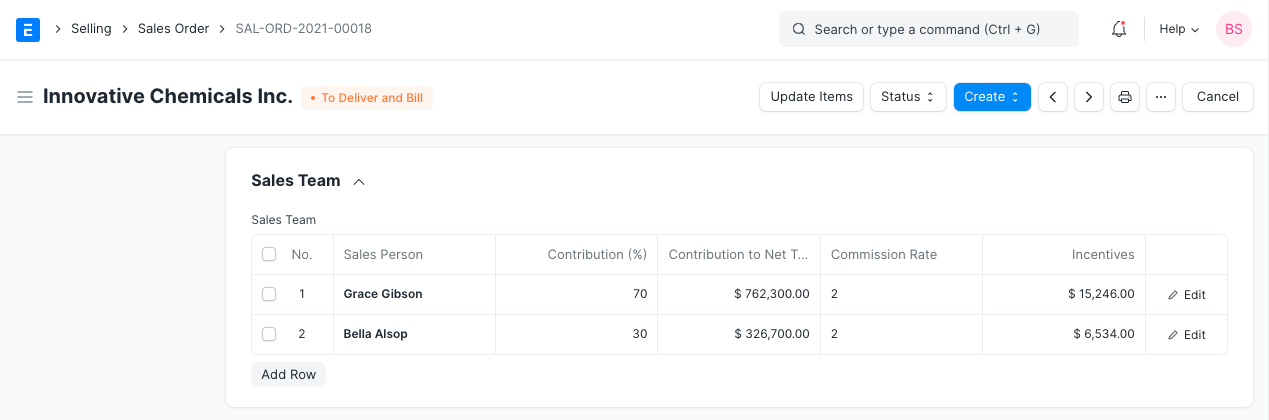
The Net Total and Contribution (%) will be used to compute each Sales Person's contribution to the Net Total after the transaction is saved.
All Sales Person must contribute a total of 100%. When only one salesperson is chosen, the percentage contribution is 100.
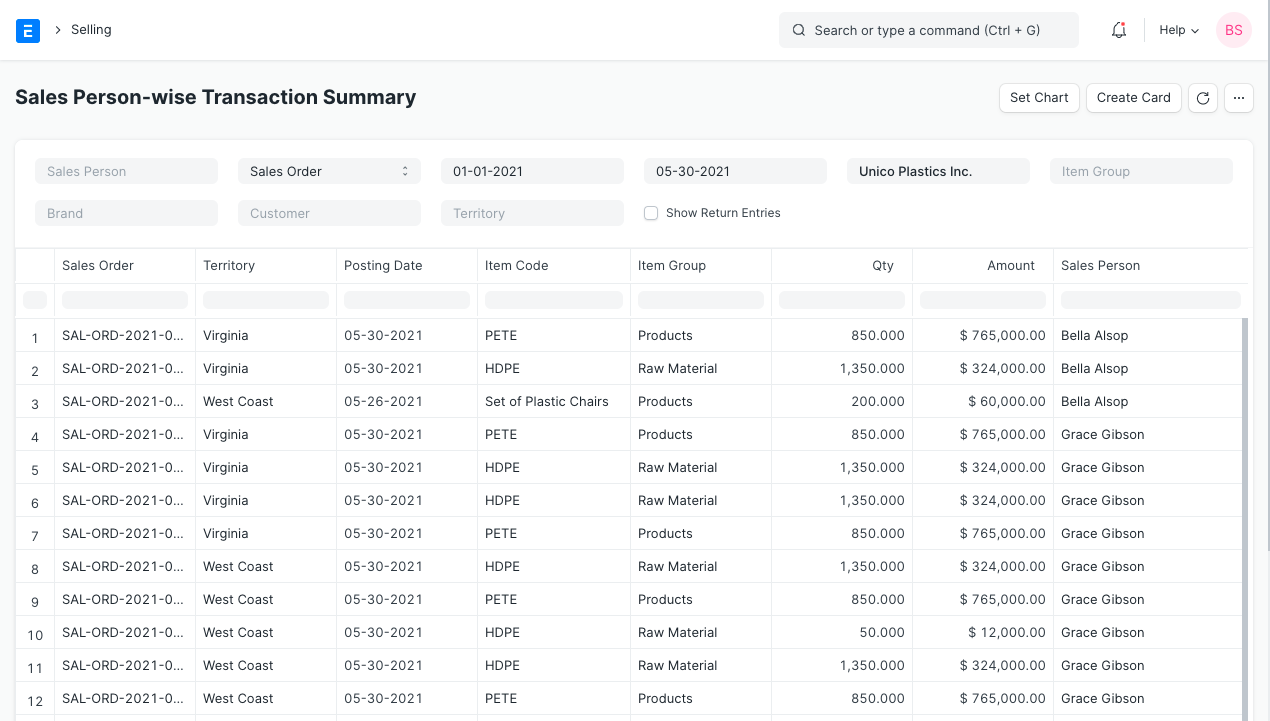
Sales Person Transaction Report See the Sales Person's Transaction report at:
Selling > Standard Reports > Sales Person-wise Transaction Summary
Based on a sales order, delivery note, and sales invoice, this report can be generated. You will be given the total quantity of sales that an employee made.
Sales Person wise Commission
Only the total number of sales that a Sales Person made are provided by ERPNext. If you give salespeople commission, you should enroll them as sales partners in ERPNext. You are able to specify Commission (%) for Sales Partners. The Net Total is used to determine the Commission Amount for the chosen Sales Partner in a sales transaction. You can access the commission report for the Sales Partner by: