Employee Attendance Tool
Employee Attendance Tool
You can record the attendance of numerous employees on a specific date using the Employee Attendance Tool.
Visit the following to use the employee attendance tool:
Home > Human Resources > Attendance > Employee Attendance Tool
With the help of this application, you can rapidly upload attendance records for numerous employees based on their Department and Branch for a certain day.
1. Prerequisites
It is recommended that you first create the following before creating an employee attendance:
Employee
Department
Branch
2. How to mark attendance using Employee Attendance Tool
1.Type the date in.
2.The Department and Branch should be chosen (optional).
3.Choose Workers.
4.As needed, indicate Present, Absent, or Half Day.

Remember that future dates cannot be noted for attendance.
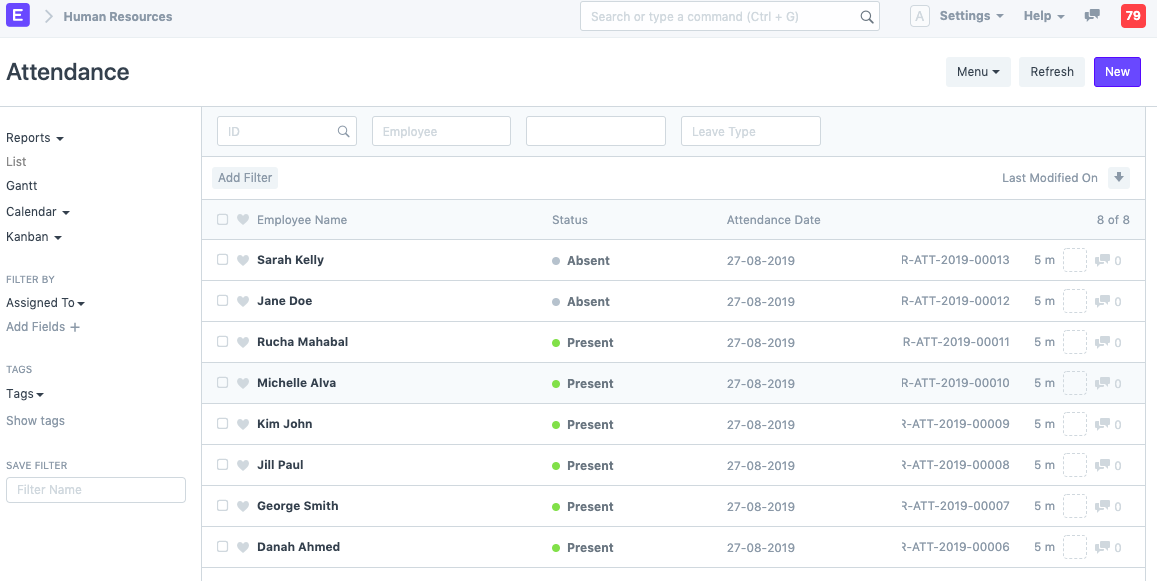
The employee's attendance is saved in the attendance record once it has been marked using the employee attendance tool, as shown: