Selling an Asset
Open the asset record and select the Sell Asset button to sell an asset. Clicking on this will bring up a sales invoice. Enter information like the customer and the payment due date on the sales invoice.
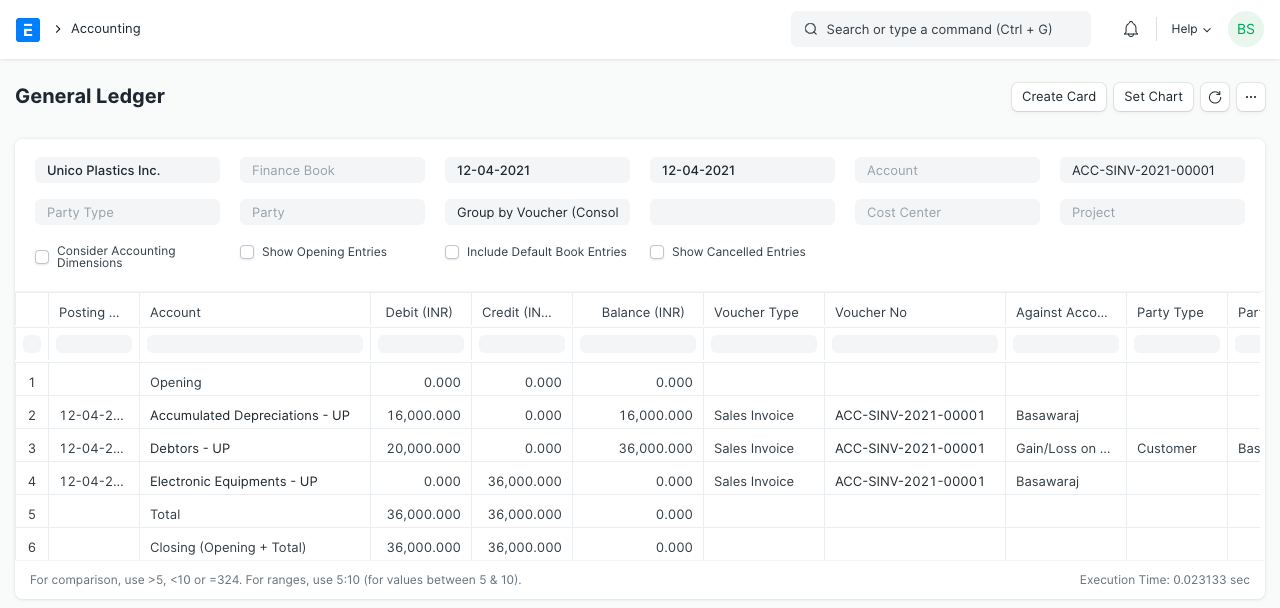
When the sales invoice is submitted, the following accounting entries will be made:
- The sales money will be deducted from the "Receivable Account" (Debtors).
- The asset's purchase price will be credited to the "Fixed Asset Account."
- The total amount of depreciation up to this point will be debited from the "Accumulated Depreciation Account."
- According to the gain or loss amount, the "Gain/Loss Account on Asset Disposition" would be credited or debited. In the company record, the Gain/Loss account can be set.