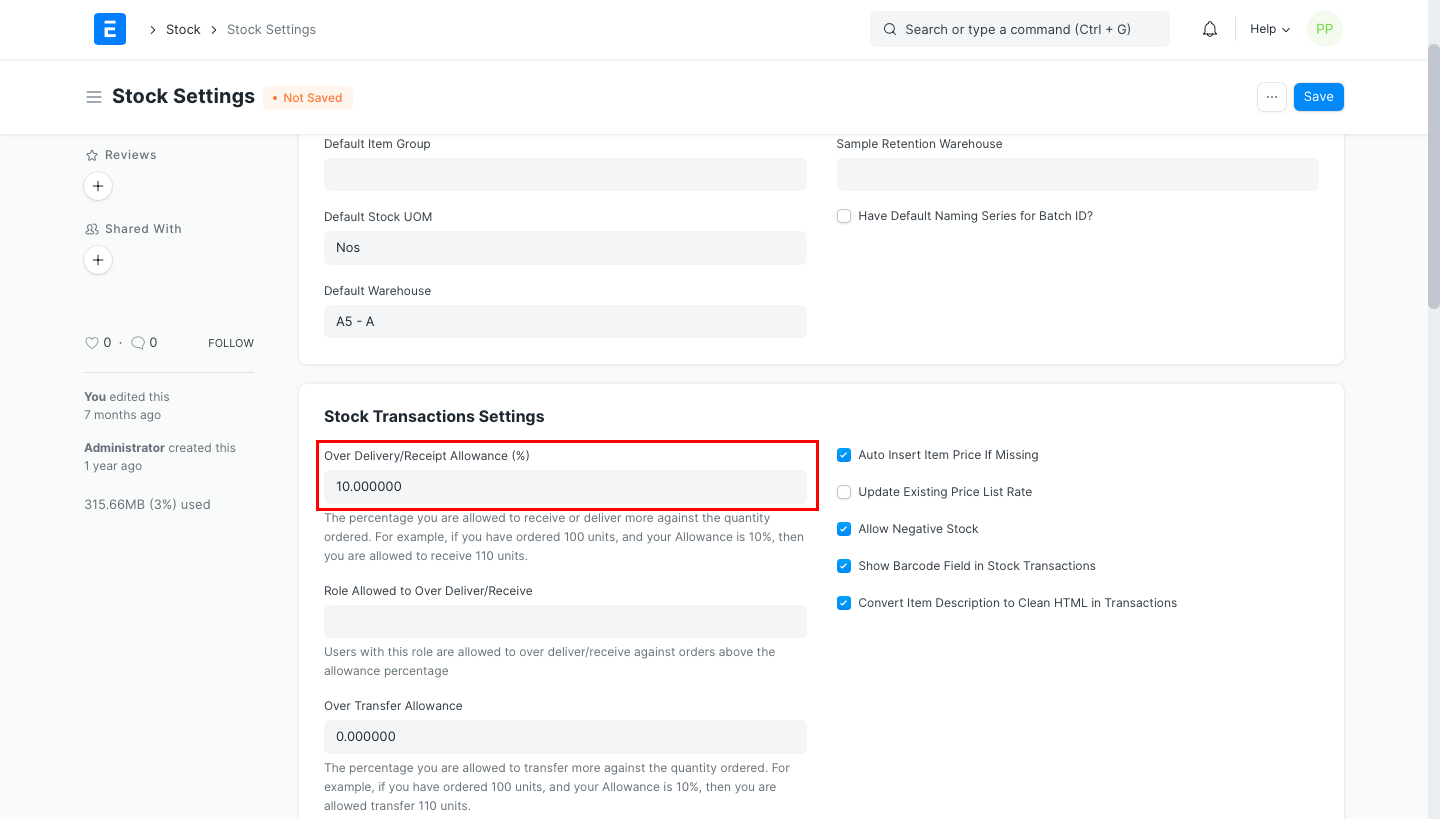
Allow Over Delivery/Billing
Allow Over Delivery/Billing
The system checks to see if the quantity of the item in the Delivery Note matches the quantity in the Sales Order. You will see the validation notification of over-delivery or receipt if the item's quantity has been raised.
Regarding sales, you should adjust "Allow over delivery or receipt upto this percent" in the Item master if you want to be able to send more items than those listed in the Sales Order.
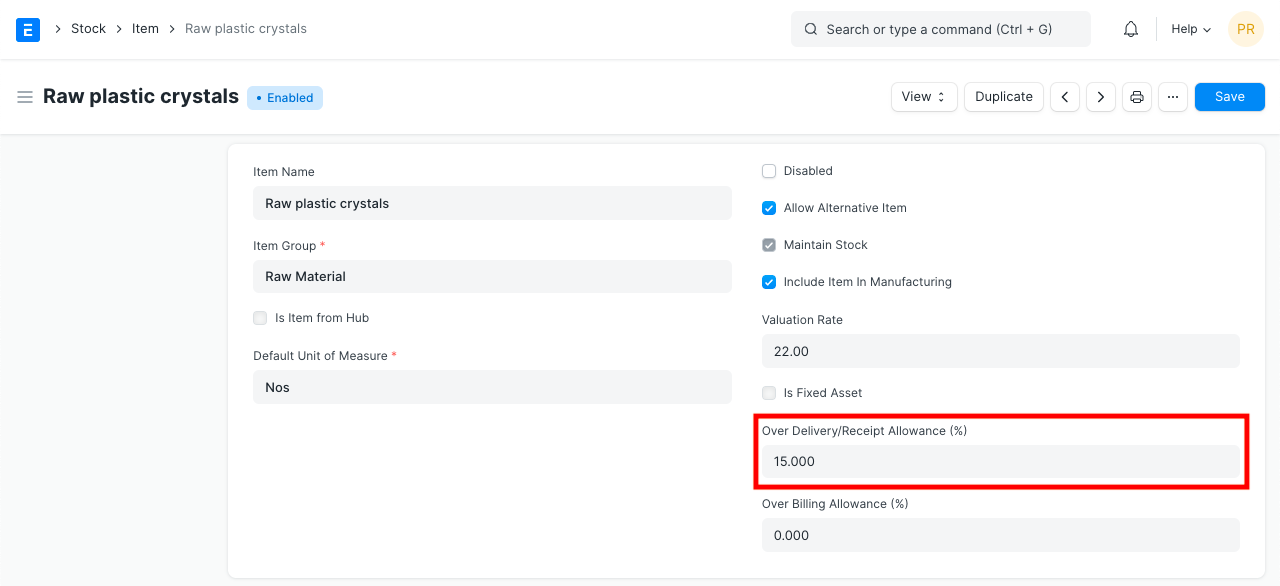
When creating an invoice, item's rate is also evaluated depending on the preceding transaction like Sales Order. This is also true when constructing a purchase invoice or receipt from a purchase order. All sales and purchase transactions will be affected by the update to "Allow excess delivery or receipt up to this percent."
You are permitted to make a purchase receipt for up to 150 units, for instance, if you ordered 100 units of an item and the item's over receipt percentage is 50.
Change the global number under Stock Settings' "Allow excess delivery or reception up to this percent." The value that has been modified here will apply to all the items.
Go to Stock > Setup > Stock Settings
Set Limit Percentage.
Save Stock Settings.