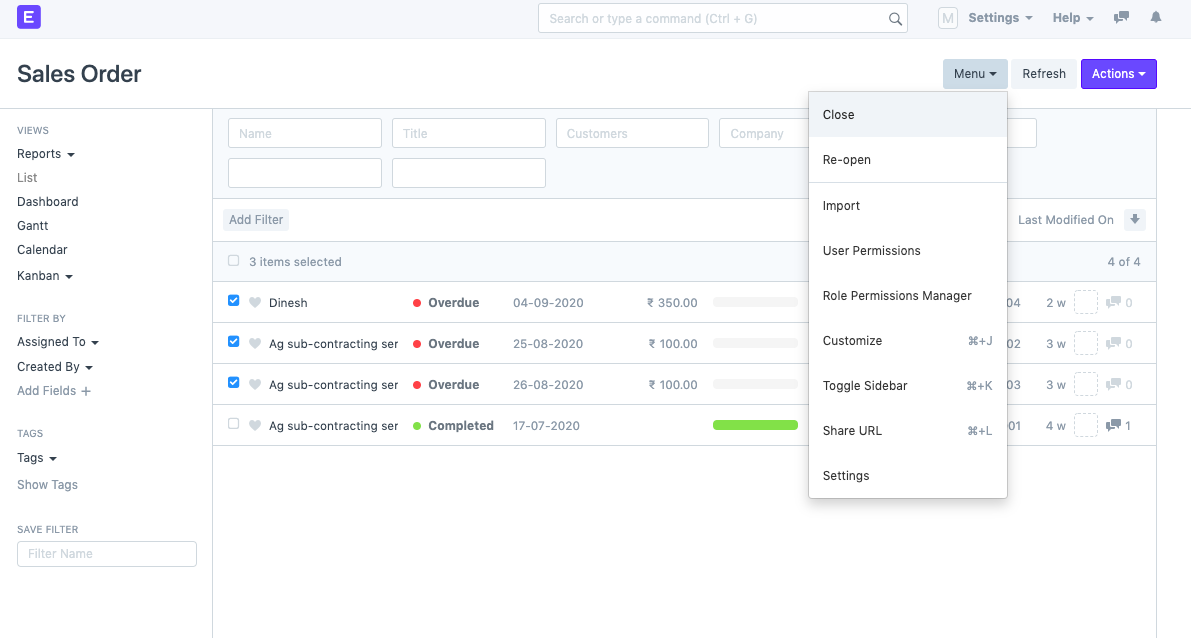
Short Close Multiple Orders
Short Close Multiple Orders
A sales order is equal to being deleted when it is just partially closed. If a sales order is short closed, no additional transactions may be made in relation to it (unless it is re-opened).
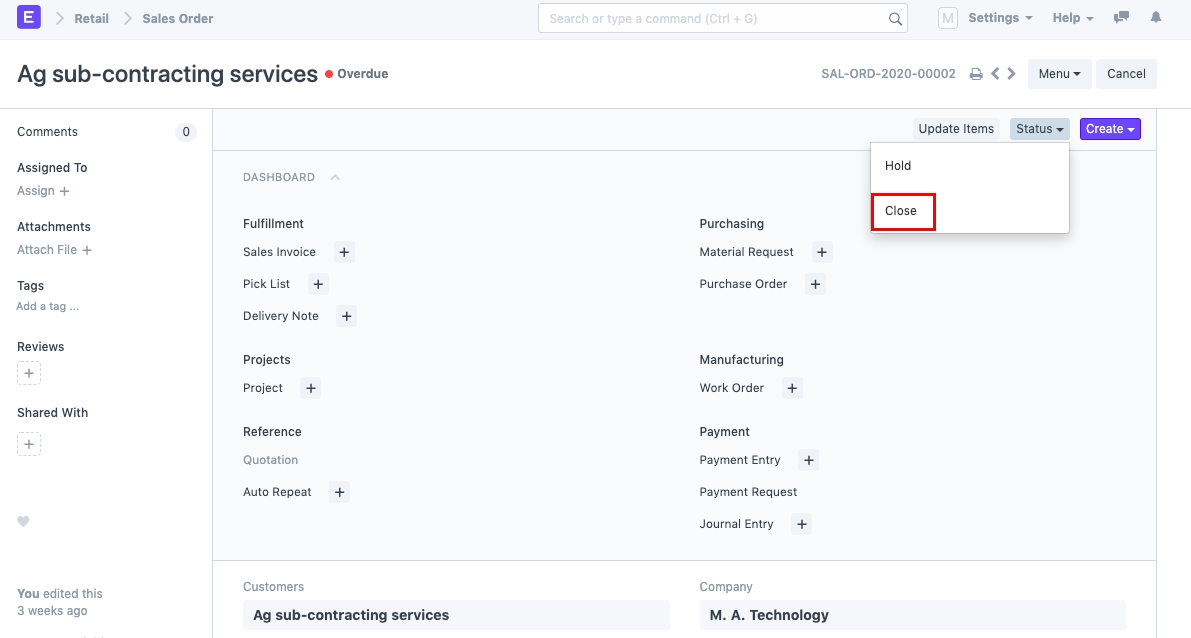
By selecting the "Close" option under Status as shown in the screenshot below, you can close a sales order in ERPNext.
Nonetheless, there are situations when you might want to complete several Sales Orders at once. To do so, take the actions listed below:
1) Access the Sales Order List.
2) Choose the sales orders you wish to close quickly.
3) Go to the menu and select "Close."