Copy Pasting Multiple Records From Excel
If you have a sequence of records saved in an excel sheet, that need to be mapped into a Child Table in Geer ERP, the same can be done using this feature.
Consider that you have a list of things recorded in an Excel sheet that you need to copy to the Sales Order's "Items" Child Table.
Steps to Copy Paste records from excel
- Prepare the source data in a text editor or Excel with tabs separating each column.
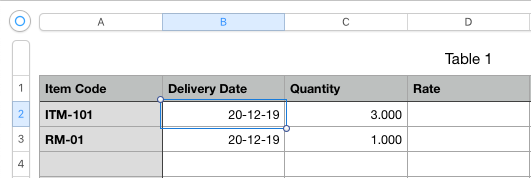
- Drag to pick the records, then choose Copy from the menu or press Ctrl + C (Cmd + C) for other options.
Case 1. The column heading and its contents should be in the first column of the excel sheet.
Case 2: The data will be mapped to the visible columns in the absence of a designated column header.
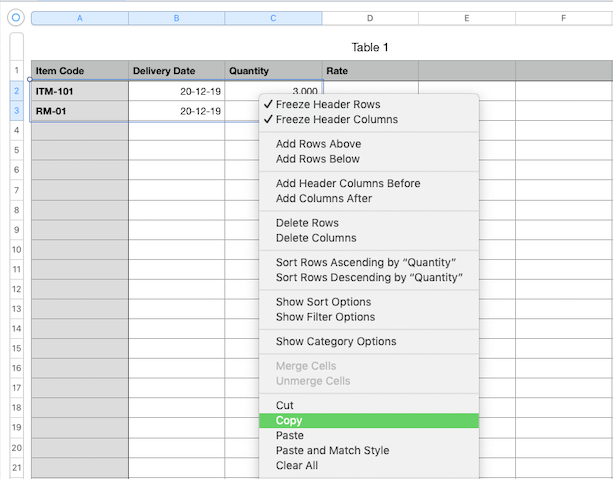
Copy it by moving the pointer to the child table's target input field. This copy and paste feature, in contrast to the import via upload file feature, will automatically cause field change events.
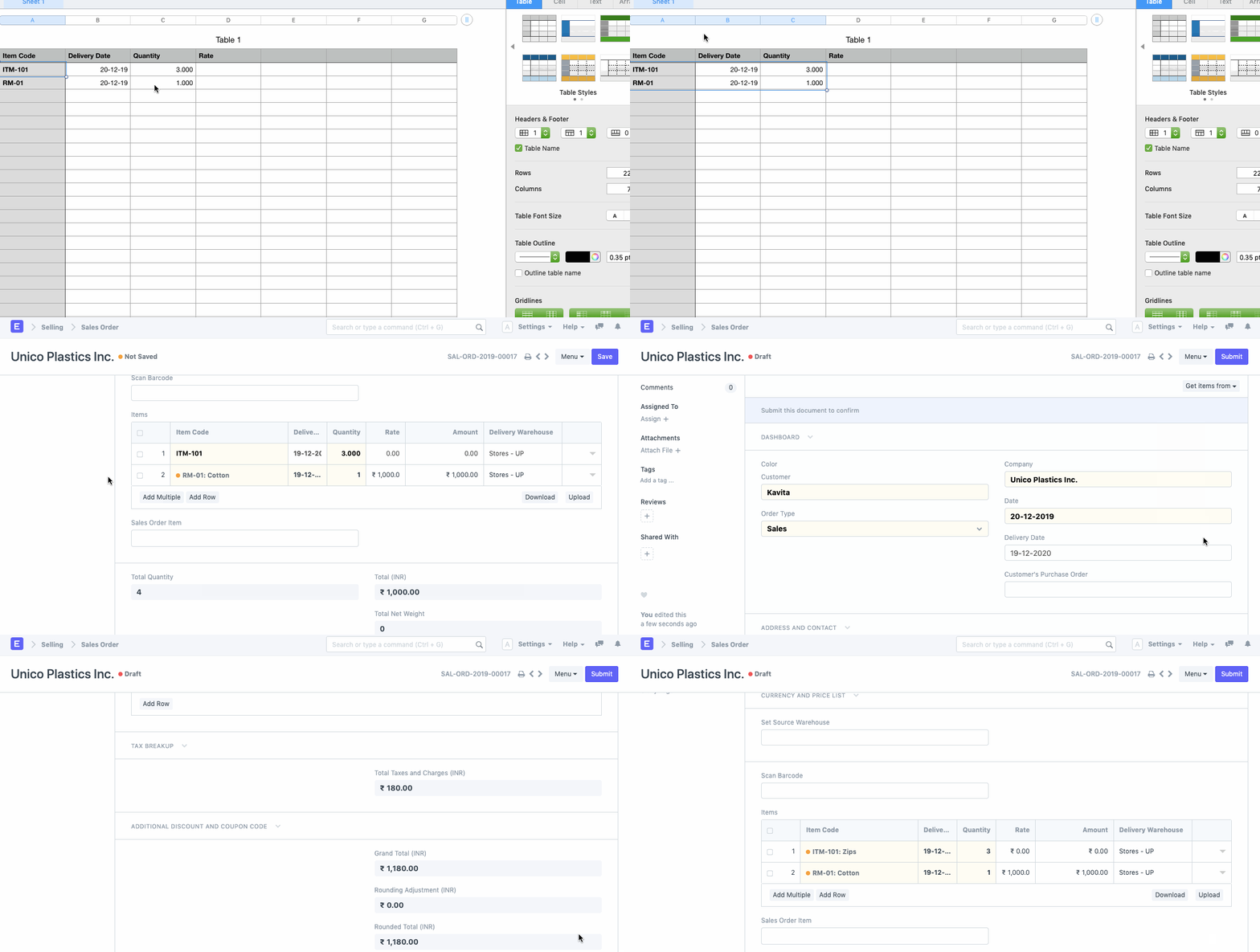
You should only paste up to 100 records at once in order to optimize efficiency.