Program
Program
A Program will have an educational curriculum defined by your institute to streamline the learning process and goals in each subject or course.
For example, Economics Major would be a Program taught at an institution that will have various courses within.
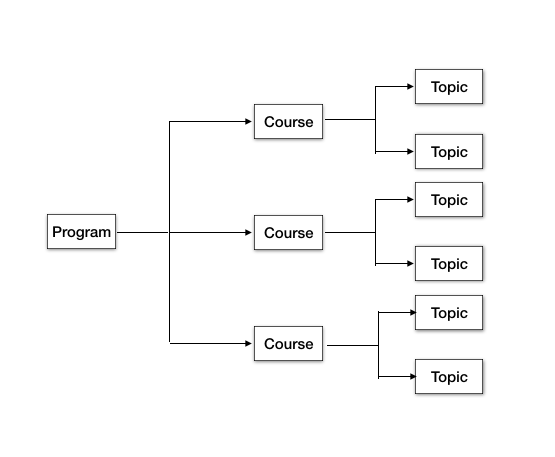
A major in economics would resemble this:
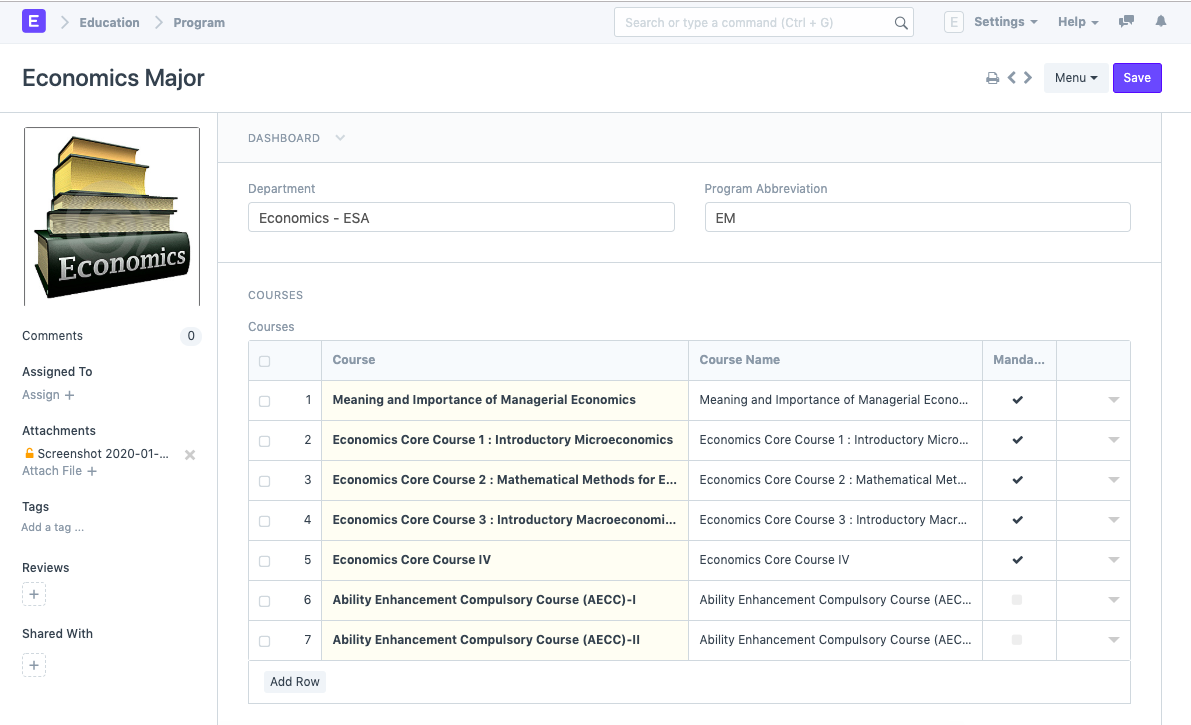
To access the Program list go to:
Home > Education > Masters > Program
1. Prerequisites
It is suggested that you first build the following before creating a new program:
Department
Course
2. Creating a New Program
Click on New in the Program list once there.
Program Name and Program Abbreviation should be entered.
For the program, choose the department.
Choose and add the programs' courses.
Save.
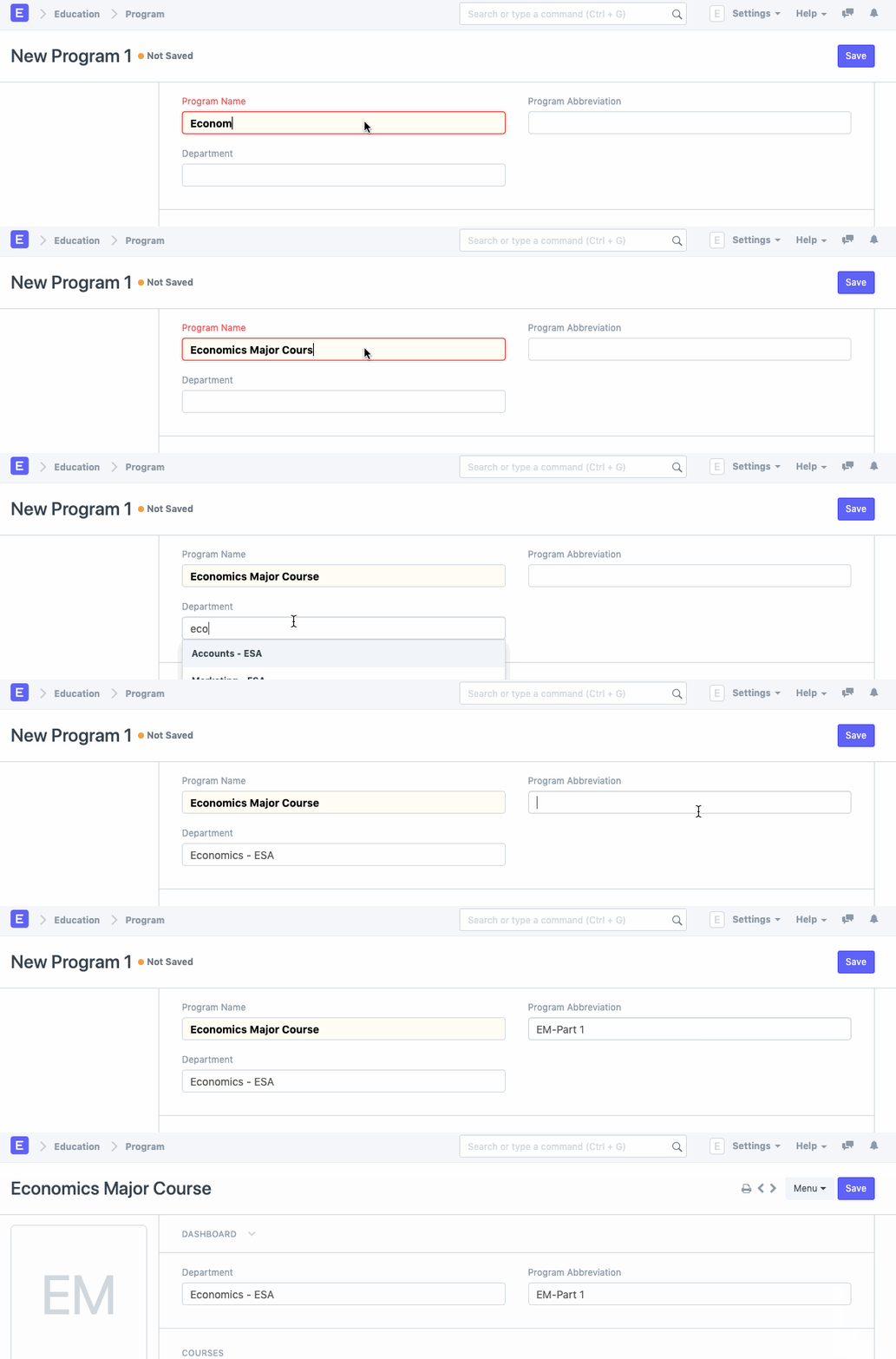
2.1 Alternate ways of creating a new Program
A course can also be used to build a new program in the manner described below:
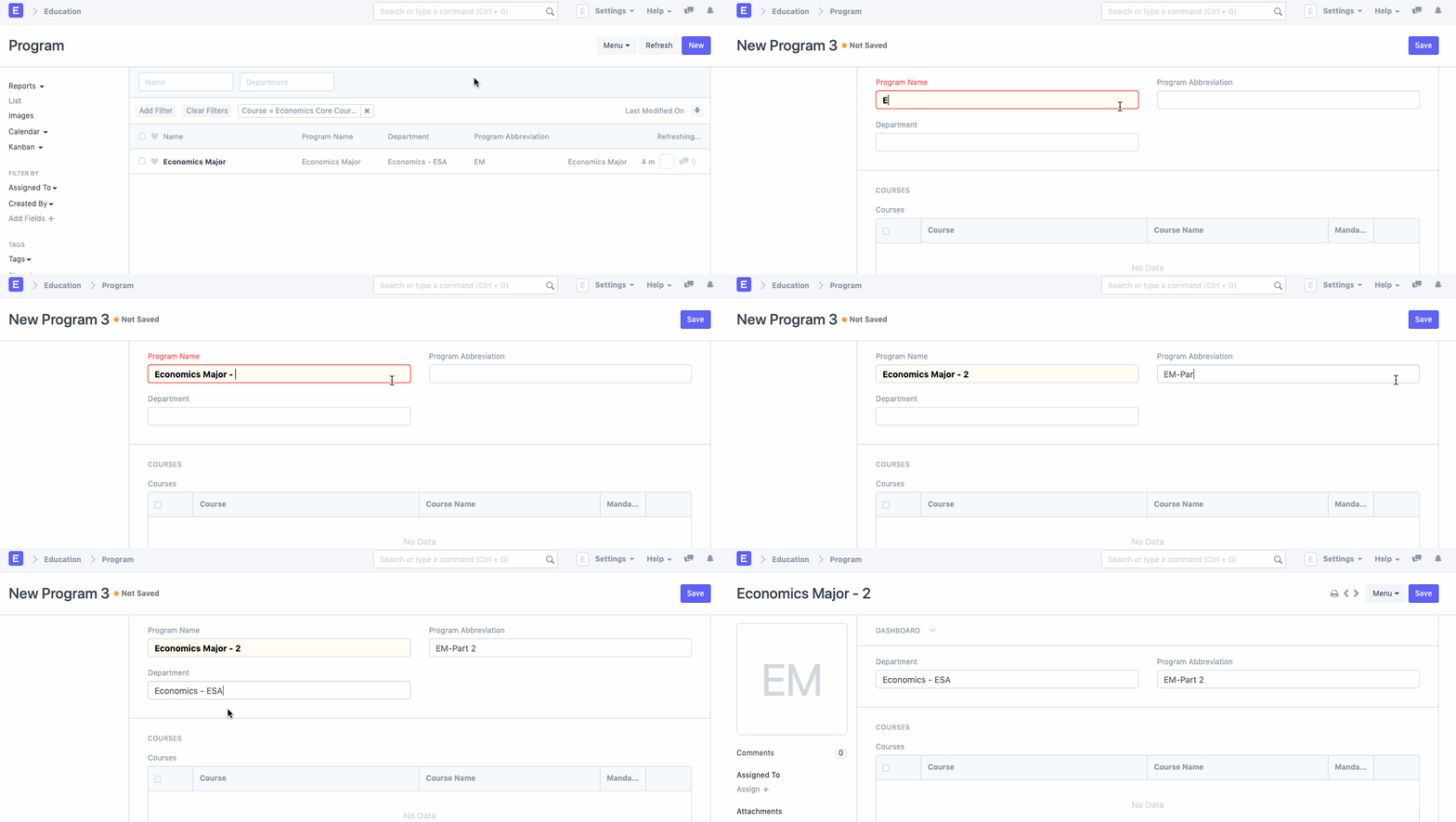
2.2 Additional Options while creating a new Program
- Portal Settings
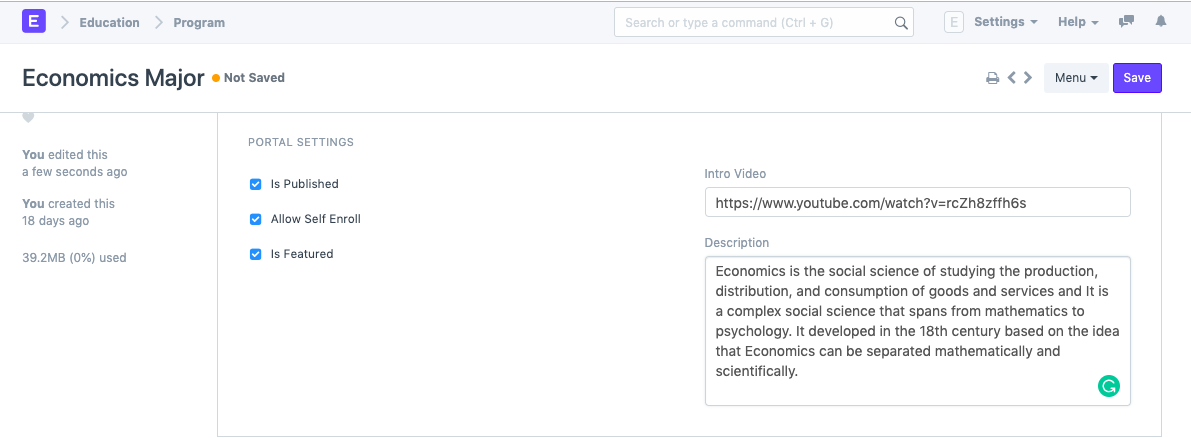
- Is Published: There is a checkbox in the Portal settings for each program generated in ERPNext that permits the Program to be published on the Portal. Self Enrollment and other program settings may be made easier as a result. The user will have access to the following choices after this box has been ticked.
- Allow Self Enroll: The students or applicants will be able to register for the program on the site once this box has been checked.
- Is Featured: By turning on this setting, the software could be highlighted on the site.
- Intro Video: Enter the URL of the video you want to use as the program's introductory video.
- Description: Provide a description of the program that you want the portal to display.